
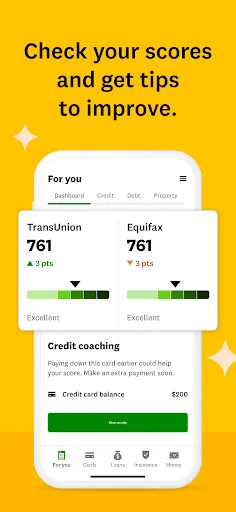




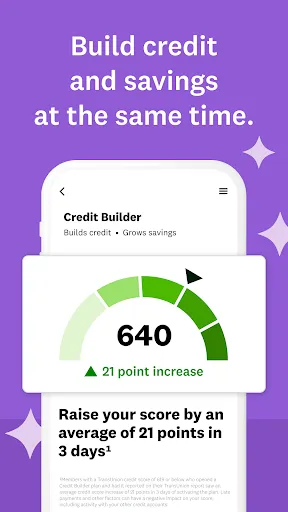

Intuit Credit Karma offers a variety of features designed to help users manage their financial health effectively. One of the primary features is free access to credit scores and reports from major credit bureaus, allowing users to monitor their credit status without incurring any costs. The platform also provides personalized recommendations for credit cards and loans based on users' credit profiles, helping them find suitable financial products.
Another notable feature is the Credit Karma Tax service, which allows users to file their taxes for free, ensuring they maximize their refunds. Additionally, the app includes tools for tracking spending and budgeting, enabling users to gain insights into their financial habits. Users can also receive alerts for significant changes in their credit scores, helping them stay informed about their credit health. Overall, Intuit Credit Karma combines credit monitoring, financial product recommendations, and tax filing services to create a comprehensive financial management tool.
Using Intuit Credit Karma is straightforward and user-friendly. To get started, users need to create an account by providing some personal information, including their name, email address, and Social Security number. This information is used to generate a personalized credit report and score. Once the account is set up, users can access their credit information and explore various features available on the platform.
After logging in, users can navigate through the dashboard to view their credit score, recent credit inquiries, and any changes in their credit report. The app also offers tailored recommendations for credit cards and loans based on the user's credit profile. Users can take advantage of the budgeting tools to track their spending and set financial goals. Additionally, the platform provides educational resources to help users understand credit scores and improve their financial literacy. Overall, Intuit Credit Karma is designed to empower users to take control of their financial health.
Intuit Credit Karma comes with several advantages that make it a popular choice among users. One of the main pros is that it offers free access to credit scores and reports, which is a significant benefit for those looking to monitor their credit health without incurring costs. The personalized recommendations for financial products can also help users find the best options tailored to their needs. Furthermore, the app's budgeting tools and tax filing services add extra value, making it a comprehensive financial management platform.
However, there are some drawbacks to consider. One potential con is that the app may not provide the most up-to-date credit scores, as they can vary between different credit bureaus. Additionally, while the recommendations for credit products are personalized, they may not always align with every user's financial situation. Some users may also find the interface overwhelming due to the abundance of information available. Overall, while Intuit Credit Karma offers valuable features, users should weigh the pros and cons to determine if it meets their specific financial needs.

 Access free credit scores and reports without impacting your credit. Get personalized recommendations to improve your credit health. Easily track your credit score changes over time. Receive tailored offers for credit cards and loans. Benefit from expert tips on managing your finances effectively.
 Limited access to credit scores from only two bureaus Inconsistent update frequency can mislead users Targeted ads may detract from user experience
  Google Play
  App Store
 Yes, Intuit Credit Karma collects personal data, including your financial information, to provide personalized services and recommendations, but it prioritizes user privacy and security.
Intuit Credit Karma offers a completely free version, allowing users to access their credit scores and reports without any trial period or subscription fees.
Yes, Intuit Credit Karma requires an internet connection to access your credit information and utilize its features.
You can contact support or send feedback for Intuit Credit Karma through the app's help section or by visiting their official website, where you can find customer service options.
Since Intuit Credit Karma is free and does not require a subscription, there is no need to manage or cancel a subscription. Users can simply stop using the app at any time.
Customer numbers are generated automatically and cannot be changed. For other account updates, please contact customer service.
You can contact Intuit Credit Karma customer service through their help center on the website or by using the app for chat support.
During the activation process, you may be asked to verify your identity by answering security questions or providing identification.
To activate your account, follow the link in your welcome email and complete the required steps. If you need help, contact customer service.
If you're unable to log in, use the "Forgot Password?" option or reach out to customer service for help recovering your account.