
 Home
Home  Apps
Apps  Games
Games  Windows
  Topics
  Terms of Service
  Cookies & Privacy Policy
  Disclaimer
My Budget Book


Information
- Category: Finance
- Price: $4.99
- Age Rating: Everyone
- Rating: 4.8
- Developer: OneTwoApps
- Version: 9.10.1
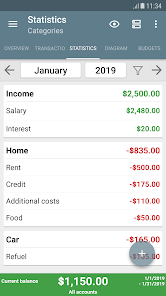
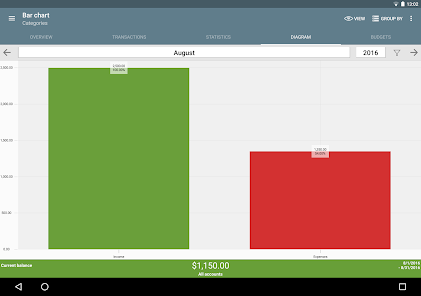
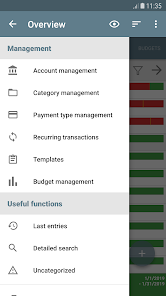
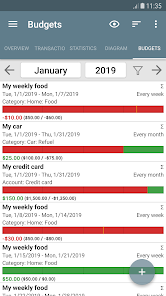
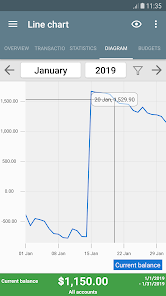
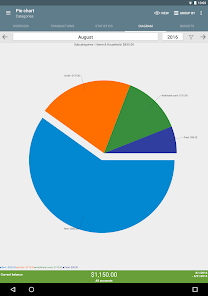
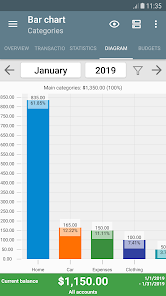
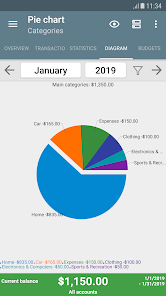
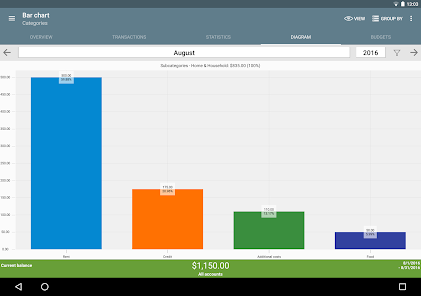
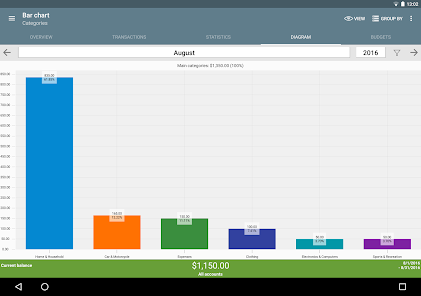
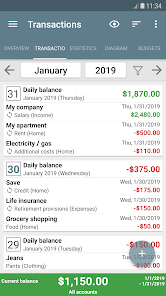
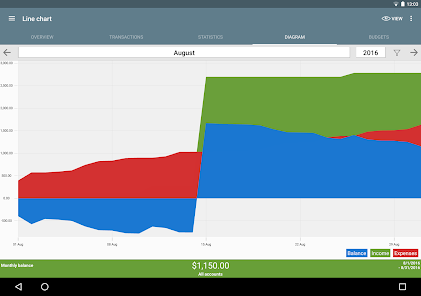
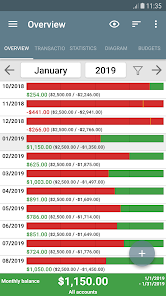
Welcome to My Budget Book, your personal finance companion designed to simplify budgeting and enhance your financial awareness. Track your income, expenses, and savings effortlessly with our user-friendly interface. Set financial goals, monitor your spending habits, and gain insights into your financial health. Whether you're saving for a vacation or managing daily expenses, My Budget Book empowers you to take control of your finances and make informed decisions for a brighter financial future. Start your journey to financial freedom today!
Features of "My Budget Book"
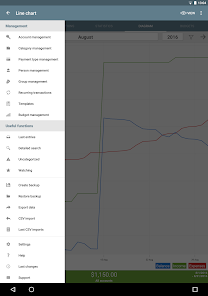
"My Budget Book" is a comprehensive personal finance application designed to help users manage their finances effectively. One of its standout features is the ability to track income and expenses in real-time, allowing users to see where their money is going. The app supports multiple accounts, enabling users to manage various bank accounts, credit cards, and cash transactions all in one place. Additionally, it offers customizable categories for expenses, making it easier to analyze spending habits.
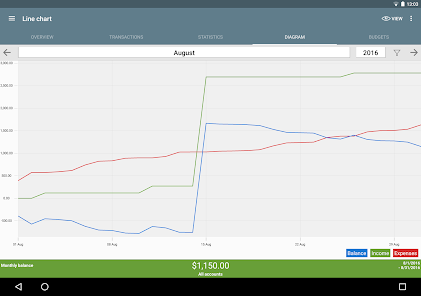
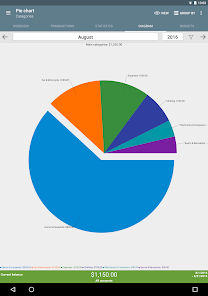
Another notable feature is the budgeting tool, which allows users to set monthly budgets for different categories and receive alerts when they approach their limits. The app also includes a reporting feature that generates detailed graphs and charts, providing insights into spending patterns over time. Furthermore, "My Budget Book" supports data backup and export options, ensuring that users can keep their financial information safe and accessible. Overall, its user-friendly interface and robust features make it a valuable tool for anyone looking to take control of their finances.
How to Use "My Budget Book"?
Using "My Budget Book" is straightforward and user-friendly, making it accessible for individuals of all financial backgrounds. To get started, users need to download the app from their respective app store and create an account. Once logged in, users can set up their financial accounts by entering details such as account names, balances, and types. This initial setup allows for a clear overview of all financial resources.
After setting up accounts, users can begin tracking their income and expenses. To do this, simply navigate to the expense or income section and input the relevant details, including amounts and categories. Users can also set monthly budgets for different categories, which helps in monitoring spending. Regularly reviewing the reports and charts generated by the app will provide insights into financial habits, enabling users to make informed decisions. Overall, consistent use of the app will help users stay on top of their finances and achieve their budgeting goals.
Pros & Cons of the App
"My Budget Book" comes with several advantages that make it a popular choice among users. One of the primary pros is its intuitive interface, which simplifies the process of tracking finances. The app's ability to categorize expenses and set budgets helps users gain a clearer understanding of their spending habits. Additionally, the reporting features provide valuable insights through visual representations, making it easier to identify trends and areas for improvement. The option to back up and export data adds an extra layer of security for users concerned about losing their financial information.
However, there are some drawbacks to consider. One potential con is that the app may lack certain advanced features found in other budgeting tools, such as automatic bank syncing or investment tracking. Some users may also find the initial setup process time-consuming, especially if they have multiple accounts to input. Additionally, while the app is user-friendly, those who are not tech-savvy may still face a learning curve. Overall, while "My Budget Book" is a solid budgeting tool, users should weigh these pros and cons based on their individual financial management needs.
Get Installation Details  Google Play
  App Store
Google Play App Store FAQ
Can I create playlists on Spotify?
Yes, users can create, share, and collaborate on playlists with friends.
Can I download music on Spotify?
Yes, premium users can download songs and playlists for offline listening.
Can I listen to Spotify offline?
Yes, premium users can listen to downloaded music offline without an internet connection.
Can I use Spotify on multiple devices?
Yes, you can use Spotify on multiple devices, but only one device can stream at a time.
Does Spotify have podcasts?
Yes, Spotify hosts a wide range of podcasts across various genres.
Similar Apps














You May Like

Green Dot - Mobile Banking
Finance
3.6

Intuit Credit Karma
Finance
4.7

TurboTax
Finance
4.8

Stash: Investing made easy
Finance
3.7

10bii Financial Calculator
Finance
4.4

ATLAS:EARTH - Fun Cashback
Finance
4.6

Bank of America Mobile Banking
Finance
4.6
Brigit: Cash Advance & Credit
Finance
4.8

Capital One Mobile
Finance
4.5

Chime
Finance
4.8

Dave: Credit, Cash & Money App
Finance
4.5

Experian®
Finance
4.7