



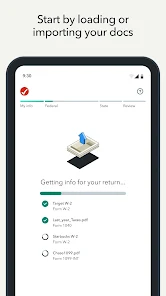


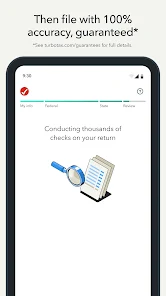














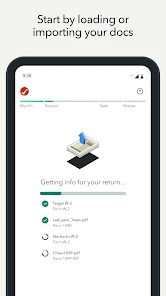
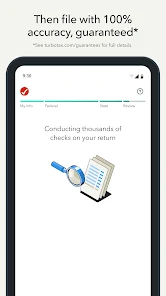



"TurboTax: File Your Tax Return" offers a comprehensive suite of features designed to simplify the tax filing process for users. One of its standout features is the user-friendly interface, which guides users step-by-step through their tax return, making it accessible even for those with limited tax knowledge. The app provides personalized tax advice based on individual financial situations, ensuring that users maximize their deductions and credits.
Additionally, TurboTax includes a robust error-checking system that reviews the return for potential mistakes before submission, reducing the risk of audits. The app also allows users to import financial data directly from various financial institutions, streamlining the data entry process. Furthermore, TurboTax offers a mobile-friendly experience, enabling users to file their taxes on-the-go. With options for both federal and state tax returns, TurboTax caters to a wide range of tax situations, making it a versatile choice for many taxpayers.
Using "TurboTax: File Your Tax Return" is a straightforward process that can be completed in a few simple steps. First, users need to download the app from their respective app store and create an account. Once logged in, the app will prompt users to enter their personal information, including income details, deductions, and credits. The intuitive interface guides users through each section, ensuring that no critical information is overlooked.
After entering all necessary information, users can review their tax return for accuracy. TurboTax's built-in error-checking feature will highlight any potential issues, allowing users to make corrections before submission. Once satisfied with their return, users can e-file directly through the app, ensuring a quick and secure submission to the IRS. Additionally, TurboTax provides options for tracking the status of the filed return, giving users peace of mind as they await their refund.
Like any software, "TurboTax: File Your Tax Return" has its advantages and disadvantages. One of the primary pros is its user-friendly interface, which makes tax filing accessible to individuals with varying levels of tax knowledge. The app's personalized guidance and extensive resources help users maximize their deductions, potentially leading to larger refunds. Additionally, the ability to import financial data from banks and employers saves time and reduces the likelihood of errors.
On the downside, TurboTax can be relatively expensive compared to other tax filing options, especially for users with more complex tax situations. Some users may find that certain features, such as live support or additional forms, require an upgrade to a higher-priced version. Furthermore, while the app is designed to be comprehensive, some users may still encounter challenges with specific tax scenarios that require more in-depth assistance. Overall, while TurboTax is a powerful tool for many, it may not be the best fit for everyone.

 Easy-to-use interface simplifies the tax filing process for everyone. Maximize deductions with smart recommendations tailored to your situation. Real-time error checks help prevent costly mistakes before submission. Access expert support for personalized guidance whenever you need it. Secure and fast e-filing ensures your refund arrives quickly and safely.
 Limited customer support can lead to confusion during tax filing. Software updates may not always reflect recent tax law changes. The user interface can be overwhelming for first-time users.
  Google Play
  App Store
 Yes, users can submit suggestions or feedback through the app or via TurboTax's official website, where they can also find additional support resources.
Yes, TurboTax: File Your Tax Return collects personal data necessary for tax preparation and filing, but it prioritizes security and privacy to protect user information.
TurboTax: File Your Tax Return primarily requires an internet connection to access its features and services, including filing your tax return and obtaining live support.
Users can cancel their subscription through their account settings within the app or by contacting TurboTax customer support for assistance.
Subscription costs vary based on the complexity of the tax return and the selected services, with different pricing tiers available for various filing options.
Yes, you can log in to your TurboTax account from multiple devices as long as you have your login credentials.
Unfortunately, you cannot update your customer number. If you need assistance, please contact customer service for further help.
You can reach TurboTax customer service by calling their support number or using the chat feature on their website for assistance.
To activate your TurboTax account, log in with your email and password, then follow the prompts to enter your activation code.
Log in to your TurboTax account, go to your profile settings, and update your email address there. You may need to verify the new email.