
 Home
Home  Apps
Apps  Games
Games  Windows
  Topics
  Terms of Service
  Cookies & Privacy Policy
  Disclaimer
QBSE


Information
- Category: Finance
- Price: Share
- Age Rating: Everyone
- Rating: 3.5
- Developer: Intuit Inc
- Version: 11.17.0
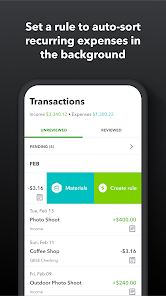
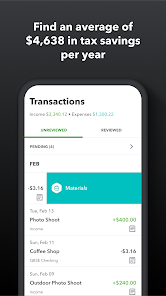
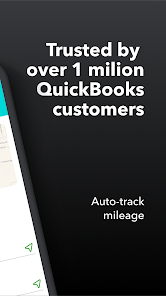
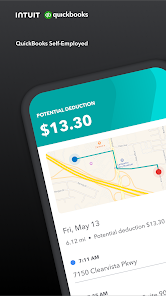
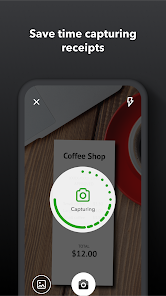
Introducing QBSE, the ultimate app designed to simplify your business management. With intuitive features for invoicing, expense tracking, and financial reporting, QBSE empowers entrepreneurs and small business owners to streamline their operations effortlessly. Stay organized, save time, and gain valuable insights into your financial health—all in one user-friendly platform. Whether you're on the go or at your desk, QBSE is your reliable partner for achieving business success.
Features of QBSE
QuickBooks Self-Employed (QBSE) is designed specifically for freelancers and independent contractors, offering a range of features tailored to their unique needs. One of the standout features is expense tracking, which allows users to easily categorize and monitor their business expenses. This is crucial for maintaining accurate financial records and maximizing tax deductions.
Another key feature is invoicing, enabling users to create and send professional invoices directly from the app. This streamlines the billing process and helps ensure timely payments. QBSE also includes mileage tracking, which automatically records business-related travel, making it easier to claim mileage deductions during tax season.
Additionally, QBSE offers tax estimation tools that help users calculate their quarterly tax obligations, reducing the risk of underpayment penalties. The app integrates seamlessly with various financial institutions, allowing for easy bank account synchronization and transaction imports. Overall, QBSE provides a comprehensive solution for managing finances, making it an invaluable tool for self-employed individuals.
How to Use QBSE
Using QuickBooks Self-Employed (QBSE) is straightforward and user-friendly, making it accessible for individuals new to financial management. To get started, users need to sign up for an account on the QBSE website or download the mobile app. After creating an account, users can link their bank accounts and credit cards to automatically import transactions, which simplifies expense tracking.
Once transactions are imported, users can categorize them as business or personal expenses, ensuring accurate financial records. The app also allows users to create and send invoices to clients, which can be customized to reflect their brand. For those who drive for work, the mileage tracking feature can be activated to automatically log trips, making it easy to claim deductions.
Additionally, users can access tax estimation tools to calculate their quarterly tax payments based on their income and expenses. Regularly reviewing financial reports generated by QBSE can help users stay on top of their finances and make informed decisions. Overall, QBSE provides a comprehensive platform for managing self-employment finances efficiently.
Pros & Cons of QBSE
QuickBooks Self-Employed (QBSE) offers several advantages that make it appealing to freelancers and independent contractors. One of the primary benefits is its user-friendly interface, which simplifies financial management for those who may not have extensive accounting knowledge. The automatic transaction import feature saves time and reduces the likelihood of errors in data entry. Additionally, the app's tax estimation tools help users prepare for tax season, ensuring they set aside the appropriate amount for quarterly payments.
However, QBSE does have some drawbacks. One notable limitation is that it is primarily designed for self-employed individuals, which means it may not be suitable for small business owners with more complex financial needs. Furthermore, while the app offers essential features, it lacks some advanced functionalities found in other QuickBooks products, such as inventory management and payroll processing. Users may also find that the subscription cost can add up over time, especially if they require additional features or support.
In summary, while QBSE is an excellent tool for managing finances as a self-employed individual, potential users should weigh its pros and cons to determine if it aligns with their specific needs.
Get Installation Details  Google Play
  App Store
Google Play App Store FAQ
Can I create playlists on Spotify?
Yes, users can create, share, and collaborate on playlists with friends.
Can I download music on Spotify?
Yes, premium users can download songs and playlists for offline listening.
Can I listen to Spotify offline?
Yes, premium users can listen to downloaded music offline without an internet connection.
Can I use Spotify on multiple devices?
Yes, you can use Spotify on multiple devices, but only one device can stream at a time.
Does Spotify have podcasts?
Yes, Spotify hosts a wide range of podcasts across various genres.
Similar Apps
















You May Like

Green Dot - Mobile Banking
Finance
3.6

Intuit Credit Karma
Finance
4.7

TurboTax
Finance
4.8

Stash: Investing made easy
Finance
3.7

10bii Financial Calculator
Finance
4.4

ATLAS:EARTH - Fun Cashback
Finance
4.6

Bank of America Mobile Banking
Finance
4.6

Brigit: Cash Advance & Credit
Finance
4.8

Capital One Mobile
Finance
4.5

Chime
Finance
4.8

Dave: Credit, Cash & Money App
Finance
4.5

Experian®
Finance
4.7