


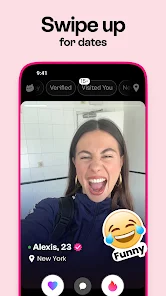
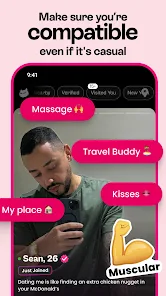
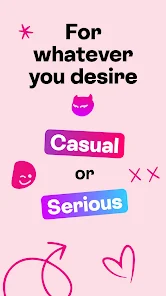
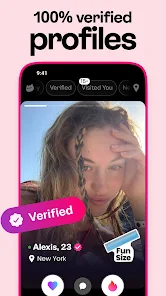
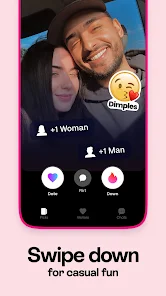

"DOWN: The Casual Dating App" is designed for individuals seeking casual relationships without the pressure of traditional dating. One of its standout features is the ability to express interest in someone by simply swiping right, which indicates a desire to connect. Users can also choose to indicate their intentions, whether they are looking for something serious or just a casual encounter, making it easier to find like-minded individuals.
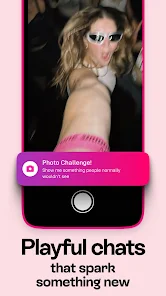
The app includes a unique "Down" feature that allows users to signal their interest in a more playful manner. Additionally, it offers a chat function that enables users to communicate before meeting in person, fostering a sense of safety and comfort. The app also incorporates location-based services, helping users find potential matches nearby. Furthermore, users can create profiles with photos and personal information, allowing for a more personalized experience. Overall, "DOWN" combines fun and functionality, catering to those who prefer a laid-back approach to dating.
Using "DOWN: The Casual Dating App" is straightforward and user-friendly. First, download the app from your device's app store and create an account. You will need to provide some basic information, such as your name, age, and location, along with uploading a few photos to enhance your profile. Once your profile is set up, you can start browsing through potential matches in your area.
To express interest in someone, simply swipe right on their profile. If they swipe right on yours as well, a match is created, and you can start chatting. The app also allows you to specify what you are looking for, whether it’s a casual date or something more serious, which helps filter potential matches. Remember to engage in conversation to get to know your match better before deciding to meet in person. Always prioritize safety by meeting in public places for your first encounters.
Like any dating app, "DOWN: The Casual Dating App" has its advantages and disadvantages. One of the primary pros is its focus on casual dating, making it ideal for users who are not looking for serious relationships. The app's user-friendly interface and location-based features enhance the overall experience, allowing users to connect with potential matches nearby. Additionally, the ability to specify intentions helps streamline the matching process, ensuring that users find what they are looking for more efficiently.
On the downside, some users may find that the casual nature of the app attracts individuals who are not serious about dating at all. This can lead to a higher incidence of ghosting or unresponsive matches. Furthermore, while the app is free to use, some features may require a premium subscription, which could deter users who prefer a completely free experience. Overall, while "DOWN" offers a fun and engaging platform for casual dating, users should be aware of its limitations and approach it with realistic expectations.

 Find potential matches based on your current location for convenience. Connect with singles nearby, making spontaneous dates easy and fun. Filter profiles to discover compatible people who share your interests. Enjoy a user-friendly interface designed for effortless navigation and engagement. Enhance your dating experience with real-time updates and notifications.
 Limited user base may reduce match options near you Privacy concerns with location sharing Potential for superficial connections over meaningful interactions
  Google Play
  App Store
 Yes, users can submit suggestions or feedback through the app’s support or contact feature, allowing the developers to consider user input for future updates.
Yes, DOWN Dating App: Date Near Me collects personal data to enhance user experience, but it adheres to privacy policies to protect user information.
DOWN Dating App: Date Near Me requires an active internet connection to function, so it does not support offline use.
Users can cancel their subscription through their app store settings or account settings within the app, depending on the platform they are using.
Subscription costs for DOWN Dating App: Date Near Me may vary, typically offering different pricing tiers based on the duration of the subscription, such as monthly or yearly plans.
Yes, you can log in using your Facebook or Google account if you selected that option during registration.
To activate your account, click the link sent to your email after registration. Follow the instructions provided to complete the activation.
You can reach our customer service team through the app or by emailing support
Unfortunately, customer numbers cannot be changed. If you have concerns, please contact our customer service for further assistance.
To log in, open the app and enter your email and password. If you're having trouble, use the "Forgot Password?" option to reset it.