


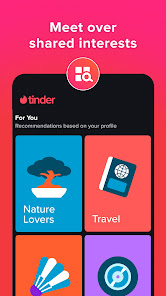


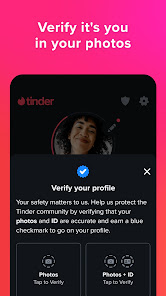
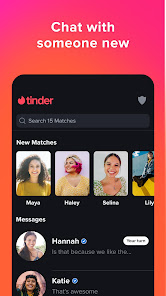


Tinder Dating App: Chat & Date has become a staple in the world of online dating, and it’s easy to see why. With its user-friendly interface and innovative features, it allows singles to connect in a fun and engaging way. Here are some of the core features that stand out:
Using Tinder has seamlessly integrated itself into my daily life. Whether I’m on my commute, waiting for a friend at a café, or unwinding at home, I find myself opening the app to explore potential matches. One memorable scenario was during a friend’s birthday party; I discretely swiped through profiles while chatting with friends, and I ended up matching with someone who was at the same venue! This led to an unexpected, spontaneous meetup that night, highlighting how the app can turn even ordinary moments into exciting opportunities.
The user interface of Tinder is sleek and intuitive, making it easy to navigate. Upon opening the app, I was greeted with a clean layout that displayed potential matches front and center. The workflow is smooth; I could swipe, match, and message without any frustrating delays. The app's performance has been impressive, with minimal crashes or bugs, which is crucial when you’re trying to connect with someone quickly. Overall, I felt the app was designed with the user in mind, making the dating experience enjoyable and less daunting.
Tinder offers a free version that allows users to swipe and match, but they also provide premium subscription options like Tinder Plus and Tinder Gold, which unlock additional features. For instance, with Tinder Gold, I can see who has liked me before I swipe, making the matching process more efficient. I found the pricing to be reasonable, especially given the enhanced features available that can facilitate a better dating experience.
Tinder continuously updates its app to improve user experience and introduce new features. I’ve noticed enhancements in safety measures and messaging options over time, which reflect the developers’ commitment to user satisfaction. Customer support is accessible, with a help center available within the app for any queries or issues. I appreciate the quick response I received when I encountered a minor technical glitch; the support team was prompt and helpful.
When it comes to security and privacy, Tinder takes several measures to protect its users, especially those in the American market. The app is available on both the App Store and Google Play, ensuring regular updates and security patches. During registration, users are required to provide personal information, but Tinder allows you to sign up using existing social media accounts, which can streamline the process. However, it’s important to note that the app does collect data for targeted advertising and tracking user behavior, which raises some privacy concerns.
Overall, while I appreciate the convenience of the app, I remain cautious about the personal data shared. Tinder’s safety features, like the ability to block and report users, add an extra layer of security, making the dating experience safer. It's essential to stay informed about privacy settings and manage who can see your profile to ensure a more secure dating journey.

 Connect with potential matches in your area effortlessly. Swipe through profiles quickly to find your type. Chat instantly to break the ice and build rapport. Explore diverse interests and lifestyles in one app. Access a global community for dating beyond borders.
 Limited user profiles can lead to superficial connections. Frequent ghosting can create feelings of rejection and frustration. Overwhelming choices may lead to decision fatigue and indecision.
  Google Play
  App Store
 Yes, Tinder allows users to submit suggestions and feedback through their app or website, often in the help or support sections.
Yes, Tinder collects personal data such as location, profile information, and interaction data to improve user experience and provide personalized matches.
Tinder requires an internet connection to function, so it does not support offline use.
You can cancel your Tinder subscription through the app store where you purchased it, either in your iOS or Android settings, or by following the cancellation instructions on the Tinder website.
Subscription costs for Tinder vary based on the plan you choose, typically ranging from a few dollars per month to more for advanced features like Tinder Gold or Tinder Plus.
To activate your Tinder account, download the app, sign up with your phone number or social media, and follow the verification steps sent to your device.
You can reach Tinder's customer service through the app under "Settings" > "Help & Support" or by visiting their website's help center.
Open the Tinder app, select "Log In," and choose to sign in using your phone number, Facebook, or Google account. Follow the prompts to access your account.
Tinder does not provide a direct phone number for customer service; support is primarily available via the app and website.