



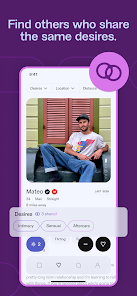
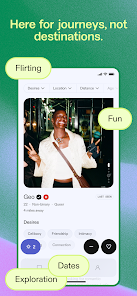
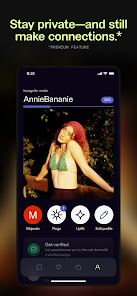
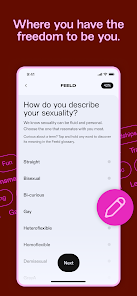
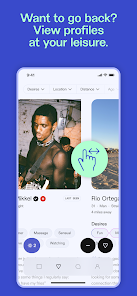
Feeld is designed for individuals and couples seeking open-minded connections, catering to a diverse range of relationship preferences. One of its standout features is the ability to create profiles for both individuals and couples, allowing users to express their desires and boundaries clearly. The app supports various orientations and relationship types, making it inclusive for everyone.
Another notable feature is the option to explore interests through customizable profiles, where users can specify what they are looking for, whether it’s casual dating, threesomes, or long-term relationships. The app also includes a unique "discreet mode," which allows users to keep their profiles hidden from Facebook friends, ensuring privacy and comfort.
Feeld encourages open communication through its chat function, enabling users to engage in conversations before meeting in person. Additionally, the app offers a "Discover" section, where users can browse profiles based on shared interests and preferences, enhancing the chances of finding compatible matches. Overall, Feeld promotes a safe and respectful environment for exploring alternative relationship dynamics.
Using Feeld is straightforward and user-friendly. First, download the app from the App Store or Google Play and create an account. You can sign up using your Facebook or Instagram account, or opt for a phone number registration for added privacy. Once registered, you’ll be prompted to create a profile, where you can specify your relationship preferences, interests, and what you’re looking for in a partner.
After setting up your profile, you can start browsing through other users’ profiles. The app allows you to filter potential matches based on various criteria, such as age, location, and relationship type. When you find someone who piques your interest, you can send a message to initiate a conversation. It’s essential to communicate openly about your desires and boundaries to ensure a positive experience.
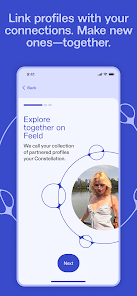
Feeld also offers a "Couples" feature, allowing partners to create a joint profile, which can be particularly useful for those exploring non-monogamous relationships. As you interact with others, remember to prioritize safety and consent, ensuring that all parties are comfortable with the dynamics of the relationship. Overall, Feeld provides a platform for open-minded individuals to connect and explore their desires.
Feeld has several advantages that make it appealing to users seeking open-minded relationships. One of the primary pros is its inclusivity; the app caters to a wide range of sexual orientations and relationship types, making it a welcoming space for everyone. Additionally, the ability to create profiles for couples allows partners to explore their desires together, fostering communication and understanding.
Another significant advantage is the app's focus on privacy. Features like discreet mode help users maintain anonymity, which is crucial for those who may be concerned about their profiles being seen by acquaintances. The app also encourages open dialogue, allowing users to express their boundaries and preferences clearly, which can lead to more fulfilling connections.

 Explore diverse connections beyond traditional dating norms Discover like-minded individuals who share your interests Enjoy a user-friendly interface that simplifies the dating experience Engage in meaningful conversations with potential matches Embrace a safe and inclusive environment for all orientations
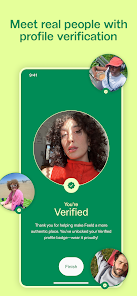
 Limited user base may reduce potential matches in some areas Frequent app glitches can disrupt user experience Profile verification issues can lead to fake accounts
  Google Play
  App Store
 Yes, users can submit suggestions or feedback directly through the app's support feature or by contacting their customer service team via email.
Yes, Feeld collects personal data as part of its user registration and interaction processes, but it emphasizes user privacy and data protection with secure handling of information.
Feeld requires an internet connection to function properly, so it does not support offline use. Users need to be online to send messages and view profiles.
Users can cancel their subscription through their account settings within the app or through the app store they used for the initial purchase, following the provided cancellation instructions.
Subscription costs for Feeld vary depending on the length of the plan chosen, with options typically including monthly, quarterly, and annual subscriptions, providing users flexibility in pricing.
Yes, your customer number is found in the app settings under "Account Info." If you can't find it, reach out to customer service.
You can reach customer service through the app's help section or email support
Use the "Forgot Password?" option on the log in screen to reset your password. Follow the instructions sent to your registered email.
To activate your account, click the link in the email sent to you after registration. If you have issues, contact customer service for further assistance.
You cannot change your customer number directly; however, contact customer service to assist with updating your email and account details.