





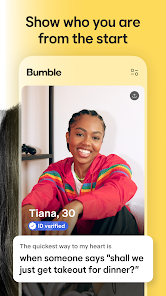
Bumble is a unique dating app that empowers women by allowing them to make the first move. One of its standout features is the 24-hour time limit for initiating conversations after a match is made, which encourages prompt communication. Additionally, Bumble offers a "Bumble BFF" mode for users seeking platonic friendships and "Bumble Bizz" for professional networking, making it a versatile platform for various social interactions.
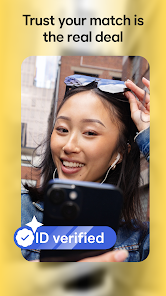
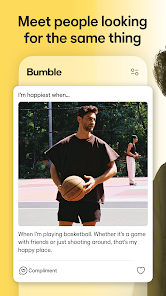
The app also includes a user-friendly interface with customizable profiles, allowing users to showcase their interests and preferences effectively. Bumble's verification process helps ensure authenticity, reducing the chances of encountering fake profiles. Furthermore, the app provides users with the option to extend matches for an additional 24 hours if they need more time to initiate a conversation. With features like video calls and voice messages, Bumble enhances the way users connect, making it easier to build meaningful relationships.
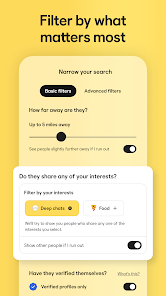
To get started with Bumble, first, download the app from your device's app store and create an account using your phone number or social media profile. Once registered, you can set up your profile by adding photos and writing a brief bio that highlights your interests and what you’re looking for in a match. After completing your profile, you can start swiping through potential matches based on your preferences.
When you find someone you like, swipe right to indicate your interest. If they swipe right on you as well, a match is created. In heterosexual matches, women must initiate the conversation within 24 hours, while men can respond. If you need more time, you can extend the match for an additional day. Engage in conversation, and if you feel a connection, consider moving to a date or a video call. Remember to be respectful and genuine in your interactions to foster a positive experience.
Bumble offers several advantages that make it a popular choice among dating apps. One of the primary benefits is its focus on empowering women, allowing them to take control of their dating experience. The app's diverse modes—dating, friendship, and professional networking—cater to various user needs, making it a versatile platform. Additionally, the verification process helps maintain a level of authenticity, reducing the likelihood of encountering fake profiles.
However, Bumble is not without its drawbacks. The 24-hour time limit for initiating conversations can create pressure, which may deter some users from engaging. Additionally, while the app is free to use, many features are locked behind a paywall, which may limit the experience for those unwilling to invest financially. Lastly, the user base may vary by location, leading to fewer matches in less populated areas. Overall, while Bumble has its pros and cons, it remains a compelling option for those seeking meaningful connections.

 Women make the first move, empowering them in conversations. User-friendly interface makes navigation simple and enjoyable. Robust safety features ensure a secure dating experience. Diverse user base increases chances of meaningful connections. Unique features like Bumble BFF foster varied social interactions.
 Limited user base can restrict match options in some areas. The 24-hour message limit may pressure users and hinder connections. Profiles often lack depth, making it hard to gauge compatibility.
 Bumble Dating App: Meet & Date collects personal data to enhance user experience, including profiles, messages, and location. Users can manage their privacy settings within the app.
Yes, Bumble Dating App: Meet & Date offers a free version that allows users to create a profile, swipe, and chat with matches, though some features may require a paid subscription.
Yes, Bumble Dating App: Meet & Date requires an active internet connection to function, as it relies on real-time data for swiping and messaging features.
Users can contact support or send feedback by accessing the help section within the app, or by visiting Bumble's official website for additional support resources.
Users can manage or cancel their Bumble Dating App: Meet & Date subscription through the app's settings under the subscription section, or by visiting their app store account settings.
Yes, you can reach out to Bumble's social media accounts for assistance and support inquiries.
You can reach Bumble's customer service through the app's settings or visit their website for support options.
After signing up, check your email for an activation link to confirm your account.
You can report issues directly within the app by going to settings and selecting "Help."
Activation is usually instant after confirming your email, but it may take a few minutes sometimes.












 Google Play
  App Store