



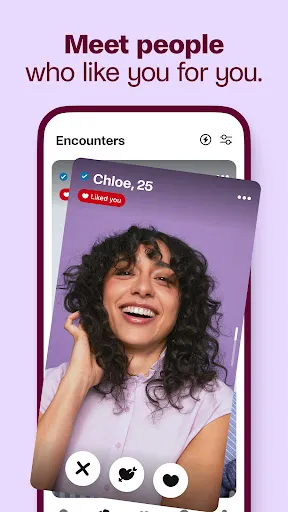
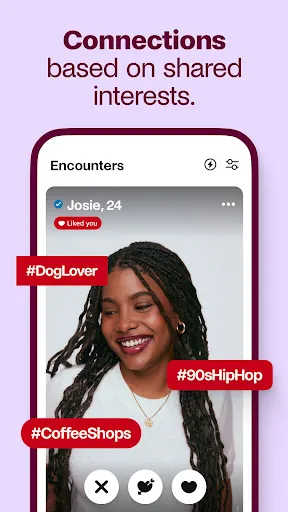
The Badoo Dating App offers a variety of features designed to enhance the user experience and facilitate meaningful connections. One of its standout features is the "Encounters" game, which allows users to swipe through potential matches quickly, making the process engaging and fun. Users can also create a detailed profile, including photos and personal interests, to attract like-minded individuals.
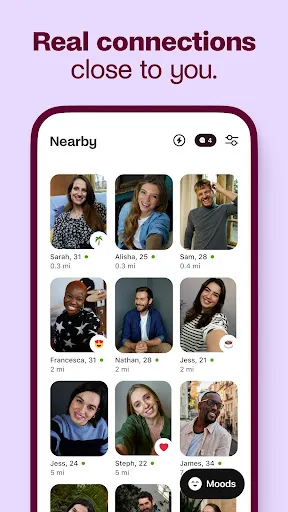
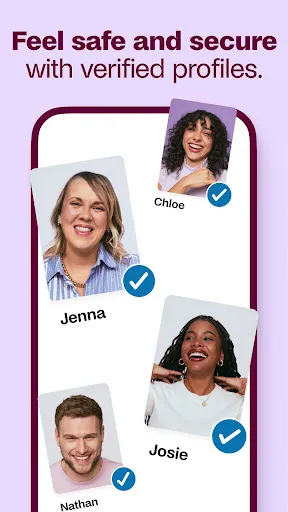
Another notable feature is the "People Nearby" function, which helps users discover potential matches in their vicinity, promoting local connections. Badoo also includes a chat function, enabling users to communicate directly with their matches, share photos, and even send voice messages. Additionally, the app offers a verification process to ensure that profiles are genuine, enhancing safety and trust among users.
Moreover, Badoo provides users with the option to browse profiles anonymously, allowing for a more comfortable experience. The app also features a "Super Powers" subscription, which unlocks additional functionalities, such as seeing who liked your profile and boosting visibility. Overall, Badoo combines fun, safety, and convenience, making it a popular choice for those seeking to meet new people.
Using the Badoo Dating App is straightforward and user-friendly. To get started, download the app from your device's app store and create an account. You can sign up using your email, phone number, or social media accounts. Once registered, complete your profile by adding photos and filling out personal details, such as interests and preferences, to attract potential matches.
After setting up your profile, you can begin exploring the app's features. Use the "Encounters" feature to swipe through profiles and indicate your interest. If both users swipe right, a match is created, allowing for direct messaging. You can also utilize the "People Nearby" feature to find matches in your area, making it easier to connect with local singles.
Engage with your matches through the chat function, where you can share messages, photos, and even voice notes. To enhance your experience, consider subscribing to "Super Powers," which offers additional features like profile visibility boosts. Remember to stay safe by verifying profiles and reporting any suspicious behavior. With these steps, you can effectively navigate the Badoo Dating App and increase your chances of finding meaningful connections.
The Badoo Dating App comes with several advantages that make it appealing to users. One of the primary pros is its large user base, which increases the likelihood of finding compatible matches. The app's engaging features, such as "Encounters" and "People Nearby," make the dating experience interactive and enjoyable. Additionally, the verification process helps ensure that users are genuine, enhancing safety and trust within the community.
However, there are also some drawbacks to consider. One of the cons is that while the app is free, many of its premium features require a subscription, which may deter some users. Additionally, the presence of fake profiles and spam accounts can be an issue, despite the verification process. Some users may also find the interface overwhelming due to the abundance of features, which can complicate navigation.
In summary, while Badoo offers a fun and engaging platform for meeting new people, potential users should weigh the pros and cons carefully. The app's extensive features and large user base are significant advantages, but the need for a subscription for premium features and the occasional presence of fake profiles are important considerations. Overall, Badoo can be a valuable tool for those looking to explore the dating scene.

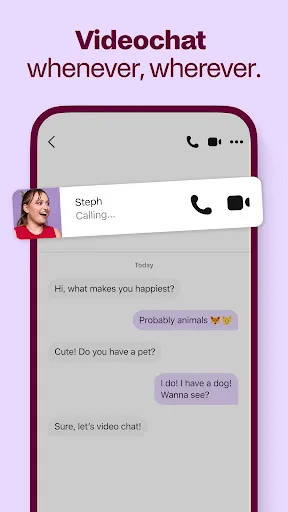
 Connect with a diverse community of singles from around the world. Enjoy a user-friendly interface that makes browsing profiles easy. Utilize advanced filters to find matches that suit your preferences. Engage in real-time chat to foster instant connections and conversations. Access unique features like video calls for a more personal experience.
 Limited user verification can lead to fake profiles and scams Messaging features often require a paid subscription for full access The app's interface can be cluttered and confusing for new users
  Google Play
  App Store
 Yes, Badoo collects personal data such as your name, email address, location, and other profile details to provide its services and enhance user experience.
Badoo offers a free version that allows users to access many features, but there are also premium options available for enhanced functionality.
Yes, an active internet connection is required to use Badoo, as it relies on online connectivity to access profiles, messages, and other features.
You can reach Badoo support through the app's help section or by visiting their official website, where you can submit inquiries or feedback.
You can manage or cancel your subscription through the app's settings under the "Subscription" section or through the app store where you purchased the subscription.
If you can't log in, use the password recovery option. If that doesn't work, contact customer service for assistance with account recovery.
You can reach Badoo customer service through the app's help section or by visiting their website for support options.
Click on the "Forgot password?" link on the login page. Follow the instructions to reset your password and log in.
To activate your account, follow the verification link sent to your email or phone. If you need help, contact customer service.
To change your login email, go to your account settings in the app. If you encounter issues, contact customer service for help.