


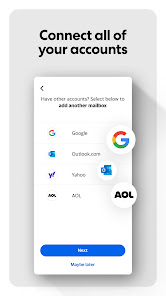
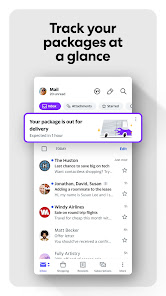
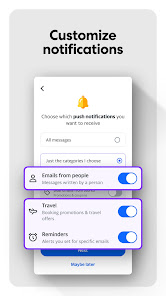
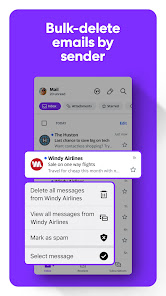
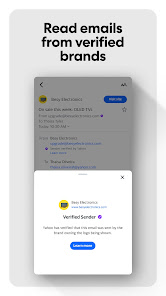


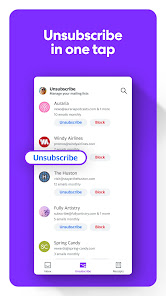
Yahoo Mail offers a variety of features designed to enhance user experience and streamline email management. One of its standout features is the generous storage capacity, providing users with 1TB of free space, which allows for the storage of a vast number of emails and attachments without the worry of running out of space. Additionally, Yahoo Mail includes a powerful search function that enables users to quickly locate specific emails, attachments, or contacts, making it easy to navigate through large volumes of correspondence.
Another notable feature is the customizable interface, allowing users to personalize their inbox with themes and layouts that suit their preferences. Yahoo Mail also integrates seamlessly with other Yahoo services, such as Yahoo Calendar and Yahoo News, providing a cohesive experience. Furthermore, the platform includes advanced spam filtering and security features, ensuring that users' inboxes remain free from unwanted emails and potential threats. The mobile app version of Yahoo Mail offers similar functionalities, allowing users to manage their emails on the go.
Using Yahoo Mail is straightforward and user-friendly. To get started, users need to create an account by visiting the Yahoo Mail website or downloading the mobile app. After signing up, users can log in using their credentials. The main interface displays the inbox, where incoming emails are listed. Users can compose a new email by clicking the "Compose" button, entering the recipient's email address, subject, and message body before sending it off.
To organize emails, users can create folders and labels, allowing for efficient categorization of messages. The search bar at the top of the page can be utilized to find specific emails quickly. Additionally, users can manage their settings to customize notifications, themes, and privacy options. Yahoo Mail also supports integration with other applications, enabling users to connect their calendars and contacts for a more comprehensive email experience. Regularly checking the spam folder is advisable to ensure no important emails are missed.
Yahoo Mail comes with several advantages that make it a popular choice among users. One of the primary pros is its extensive storage capacity, which allows users to keep a large number of emails without worrying about space limitations. The user-friendly interface and customizable features enhance the overall experience, making it easy for users to navigate and personalize their inbox. Additionally, the integration with other Yahoo services provides a seamless experience for those who utilize multiple Yahoo applications.
However, there are also some drawbacks to consider. Yahoo Mail has faced security breaches in the past, raising concerns about user data safety. While the platform offers spam filtering, some users may still find unwanted emails slipping through. Furthermore, the advertising presence in the free version can be intrusive, potentially detracting from the user experience. Lastly, some users may prefer more modern email services that offer additional features or enhanced security measures. Weighing these pros and cons can help users determine if Yahoo Mail is the right choice for their email needs.
```
 Yahoo Mail offers generous storage space for your emails. It features a user-friendly interface for easy navigation. Advanced spam filters keep your inbox clean and organized. Customizable themes allow for personalized email experiences. Integrated calendar helps you manage appointments and events seamlessly.
 Limited storage space can hinder users with heavy email traffic. Frequent advertisements may disrupt user experience and productivity. Security concerns have raised doubts about data privacy and protection.
  Google Play
  App Store
 Yes, users can submit suggestions or feedback through the app or the Yahoo Mail support website.
Yahoo Mail does collect some personal data to provide its services, but the company has policies in place to protect user privacy.
Yes, the Yahoo Mail app allows users to access their emails offline, enabling them to read and compose messages without an internet connection.
To cancel your Yahoo Mail subscription, you can go to your account settings and follow the prompts to manage your subscription.
A subscription to Yahoo Mail typically costs around $3.49 per month, but prices may vary based on promotions or regional pricing.
Yahoo Mail does not allow you to change your customer number; however, you can update your account information in the settings.
You can contact Yahoo Mail customer service through their help center or via the support number listed on their website.
To activate your Yahoo Mail account, follow the link sent to your registered email or phone number during sign-up.
You can contact Yahoo Mail support through the help section on their website for assistance with account activation.
If you forgot your customer number, visit the Yahoo account recovery page and follow the prompts for account recovery.