


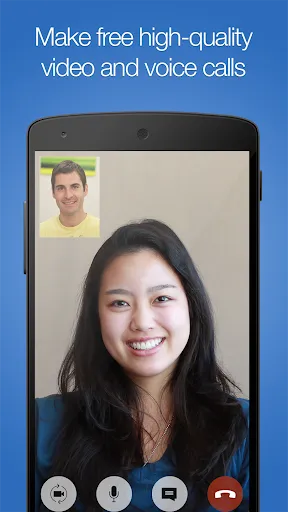
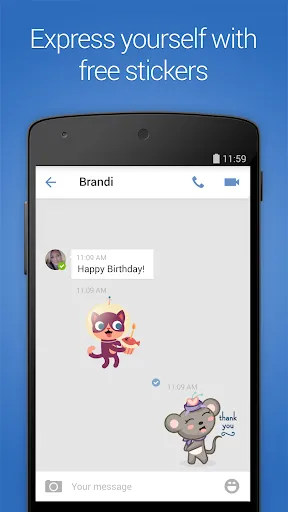
imo Video Calls and Chat HD is a versatile communication app that offers a range of features designed to enhance user experience. One of its standout features is high-definition video calling, which allows users to connect with friends and family in crystal-clear quality. The app also supports voice calls, enabling users to have conversations without the need for video. Additionally, imo provides instant messaging capabilities, allowing users to send text messages, photos, and videos seamlessly.
Another notable feature is the ability to create group chats, making it easy to communicate with multiple people at once. The app also includes a variety of stickers and emojis, adding a fun element to conversations. Moreover, imo is designed to work efficiently even on slower internet connections, ensuring that users can stay connected regardless of their network quality. The app is available on multiple platforms, including Android and iOS, making it accessible to a wide audience.
Using imo Video Calls and Chat HD is straightforward and user-friendly. To get started, download the app from the Google Play Store or Apple App Store and install it on your device. Once installed, open the app and register using your phone number. You will receive a verification code via SMS to confirm your identity. After verification, you can set up your profile by adding a name and profile picture.
To make a video call, simply select a contact from your list and tap the video call icon. For voice calls, tap the phone icon instead. If you prefer messaging, you can start a chat by selecting a contact and typing your message in the chat window. You can also share images, videos, and voice messages by tapping the respective icons within the chat interface. Group chats can be initiated by selecting multiple contacts and starting a conversation, making it easy to stay connected with friends and family.
imo Video Calls and Chat HD comes with several advantages that make it a popular choice among users. One of the primary pros is its high-quality video and voice calling features, which provide a clear and reliable communication experience. The app is also lightweight, making it suitable for devices with limited storage and for use on slower internet connections. Additionally, imo offers a user-friendly interface, making it easy for users of all ages to navigate and utilize its features.
However, there are some drawbacks to consider. One of the cons is that imo may not have as large a user base as other messaging apps, which could limit the number of contacts available for communication. Furthermore, the app may occasionally experience connectivity issues, particularly in areas with poor internet service. Privacy concerns have also been raised, as the app requires access to contacts and other personal information. Overall, while imo offers valuable features, users should weigh these pros and cons before fully committing to the app.

 Enjoy high-definition video quality for clearer, more engaging conversations. Effortlessly connect with friends and family worldwide at no cost. User-friendly interface makes navigation simple for everyone. Supports group calls, enhancing collaboration and social interaction. Secure conversations with end-to-end encryption for peace of mind.
 Limited integration with other apps can hinder seamless communication. High data consumption can lead to increased costs for users. Occasional connectivity issues may disrupt video quality and user experience.
  Google Play
  App Store
 Yes, users can submit suggestions or feedback through the app's support section or by contacting customer support via email or social media channels.
Yes, imo video calls and chat HD may collect personal data such as your phone number, contacts, and usage information to provide its services and improve user experience.
imo video calls and chat HD requires an internet connection to function; however, users can access local chat history and certain features when offline.
To cancel a subscription for imo video calls and chat HD, users can go to their device's app store settings, find the subscription section, and follow the prompts to cancel.
imo video calls and chat HD primarily operates as a free app, but if there are premium features available, the cost may vary; users should check the app for the latest pricing information.
Yes, you can activate your account on a new device by logging in with your phone number and completing the verification process.
You can contact customer service through the app or visit the imo website for assistance with video calls.
You cannot directly update your customer number; please contact customer service for guidance on how to proceed.
Simply open the imo app, enter your phone number, and follow the verification steps to log in.
You can retrieve your customer number by checking your email associated with the account or reaching out to customer service for assistance.