

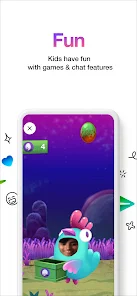

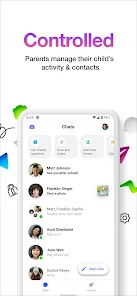
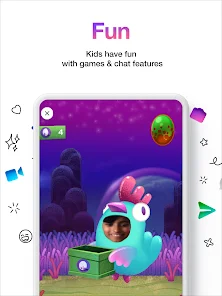
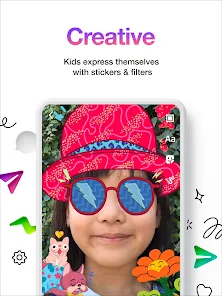
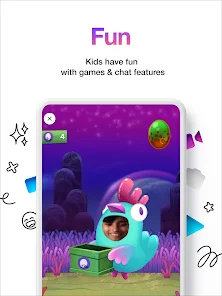
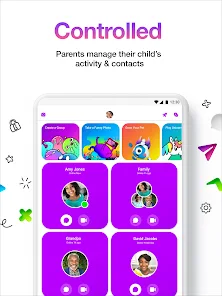
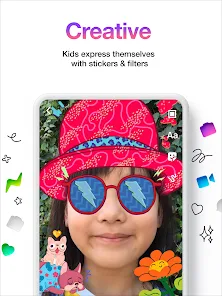
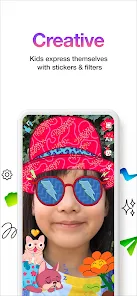
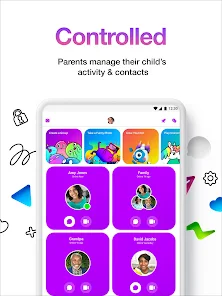
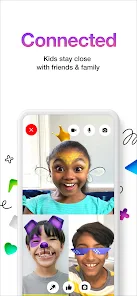
Messenger Kids is a child-friendly messaging app designed to provide a safe and fun communication platform for children under 13. One of its standout features is the ability for parents to create and manage their child's account, ensuring that they have control over who their child can communicate with. The app includes a variety of fun stickers, GIFs, and emojis, allowing kids to express themselves creatively while chatting with friends and family.
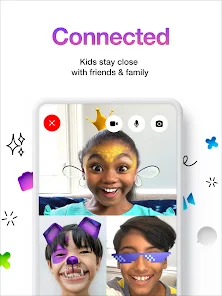
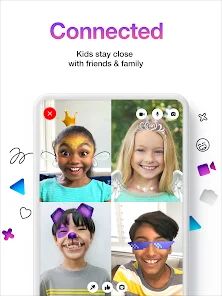
Another notable feature is the video calling option, which enables kids to connect with loved ones through face-to-face conversations. The app also includes a "Sleep Mode," which allows parents to set specific times when the app is unavailable, promoting healthy screen time habits. Additionally, Messenger Kids has a user-friendly interface that is easy for children to navigate, making it accessible for younger users. Overall, the app prioritizes safety and parental control while providing an engaging platform for kids to communicate.
Using Messenger Kids is straightforward and designed with both children and parents in mind. To get started, parents need to download the app from the App Store or Google Play Store and create an account for their child. During the setup process, parents can customize privacy settings, including who can contact their child and what content they can access. Once the account is set up, children can begin adding friends from their parent-approved contacts.
Kids can then send messages, photos, and videos, as well as make video calls to their friends. The app also allows for group chats, making it easy for children to communicate with multiple friends at once. Parents can monitor their child's activity through the app's controls, ensuring a safe and enjoyable experience. Overall, Messenger Kids is designed to be intuitive, allowing children to engage with their peers while giving parents peace of mind regarding their child's online interactions.
Messenger Kids comes with several advantages that make it appealing for both parents and children. One of the primary benefits is the robust parental controls, which allow parents to manage their child's contacts and monitor their interactions. This feature helps ensure a safe online environment for kids. Additionally, the app is designed to be engaging, with fun stickers, GIFs, and video calling options that enhance communication among friends and family.
However, there are some drawbacks to consider. One concern is that while the app provides a controlled environment, it may not fully prepare children for the realities of social media as they grow older. Furthermore, some parents may find the app's features limited compared to standard messaging apps. Lastly, there is the potential for children to become overly reliant on digital communication, which could impact their face-to-face social skills. Balancing the use of Messenger Kids with real-world interactions is essential for healthy development.

 Safe environment for kids to communicate with friends. Parental controls allow supervision of contacts and interactions. Fun stickers and emojis enhance creative expression in chats. Encourages social skills development through online interactions. No ads ensure a distraction-free chatting experience for children.
 Limited privacy controls may expose kids to unwanted interactions Features can oversimplify online communication skills Parental monitoring can hinder kids' independence and trust-building
  Google Play
  App Store
 Yes, users can submit suggestions or feedback through the app's settings or by visiting the Messenger Kids support page on the official website.
Messenger Kids is designed with privacy in mind and does not collect personal data from children. It follows strict privacy guidelines to ensure a safe experience.
Messenger Kids requires an internet connection to send and receive messages, so it does not support offline use.
Since Messenger Kids does not have a subscription model, there is no cancellation process required. Users can simply stop using the app at any time.
Messenger Kids does not require a subscription, as it is a free app.
Yes, you can activate your Messenger Kids account on multiple devices by logging in with the same credentials on each device.
Unfortunately, you cannot change your customer number once it's assigned. Please contact customer service for more help.
You can reach customer service through the Help Center in the app or on the website for assistance.
To activate your account, download the app and follow the on-screen instructions to set it up.
You can contact customer service via the Help Center in the app or visit the website for assistance with account issues.