

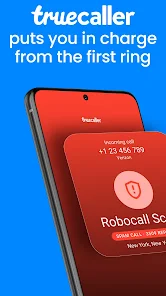
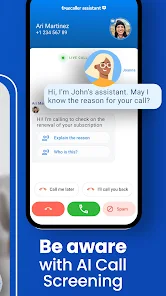
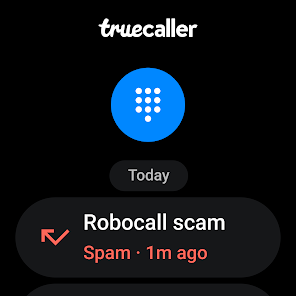


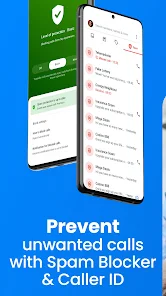
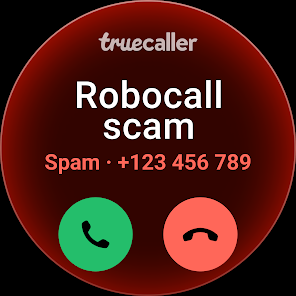
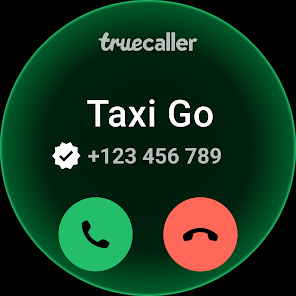
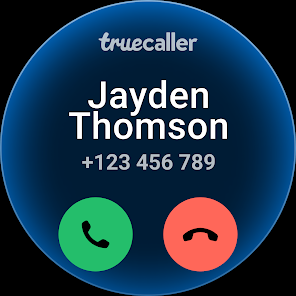
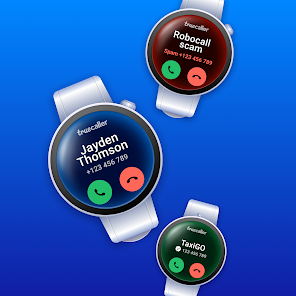
"Truecaller: Spam Call Blocker" is a powerful application designed to enhance your calling experience by identifying and blocking unwanted calls. One of its standout features is the caller ID functionality, which allows users to see who is calling, even if the number is not saved in their contacts. This feature helps in avoiding spam and telemarketing calls effectively.
Another significant feature is the spam detection system, which automatically identifies and blocks known spam numbers. Users can also report spam calls, contributing to a community-driven database that improves the app's accuracy over time. Additionally, Truecaller offers a messaging service that allows users to send messages to other Truecaller users, enhancing communication options.
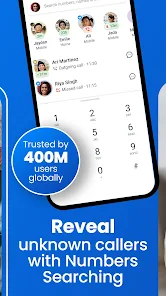
The app also includes a search function, enabling users to look up unknown numbers and find out more about them. Furthermore, Truecaller provides a backup feature, allowing users to save their call logs and contacts securely. With its user-friendly interface and comprehensive features, Truecaller is an essential tool for anyone looking to manage their calls effectively.
Using "Truecaller: Spam Call Blocker" is straightforward and user-friendly. First, download the app from the Google Play Store or Apple App Store and install it on your device. Once installed, open the app and grant the necessary permissions, such as access to your contacts and call logs, to enable its full functionality.
After setting up, Truecaller will automatically start identifying incoming calls. When you receive a call, the app will display the caller's name and whether the number is marked as spam. If you wish to block a specific number, you can do so by selecting the number from your call log and choosing the block option. Additionally, you can customize your spam filter settings to suit your preferences.
To utilize the messaging feature, simply navigate to the messaging section within the app, where you can chat with other Truecaller users. Regularly updating the app ensures you have the latest features and spam number database, enhancing your overall experience. With these simple steps, you can effectively manage and block unwanted calls.
Like any application, "Truecaller: Spam Call Blocker" has its advantages and disadvantages. One of the primary pros is its robust spam detection capability, which significantly reduces the number of unwanted calls users receive. The caller ID feature is also highly beneficial, providing users with information about incoming calls, which helps in making informed decisions about whether to answer or ignore them.
Another advantage is the community-driven aspect of the app, where users can report spam numbers, contributing to a constantly updated database. The messaging feature adds an extra layer of functionality, allowing users to communicate seamlessly with others. However, there are some cons to consider. Privacy concerns arise as the app requires access to contacts and call logs, which may deter some users.
Additionally, while the app is free, it does contain ads, which can be intrusive. Some users may also find that the spam detection is not 100% accurate, leading to occasional false positives. Overall, while "Truecaller: Spam Call Blocker" offers valuable features for managing calls, users should weigh the pros and cons based on their individual needs and privacy preferences.

 Truecaller identifies unknown callers instantly, enhancing your call screening experience. The AI-powered call blocker automatically filters out spam and unwanted calls. Enjoy a user-friendly interface that makes managing calls effortless and intuitive. Access a vast community database to stay updated on new spam numbers. Truecaller provides real-time alerts for potential fraud and scams, keeping you safe.
 Limited functionality without an internet connection Privacy concerns due to data sharing Potential for false positives in blocking calls
  Google Play
  App Store
 Yes, Truecaller encourages users to submit suggestions and feedback through the app or their official website to help improve the service.
Yes, Truecaller collects user data to enhance its services, but it allows users to manage their privacy settings and control what information is shared.
Truecaller: AI Call Blocker requires an internet connection for full functionality, especially for features like caller identification and spam detection.
You can cancel your subscription through your device's app store settings, following the subscription management section.
The subscription cost for Truecaller: AI Call Blocker varies by region and plan, typically ranging from a few dollars to a monthly fee for premium features.
Currently, you cannot change your customer number directly in the app. For assistance, please contact our customer service for alternative solutions.
You can reach our customer service through the app by navigating to Settings > Help & feedback > Contact us. Your inquiries will be addressed promptly.
To log in with your Google account, select the 'Log in with Google' option on the login screen. Follow the prompts to complete the process.
To report a spam call, simply tap on the number in your call log and select 'Report Spam.' For more information, contact our customer service team.
To activate your account, download the app, enter your phone number, and follow the verification process via SMS. If you encounter problems, reach out to customer service for support.