


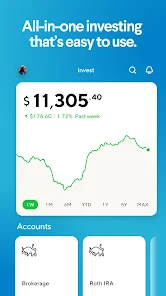
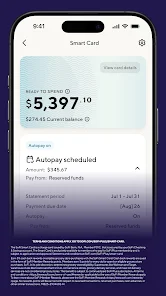

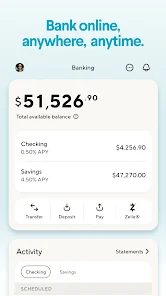



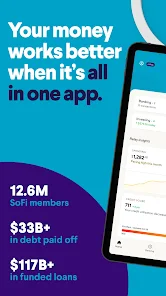


SoFi: Bank, Invest & Crypto is a comprehensive financial platform that offers a variety of services tailored to meet the needs of modern users. One of its standout features is the ability to manage banking, investing, and cryptocurrency all in one app, providing a seamless experience for users looking to consolidate their financial activities. The app offers high-yield savings accounts with competitive interest rates, allowing users to grow their savings effectively.
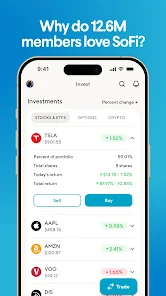
In addition to banking, SoFi provides investment options, including stocks, ETFs, and automated investing through robo-advisors. Users can easily buy and sell assets, track their portfolio performance, and access educational resources to enhance their investment knowledge. The cryptocurrency feature allows users to trade popular cryptocurrencies like Bitcoin and Ethereum, making it easy to diversify their investment portfolio.
Furthermore, SoFi offers personal loans, student loan refinancing, and mortgage options, making it a versatile platform for various financial needs. The app also includes budgeting tools and financial planning resources, empowering users to take control of their financial future. Overall, SoFi combines convenience, flexibility, and a user-friendly interface, making it an attractive choice for individuals seeking a holistic financial solution.
Using the SoFi: Bank, Invest & Crypto app is straightforward and user-friendly, making it accessible for individuals of all financial backgrounds. To get started, users need to download the app from their respective app store and create an account. This process involves providing personal information, verifying identity, and linking a bank account for easy fund transfers.
Once the account is set up, users can explore various features. For banking, they can open a high-yield savings account and manage their finances through the app's intuitive interface. For investing, users can choose between self-directed trading or automated investing options, allowing them to tailor their investment strategy according to their preferences. The app also provides educational resources to help users make informed decisions.
For cryptocurrency trading, users can easily buy, sell, and track their digital assets within the app. Additionally, SoFi offers budgeting tools that help users monitor their spending and savings goals. Overall, the app is designed to provide a comprehensive financial management experience, enabling users to take charge of their financial journey with ease.
Like any financial app, SoFi: Bank, Invest & Crypto has its advantages and disadvantages. One of the primary pros is its all-in-one platform, which allows users to manage banking, investing, and cryptocurrency in a single app. This convenience can save time and streamline financial management. Additionally, SoFi offers competitive interest rates on savings accounts and no account fees, making it an attractive option for users looking to maximize their savings.
Another significant advantage is the educational resources available within the app, which can help users enhance their financial literacy and make informed investment decisions. The user-friendly interface and robust customer support further contribute to a positive user experience.
On the downside, some users may find the investment options limited compared to dedicated brokerage platforms. Additionally, while SoFi offers a range of financial products, it may not have the same depth of features as specialized apps in certain areas, such as advanced trading tools. Furthermore, the availability of services may vary by region, which could limit access for some potential users. Overall, weighing these pros and cons can help individuals determine if SoFi is the right fit for their financial needs.

 SoFi offers competitive interest rates on savings accounts. Seamless integration of banking and investing features. No account fees, maximizing your savings potential. Access to financial advisors for personalized guidance. User-friendly app for easy management of investments.
 Limited physical branches may hinder in-person support for customers. Investment options can be less diverse compared to traditional brokers. Customer service response times may be slower during peak periods.
  Google Play
  App Store
 Yes, users can submit feedback and suggestions through the app or by contacting customer support directly.
Yes, SoFi - Banking & Investing collects personal data to provide services, comply with regulations, and enhance user experience, but it prioritizes user privacy and data security.
SoFi - Banking & Investing primarily requires an internet connection to access its services, so offline use is limited.
You can cancel your account and services through the app settings or by contacting SoFi customer support for assistance.
There is no subscription cost for using the SoFi - Banking & Investing app; however, certain services may have associated fees.
Customer numbers are unique and cannot be changed. If you have concerns, please contact customer service for further assistance.
You can reach our customer service team through the app or website, or by calling our support line. We’re here to help!
To log in, visit the SoFi website or open the app, then enter your email and password. If you encounter issues, try resetting your password.
You can find your customer number in your account settings once you're logged in to the app.
For assistance with account activation, please reach out to our customer service team via the app or website. We're ready to help!