







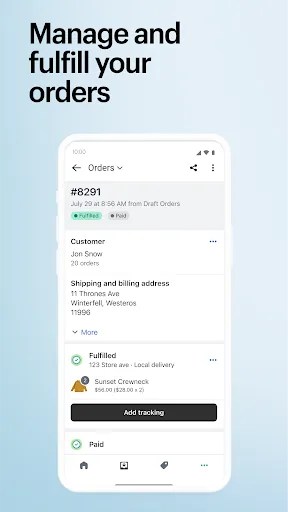
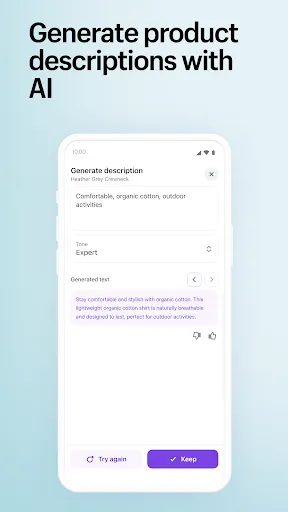
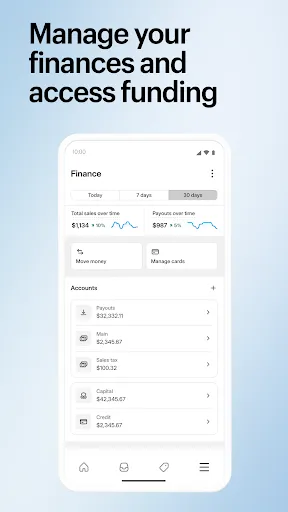
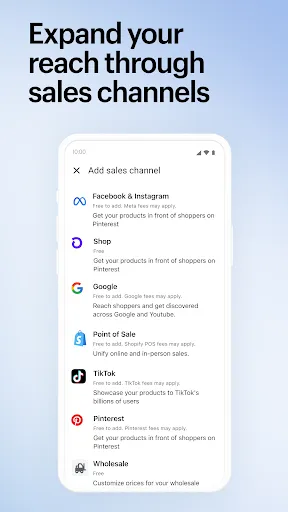
Shopify is a comprehensive eCommerce platform designed to help businesses of all sizes create and manage their online stores. One of its standout features is the user-friendly interface, which allows users to set up their store without any coding knowledge. Shopify offers a wide range of customizable templates, enabling users to design their storefronts to match their brand identity. Additionally, it supports multiple payment gateways, making transactions seamless for customers.
Another key feature is the built-in SEO tools that help improve the visibility of your store on search engines. Shopify also provides robust inventory management, allowing users to track stock levels and manage orders efficiently. The platform includes analytics and reporting tools, giving users insights into sales performance and customer behavior. Furthermore, Shopify's app store offers numerous integrations, enabling users to enhance their store's functionality with various third-party applications.
Lastly, Shopify provides 24/7 customer support, ensuring that users can get assistance whenever they encounter issues. With its mobile-responsive designs, Shopify ensures that stores look great on any device, catering to the growing number of mobile shoppers.
Using Shopify to set up your eCommerce store is a straightforward process. First, visit the Shopify website and sign up for an account. You can choose a plan that suits your business needs, with options ranging from basic to advanced features. Once registered, you will be guided through the setup process, where you can select a template for your store. Shopify offers a variety of customizable themes, allowing you to create a unique look for your brand.
After selecting a theme, you can start adding products to your store. This involves uploading images, writing descriptions, and setting prices. Shopify makes it easy to manage your inventory and categorize products for better organization. Next, configure your payment options by linking your preferred payment gateways, ensuring a smooth checkout experience for your customers.
Once your store is set up, you can launch it and start promoting your products. Utilize Shopify's built-in marketing tools, such as email campaigns and social media integration, to reach your target audience. Regularly monitor your store's performance through the analytics dashboard, allowing you to make informed decisions to enhance your business strategy.
Shopify comes with several advantages that make it a popular choice for eCommerce entrepreneurs. One of the main pros is its ease of use; even those without technical skills can set up and manage a store efficiently. The platform offers a wide range of customizable templates and themes, allowing for a personalized shopping experience. Additionally, Shopify's extensive app store provides numerous integrations, enhancing the functionality of your store. The platform also offers reliable customer support, ensuring that users can resolve issues quickly.
However, there are some drawbacks to consider. One of the cons is the monthly subscription fee, which can be a barrier for small businesses or startups. Additionally, while Shopify provides many features, some advanced functionalities may require additional apps, leading to increased costs. Users may also find transaction fees applicable if they choose not to use Shopify Payments, which can add to overall expenses. Lastly, while the platform is highly customizable, some users may feel limited by the constraints of the templates and themes available.
In summary, while Shopify offers a robust and user-friendly eCommerce solution, potential users should weigh the pros and cons to determine if it aligns with their business goals and budget.

 Easy-to-use interface allows anyone to create a store quickly. Extensive app marketplace enhances functionality and customization options. Secure payment processing builds trust with customers and protects transactions. Responsive themes ensure your store looks great on any device. 24/7 customer support helps resolve issues whenever they arise.
 Limited customization options may restrict unique branding opportunities. Higher transaction fees can reduce overall profit margins. Dependence on third-party apps may increase complexity and costs.
  Google Play
  App Store
 Yes, users can submit suggestions or feedback through the app's support section or via Shopify's official channels to help improve the app and its features.
Shopify - Your Ecommerce Store collects certain personal data to facilitate transactions and improve user experience, but it adheres to strict privacy policies to protect user information.
Yes, Shopify - Your Ecommerce Store supports offline use, allowing users to manage their stores and process transactions even without an internet connection, with data syncing once the connection is restored.
You can cancel your subscription by accessing your Shopify account settings through the app or the Shopify website, where you'll find the option to manage or cancel your plan.
Subscription costs vary depending on the chosen Shopify plan, with different tiers offering various features and pricing options to suit different business needs.
Customer numbers cannot be changed, but you can reach out to customer support for specific inquiries related to your account.
Yes, our customer service team can assist you with any account activation issues you may encounter.
You can reach our customer service team via the Help Center or by emailing support
To activate your Shopify account, check your email for an activation link and follow the instructions provided.
To log in, go to your Shopify store URL followed by /admin and enter your credentials.



























