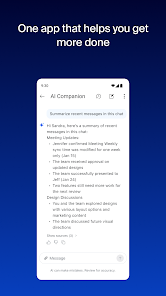



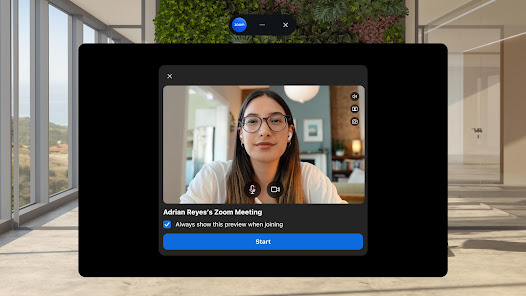




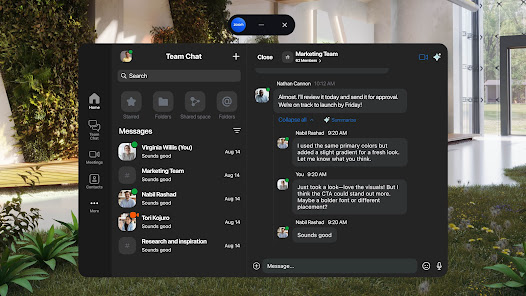
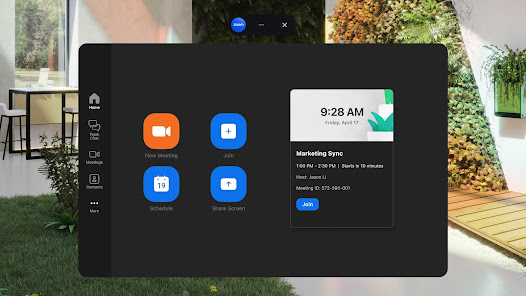


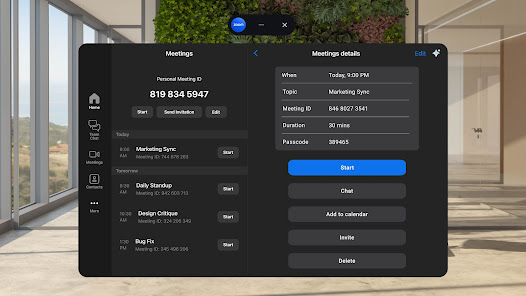
Zoom Workplace is designed to enhance collaboration and communication within organizations. One of its standout features is the seamless integration of video conferencing, messaging, and file sharing, allowing teams to connect effortlessly regardless of their location. The platform supports high-definition video calls, which can accommodate large groups, making it ideal for team meetings and webinars.
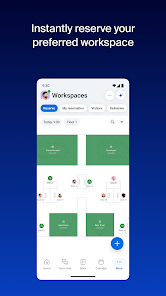
Another key feature is the customizable workspace, where users can create channels for specific projects or teams, facilitating organized discussions. Zoom Workplace also includes robust security measures, such as end-to-end encryption and user authentication, ensuring that sensitive information remains protected. Additionally, the platform offers integrations with various third-party applications, enhancing productivity by allowing users to access tools they already use without leaving the Zoom environment.
Moreover, Zoom Workplace provides analytics and reporting tools that help administrators monitor usage and engagement, enabling them to make informed decisions about team dynamics and resource allocation. Overall, Zoom Workplace combines essential features that cater to the needs of modern businesses, fostering a collaborative and efficient work environment.
Using Zoom Workplace is straightforward and user-friendly. To get started, users need to create an account on the Zoom platform. Once registered, they can access the Zoom Workplace dashboard, where they can set up their workspace by inviting team members and creating channels for different projects or departments. This initial setup is crucial for organizing communication effectively.
After setting up the workspace, users can schedule meetings directly from the dashboard, choosing from various options such as one-on-one calls or larger group meetings. The platform allows users to share screens, collaborate on documents, and utilize the chat feature for real-time communication during meetings. Additionally, users can record sessions for future reference, ensuring that important discussions are documented.
To maximize the benefits of Zoom Workplace, users should explore its integration capabilities with other tools they use, such as project management software or calendars. Regularly engaging with team members through the platform's messaging feature can also enhance collaboration and keep everyone aligned on project goals. Overall, utilizing Zoom Workplace effectively involves leveraging its features to foster communication and teamwork.
Zoom Workplace offers several advantages that make it a popular choice for organizations. One of the primary benefits is its comprehensive suite of tools that facilitate communication and collaboration, including video conferencing, messaging, and file sharing. This all-in-one approach reduces the need for multiple applications, streamlining workflows and enhancing productivity. Additionally, the platform's user-friendly interface makes it accessible for users of all technical skill levels, promoting widespread adoption within teams.
However, there are some drawbacks to consider. One concern is the potential for security vulnerabilities, as with any online platform, despite Zoom's robust security measures. Users must remain vigilant about privacy settings and data protection. Furthermore, some users may experience connectivity issues, particularly in areas with poor internet service, which can disrupt meetings and collaboration. Lastly, while Zoom Workplace is feature-rich, organizations may find that they only utilize a fraction of its capabilities, leading to questions about cost-effectiveness.
In summary, while Zoom Workplace provides a powerful set of tools for enhancing team collaboration, it is essential for organizations to weigh the pros and cons to determine if it aligns with their specific needs and security requirements.

 Enhances team collaboration with seamless video conferencing features Integrates effortlessly with popular productivity tools and applications Offers flexible scheduling options for global teams Provides secure and reliable communication with advanced encryption Facilitates easy screen sharing for effective presentations and discussions
 Limited features for collaboration can hinder team productivity. Frequent technical issues disrupt meetings and workflows. Over-reliance on video can lead to fatigue and disengagement.
 Yes, users can submit suggestions or feedback through the app or the Zoom support website, contributing to future improvements and features.
Yes, Zoom Workplace collects certain user data to improve its services, but it adheres to privacy regulations and provides options for managing personal information.
No, Zoom Workplace primarily requires an internet connection to access its features, and offline functionality is limited.
You can cancel your Zoom Workplace subscription by navigating to your account settings on the Zoom website and following the cancellation prompts.
Subscription costs for Zoom Workplace vary based on the chosen plan and number of users; details can be found on the official Zoom website.
Customer numbers cannot be changed. If you need assistance with your account, please contact customer service for help.
You can contact customer service through the Help Center on our website or by calling the support number provided in your account.
To activate your account, follow the link in the activation email sent to you after signing up. If you didn’t receive it, check your spam folder or request a new link.
To log in from a new device, enter your email and password as usual. You may need to verify your identity through a security code sent to your email.
You can find your customer number in your account settings or by checking the confirmation email from when you signed up.












 Google Play
  App Store