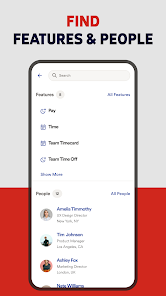
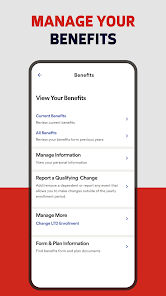
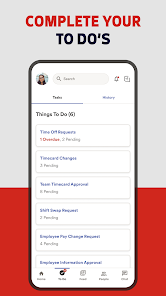
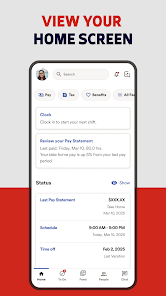
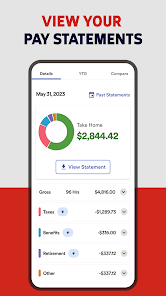
ADP Mobile Solutions offers a comprehensive suite of features designed to enhance the user experience for both employees and employers. One of the primary features is the ability to access payroll information, allowing users to view pay stubs, tax documents, and year-end summaries directly from their mobile devices. This convenience ensures that employees can stay informed about their earnings anytime, anywhere.
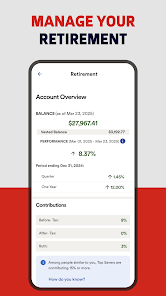
Another notable feature is the time and attendance tracking, which enables employees to clock in and out, request time off, and view their schedules. This functionality streamlines the process of managing work hours and helps in maintaining accurate records. Additionally, the app provides access to benefits information, allowing users to review their health plans, retirement options, and other employee benefits.
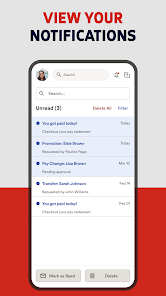
Furthermore, ADP Mobile Solutions includes a user-friendly interface that simplifies navigation, making it easy for users to find the information they need. Notifications and alerts keep users updated on important deadlines and changes, ensuring they never miss critical updates. Overall, the app is designed to empower users with the tools they need to manage their employment-related tasks efficiently.
Using ADP Mobile Solutions is straightforward and user-friendly. To get started, users need to download the app from their respective app store, whether it’s Google Play for Android devices or the Apple App Store for iOS devices. Once installed, users can create an account or log in using their existing ADP credentials. It’s essential to ensure that the account is linked to their employer’s ADP system for full functionality.
After logging in, users can navigate through the app’s various features. The dashboard provides a quick overview of essential information, such as upcoming pay dates and recent notifications. Employees can easily access their pay stubs, request time off, and check their schedules by tapping on the relevant sections. The app also allows users to update personal information, such as contact details and tax withholding preferences, directly from their mobile devices.
For those who need assistance, the app includes a help section with FAQs and support options. Regular updates ensure that the app remains secure and incorporates new features based on user feedback. By following these steps, users can effectively utilize ADP Mobile Solutions to manage their employment-related tasks seamlessly.
ADP Mobile Solutions comes with several advantages that make it a popular choice among users. One of the primary pros is its convenience; employees can access their payroll and benefits information anytime, which enhances transparency and engagement. The app’s user-friendly interface simplifies navigation, making it easy for users to find what they need quickly. Additionally, the ability to track time and attendance directly from a mobile device streamlines processes for both employees and employers.
However, there are some drawbacks to consider. One potential con is that the app may not be fully compatible with all employers’ systems, which can limit functionality for some users. Additionally, while the app is generally reliable, occasional technical glitches can occur, leading to frustration. Some users have also reported that the app could benefit from more advanced features, such as enhanced reporting tools or integration with other HR systems.
In summary, while ADP Mobile Solutions offers significant benefits in terms of convenience and accessibility, potential users should weigh these advantages against the limitations to determine if it meets their specific needs.

 Access your payroll information anytime, anywhere for ultimate convenience. Stay updated with real-time notifications for important pay events. Easily manage time-off requests and approvals directly from your device. View and download pay stubs and tax documents with just a few taps. Securely update personal information to ensure accuracy and compliance.
 Limited offline functionality can hinder access to important information. User interface may be confusing for some users, leading to frustration. Occasional syncing issues can result in outdated or missing data.
 Yes, users can submit feedback and suggestions through the app or by contacting ADP customer support directly.
Yes, the app collects personal data to provide services, but it prioritizes user privacy and data security in accordance with applicable laws.
While some features may be accessible offline, the app primarily functions online to ensure real-time data updates and access.
To cancel a subscription, users should contact their employer's HR department or the ADP customer support team for assistance.
The cost of a subscription varies depending on the employer's plan and the services offered; users should check with their HR department for specific pricing.
Yes, you can activate your account by following the activation link sent to your email after registration.
You can reach customer service by calling the support number listed on the ADP website or through the app's help section.
Your customer number is not displayed in the app; please contact customer service to obtain it.
To update your customer information, log in to the app and navigate to the profile or settings section. Follow the prompts to make changes.
Open the app, enter your user ID and password, and tap "Log In" to access your account.












 Google Play
  App Store