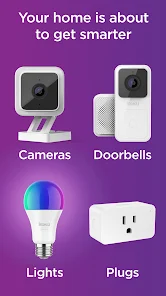
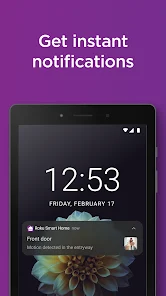
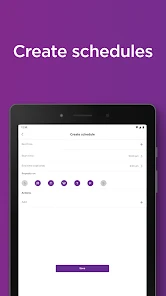
Using the Roku Smart Home app has transformed how I manage my daily routines. In the mornings, I often use the app to check the weather and adjust the thermostat accordingly. On particularly chilly days, I can preheat my home before I even step out of bed. In the evenings, I enjoy a movie night with friends. Just a tap on my phone lets me dim the lights and adjust the smart TV settings, creating the perfect ambiance without interrupting the flow of our gathering.
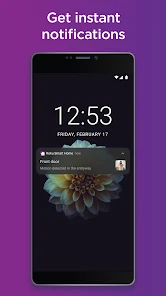
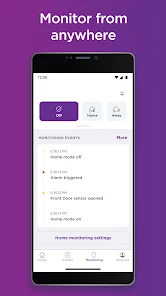
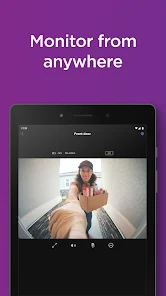
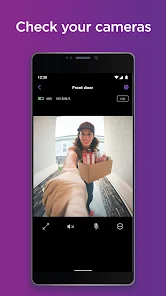
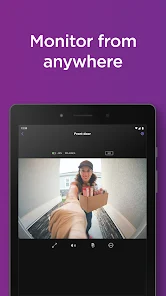
Additionally, during vacation, the app gives me the ability to monitor my home remotely. One time, I noticed via the app that my front porch light was flickering. I quickly contacted a neighbor to check it out, ensuring my home remained secure even while I was away. The ability to stay connected to my home has made my travels significantly more relaxed.
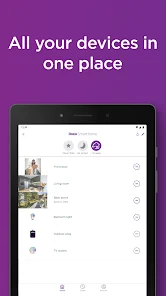
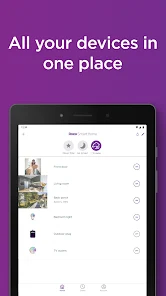
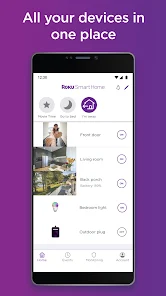
The user experience with the Roku Smart Home app has been nothing short of fantastic. Upon opening the app, I’m greeted with an organized dashboard showcasing all my connected devices. The layout is clean and visually appealing, making it easy to navigate between different sections. I appreciate how quickly the app responds to my commands; whether I’m adjusting the thermostat or checking the security feed, everything happens almost instantaneously.
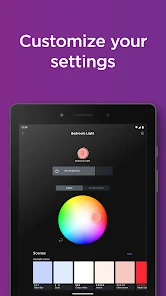
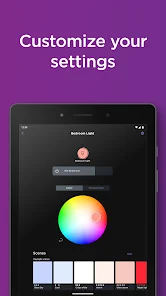
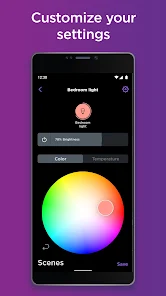
One feature I particularly enjoy is the “Scenes” option, which allows me to create customized settings for various activities. For instance, when I want to wind down for the evening, I can activate the “Relax” scene that dims the lights and plays soft music with just one tap. This intuitive workflow significantly enhances my overall experience with the app, making it feel more like an extension of my daily life rather than just another gadget to manage.
Roku Smart Home is an excellent investment in smart home technology, with the app itself available for free on both the App Store and Google Play. However, I’ve found that to fully utilize the app's capabilities, you need to purchase compatible devices, which can vary in price. Fortunately, there are options available at various price points, making it accessible for different budgets.
Roku provides consistent updates for the Smart Home app, ensuring that all features run smoothly and any bugs are promptly addressed. I’ve noticed that with each update, new functionalities are added, enhancing the overall user experience. The support team is also quite responsive; when I had a minor issue with device connectivity, I reached out via their customer service chat and received help within minutes, which was impressive and reassuring.
As an American user, security and privacy are top priorities when using any smart home app, including Roku Smart Home. The app is available on trusted platforms like the App Store and Google Play, ensuring a level of credibility and security from the start.
When registering for the app, I was required to provide basic personal information, which is standard. However, Roku has a clear privacy policy that outlines how they handle user data, and I appreciate their transparency. There are no intrusive ads in the app, and I haven't noticed any excessive tracking behavior, which is a significant concern for many users today. Overall, I feel confident that my information is handled responsibly, allowing me to enjoy the benefits of the Roku Smart Home app without compromising my privacy.

 Easy integration with existing Roku devices for seamless control User-friendly app for convenient remote management of devices Voice control features enhance hands-free operation capabilities Affordable smart home solutions to fit various budgets Robust security features ensure peace of mind at home
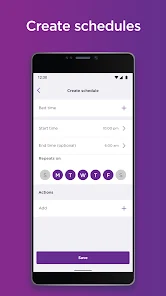
 Limited compatibility with non-Roku devices Lacks advanced automation features User interface can be confusing Occasional connectivity issues reported
 Roku Smart Home may collect personal data to provide its services and improve user experience, but it adheres to privacy policies that explain how data is used and protected.
Roku Smart Home offers a free version with limited features, and users may also have the option to start a free trial of premium features to explore the full capabilities of the app.
Yes, Roku Smart Home requires a stable internet connection to function properly, as it relies on cloud services to manage and communicate with connected devices.
Users can contact Roku Smart Home support through the app's help section, visit the official Roku support website, or send feedback via email to provide insights and suggestions.
Users can manage or cancel their Roku Smart Home subscription through the app settings or their Roku account online, where they can find detailed instructions for subscription management.
The customer number for Roku is typically found in your account settings or on the Roku device under the "About" section.
To activate the Roku Smart Home app, log in with your Roku account and follow the on-screen instructions to pair your smart devices.
You can reach Roku customer service by visiting their website and accessing the support section for chat or phone options.
Open the Roku Smart Home app and enter your Roku account credentials. If you don't have an account, you can create one within the app.







 Google Play
  App Store