



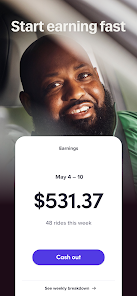
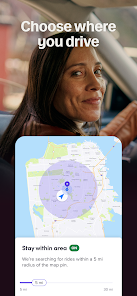
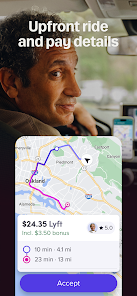


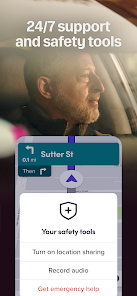
The "Lyft Driver" app is designed to provide a seamless experience for drivers who wish to earn money by providing rides. One of its key features is the user-friendly interface, which allows drivers to easily navigate through the app and manage their rides. The app provides real-time updates on ride requests, enabling drivers to accept or decline rides based on their availability. Additionally, drivers can view their earnings in real-time, which helps them track their performance and set financial goals.
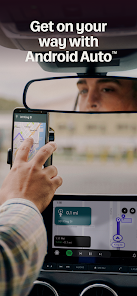
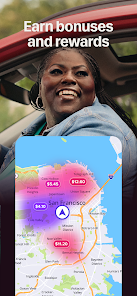
Another notable feature is the in-app navigation, which offers turn-by-turn directions to ensure drivers reach their destinations efficiently. The app also includes a rating system, allowing drivers to rate passengers and vice versa, fostering a sense of accountability and safety. Furthermore, Lyft Driver offers various incentives and bonuses, such as surge pricing during peak hours, which can significantly increase earnings. Overall, the app is equipped with tools that enhance the driving experience while maximizing income potential.
Using the "Lyft Driver" app is straightforward and intuitive. First, drivers need to download the app from the App Store or Google Play and create an account. After signing up, drivers must complete a background check and vehicle inspection to ensure they meet Lyft's safety standards. Once approved, drivers can log into the app and set their availability by toggling the "online" status.
When a ride request comes in, drivers receive a notification with details about the passenger's location and destination. They can choose to accept or decline the request based on their preferences. After accepting a ride, the app provides navigation to the pickup location and then to the drop-off point. Drivers can track their earnings and receive payments directly through the app, making it easy to manage finances. Regularly checking for promotions and bonuses can also help drivers maximize their earnings while using the platform.
The "Lyft Driver" app comes with several advantages that make it appealing to potential drivers. One of the primary benefits is the flexibility it offers; drivers can choose their own hours and work as much or as little as they want. Additionally, the app provides a straightforward way to track earnings and manage rides, making it user-friendly for those new to ridesharing. The support system is also commendable, with Lyft offering assistance through various channels, ensuring drivers have help when needed.
However, there are some drawbacks to consider. One significant con is the variable income, which can fluctuate based on demand, location, and time of day. Drivers may also face challenges such as dealing with difficult passengers or navigating through heavy traffic. Furthermore, the app takes a percentage of the fare, which can impact overall earnings. Lastly, while Lyft provides insurance coverage, drivers are still responsible for their vehicle maintenance and fuel costs, which can add up over time. Balancing these pros and cons is essential for anyone considering driving for Lyft.

 Flexible scheduling allows drivers to work when they choose Competitive earnings with tips and bonuses increase overall income User-friendly app provides easy navigation and ride management Supportive community fosters connections among drivers for shared experiences Incentive programs reward drivers for exceptional service and performance
 Higher commission rates can significantly reduce drivers' earnings. Inconsistent ride requests can lead to unpredictable income. Limited driver support can make resolving issues frustrating and time-consuming.
 Yes, drivers can submit suggestions or feedback through the app's help section or by contacting Lyft's support team directly.
Yes, Lyft Driver collects personal data such as your name, phone number, and location to facilitate rides and improve the app's services.
No, the Lyft Driver app requires an internet connection to function properly, as it relies on real-time data for ride requests and navigation.
Since there is no subscription fee for using the Lyft Driver app, there is no cancellation process. However, drivers can choose to stop driving at any time.
There is no subscription fee for using the Lyft Driver app; drivers earn money based on the rides they provide rather than paying a monthly fee.
Yes, you can log in from any device using your registered email and password, but ensure you have access to your account details.
Once logged in, go to your account settings in the app to update your personal information or preferences.
To activate your account, follow the instructions provided in your email after signing up and complete all required steps in the app.
You can reach customer service through the Lyft app or by visiting the Lyft website and using the help section.
To report a problem, use the feedback option in the app or contact customer service directly with your concerns.












 Google Play
  App Store














