



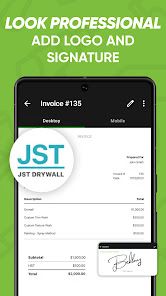
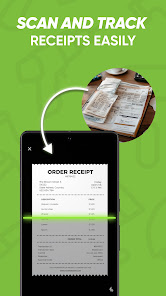

"Joist Invoices for Contractors" is a comprehensive invoicing solution tailored specifically for contractors and tradespeople. One of its standout features is the ability to create professional invoices quickly and easily, allowing users to customize templates with their branding, including logos and color schemes. This ensures that invoices not only look professional but also reflect the contractor's identity.
Another key feature is the mobile app, which enables contractors to manage their invoicing on-the-go. Users can generate invoices, track payments, and even send reminders directly from their smartphones or tablets. Additionally, Joist offers expense tracking, allowing contractors to keep tabs on their spending and manage their finances more effectively.
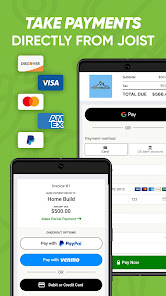
Joist also integrates with various payment processors, making it easy for clients to pay invoices online. This feature streamlines the payment process and can lead to faster payment turnaround times. Furthermore, the app provides reporting tools that help contractors analyze their financial performance, making it easier to make informed business decisions.
Using "Joist Invoices for Contractors" is straightforward and user-friendly. First, users need to download the app from their device's app store and create an account. Once registered, contractors can begin by entering their business information, including name, address, and logo, which will be used in all invoices.
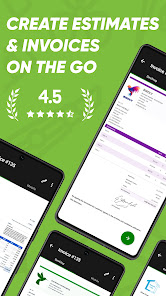
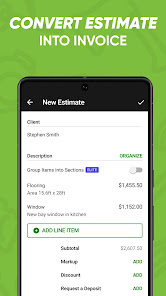
To create an invoice, users simply select the "Create Invoice" option, fill in the necessary details such as client information, services rendered, and costs. Joist allows for customization, enabling users to add notes or terms and conditions as needed. After reviewing the invoice for accuracy, contractors can send it directly to clients via email or share it through a link.
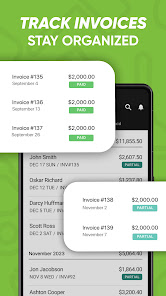
Additionally, contractors can track the status of their invoices, seeing which have been paid and which are still outstanding. The app also allows users to set up reminders for overdue payments, ensuring they stay on top of their accounts receivable. Overall, Joist simplifies the invoicing process, making it efficient and effective for contractors.
Like any tool, "Joist Invoices for Contractors" has its advantages and disadvantages. One of the primary pros is its ease of use; the app is designed with contractors in mind, making it intuitive for users to navigate. The ability to create and send invoices quickly is a significant time-saver, allowing contractors to focus more on their work rather than administrative tasks.
Another advantage is the mobile functionality, which provides flexibility for contractors who are often on job sites. The integration with payment processors is also a plus, as it facilitates quicker payments from clients. Additionally, the expense tracking feature helps contractors maintain a clear overview of their financial health.

 Streamline project management with easy-to-use tools for scheduling and tracking. Enhance client communication with professional estimates and invoices sent instantly. Increase efficiency by managing multiple projects from a single dashboard. Access real-time financial insights to improve budgeting and cash flow. Simplify team collaboration with shared documents and updates in one place.
 Limited customization options may hinder unique project management needs for contractors. Integration with other tools can be challenging, affecting workflow efficiency. User interface may be confusing, leading to a steeper learning curve for teams.
  Google Play
  App Store
 Yes, Joist Invoices for Contractors encourages users to submit suggestions or feedback through the app or their official website to help improve the service.
Joist Invoices for Contractors may collect personal data to provide its services, but it is committed to protecting user privacy in accordance with its privacy policy.
Yes, Joist Invoices for Contractors allows users to access certain features offline, enabling them to create invoices and manage projects even without an internet connection.
You can cancel your Joist Invoices for Contractors subscription directly through the app settings or by contacting customer support for assistance.
The subscription cost for Joist Invoices for Contractors varies based on the plan selected, with options available for monthly or annual billing, typically starting at a competitive price.
No, customer numbers cannot be updated through the app. Please contact customer service for any changes to your customer number.
To activate your account, click the link in the activation email sent to you after registration. If you didn't receive it, contact customer service.
You can contact customer service via the help section in the app or by emailing support
To log in, visit the Joist website or app, enter your email and password, then click "Log In."
Please check your welcome email or contact customer service for assistance with retrieving your customer number.



























