
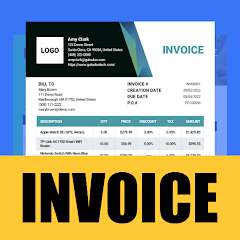



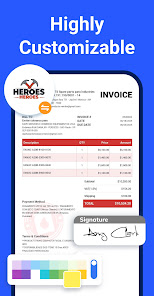
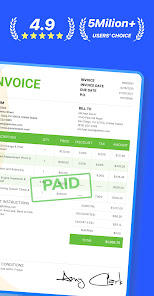

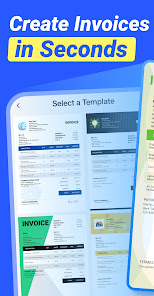
"Invoice Maker - InvoiceBase" is a comprehensive tool designed to simplify the invoicing process for businesses of all sizes. One of its standout features is the ability to create professional invoices quickly and easily, allowing users to customize templates with their branding elements, such as logos and color schemes. The app supports multiple currencies and tax rates, making it suitable for international transactions.
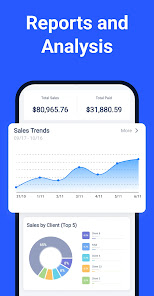
Another notable feature is the expense tracking functionality, which enables users to monitor their spending and manage their finances more effectively. The app also offers a client management system, allowing users to store client information and track payment histories. Additionally, "Invoice Maker - InvoiceBase" provides real-time reporting and analytics, giving users insights into their financial performance. The app is user-friendly, with a straightforward interface that makes it accessible for individuals without accounting expertise. Overall, it streamlines the invoicing process, saving time and reducing errors.
Using "Invoice Maker - InvoiceBase" is a straightforward process that can be completed in just a few steps. First, users need to download and install the app on their device. Once installed, they can create an account or log in if they already have one. After logging in, users can start by selecting a template for their invoice, which can be customized to reflect their brand identity.
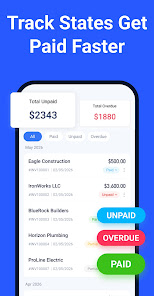
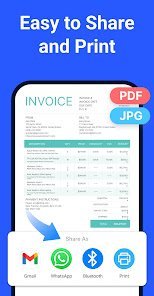
Next, users can input the necessary details, such as client information, item descriptions, quantities, and prices. The app allows for the addition of taxes and discounts, ensuring that the invoice is accurate. Once all information is entered, users can preview the invoice to ensure everything is correct before sending it to the client. The app also offers options to save invoices as PDFs or send them directly via email. Finally, users can track the status of their invoices and manage payments through the app, making it a comprehensive solution for invoicing needs.
"Invoice Maker - InvoiceBase" comes with several advantages that make it a popular choice among users. One of the primary pros is its user-friendly interface, which allows even those with minimal accounting knowledge to create and manage invoices effortlessly. The app's customization options enable businesses to maintain their branding, which is essential for professional communication. Additionally, the expense tracking feature helps users keep a close eye on their finances, while the reporting tools provide valuable insights into business performance.
However, there are some drawbacks to consider. Some users may find that the app lacks advanced features that larger businesses might require, such as comprehensive inventory management or integration with other accounting software. Additionally, while the app is generally reliable, occasional bugs or glitches may occur, which can disrupt the invoicing process. Lastly, users should be aware of any subscription fees associated with premium features, which could be a consideration for small businesses with tight budgets. Overall, "Invoice Maker - InvoiceBase" is a solid choice for many, but it may not meet the needs of every user.

 Create professional invoices easily Customize templates to fit your brand Track payments and due dates effortlessly Send invoices via email instantly Access on-the-go with mobile support
 Limited customization options User interface can be confusing Lack of advanced reporting tools Occasional syncing issues reported No offline access available
 Yes, users can submit feedback and suggestions through the app's support section or contact options.
The app may collect personal data for functionality and user experience improvements, but it prioritizes user privacy.
Yes, the app allows users to create and manage invoices offline, syncing data when an internet connection is available.
Users can cancel their subscription through the app settings or their app store account settings.
Subscription costs vary based on the plan chosen, typically offering monthly and yearly options for users.
You can reach customer service through the app's support section or by emailing support
Open the app, enter your registered email and password, then tap 'Log In'. If you forget your password, use the 'Forgot Password' option.
Yes, after downloading, you need to create an account and verify your email to activate the app. Follow the prompts during setup.
The customer number is typically found in your account settings or on your invoice. If you can't find it, contact support for assistance.












 Google Play
  App Store














