


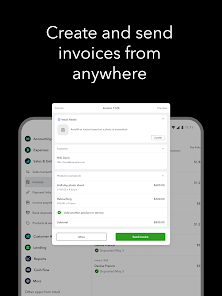
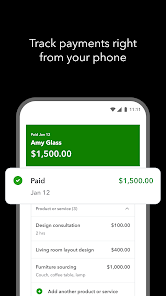
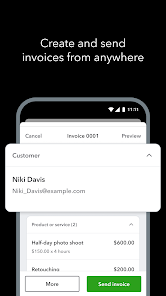
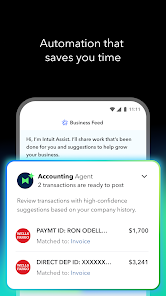
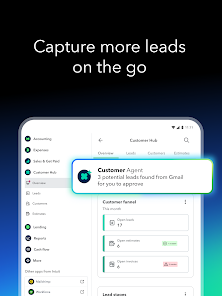
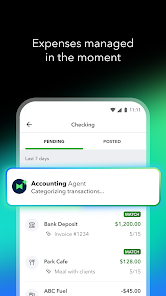
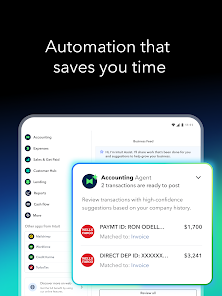
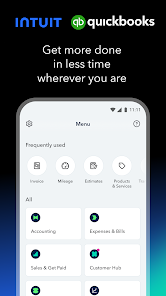

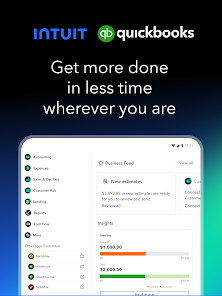
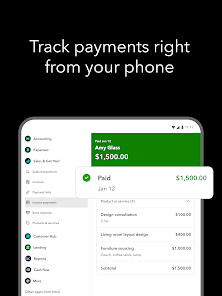
Intuit QuickBooks for Business is a comprehensive accounting software designed to streamline financial management for small to medium-sized enterprises. One of its standout features is the ability to automate invoicing, allowing users to create and send invoices quickly while tracking payments in real-time. This feature helps businesses maintain cash flow and manage receivables efficiently.
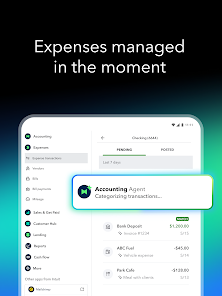
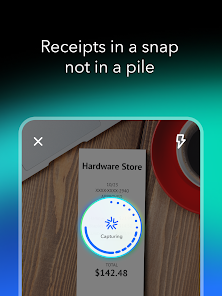
Another key feature is expense tracking, which enables users to categorize and monitor their expenses effortlessly. QuickBooks integrates with bank accounts and credit cards, automatically importing transactions to simplify bookkeeping. Additionally, the software offers robust reporting tools, providing insights into financial performance through customizable reports and dashboards.
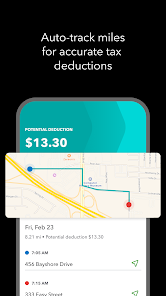
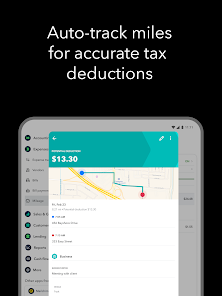
QuickBooks also supports payroll management, allowing businesses to process employee payments, calculate taxes, and manage benefits seamlessly. Furthermore, its user-friendly interface and mobile app ensure that users can access their financial data anytime, anywhere, making it a versatile tool for business owners on the go.
Lastly, QuickBooks offers integration with various third-party applications, enhancing its functionality and allowing businesses to tailor the software to their specific needs.
Using Intuit QuickBooks for Business begins with setting up your account. After signing up, you’ll need to input your business information, including your company name, address, and industry type. This initial setup is crucial as it helps QuickBooks tailor its features to your specific business needs.
Once your account is set up, you can start adding customers and vendors. This allows you to manage your contacts effectively and streamline invoicing and payment processes. Next, you can link your bank accounts and credit cards to QuickBooks, enabling automatic transaction imports for easier expense tracking.
To manage your finances, utilize the dashboard to monitor your income, expenses, and cash flow. You can create invoices, track payments, and generate financial reports to gain insights into your business performance. Additionally, take advantage of the mobile app to manage your finances on the go, ensuring you stay updated with your business’s financial health.
Lastly, explore the various integrations available to enhance your QuickBooks experience, allowing you to customize the software to fit your business operations better.
Intuit QuickBooks for Business offers several advantages that make it a popular choice among small and medium-sized enterprises. One of the primary pros is its user-friendly interface, which simplifies navigation and makes it accessible for users with varying levels of accounting knowledge. Additionally, the software provides a comprehensive suite of features, including invoicing, expense tracking, and payroll management, all in one platform, which can save time and reduce the need for multiple applications.
Another significant advantage is the robust reporting capabilities, allowing businesses to generate detailed financial reports that aid in decision-making. QuickBooks also offers excellent customer support, ensuring users can get assistance when needed. However, there are some cons to consider. The pricing can be a drawback for smaller businesses, as the subscription costs may add up, especially with additional features.
Moreover, some users report that the software can be overwhelming due to its extensive features, which may require a learning curve. Additionally, while QuickBooks integrates with many third-party applications, some users may find that certain integrations are limited or require additional fees. Overall, while QuickBooks is a powerful tool for business management, potential users should weigh these pros and cons carefully.

 Access your finances anytime, anywhere with cloud-based functionality. Streamline invoicing with customizable templates for professional presentations. Easily track expenses and categorize them for better budgeting. Collaborate seamlessly with your accountant in real-time. Automate repetitive tasks to save time and increase productivity.
 Limited customization options may hinder tailored financial reporting. Transaction limits can frustrate growing businesses needing more flexibility. Occasional connectivity issues disrupt workflow and accessibility for users.
  Google Play
  App Store
 Yes, users can submit suggestions or feedback through the app’s feedback feature or by contacting customer support to help improve the service.
Yes, QuickBooks Online Accounting collects personal data to provide services, improve user experience, and comply with legal requirements; users can review their privacy policies for more details.
QuickBooks Online Accounting primarily operates online, and while some features may be accessible offline through mobile apps, full functionality requires an internet connection.
You can cancel your subscription by logging into your account, navigating to the billing section, and following the cancellation prompts, or by contacting customer support for assistance.
Subscription costs vary based on the plan selected, with different pricing tiers available to accommodate different business needs.
No, your customer number is assigned by QuickBooks and cannot be changed. If you have issues, contact customer service for assistance.
To log in, visit the QuickBooks website, click on the "Sign In" button, enter your login credentials, and click "Log In."
To activate your account, follow the link in the activation email you received after purchase, and fill out the required information.
You can reach QuickBooks customer service by calling their support number or visiting the help section on their website for live chat options.
If you're having activation issues, call customer service or use the live chat option on the QuickBooks website for immediate help.



























