


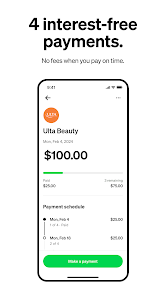



Afterpay is a popular buy now, pay later service that allows consumers to make purchases and pay for them in installments. One of its key features is the ability to split the total cost of a purchase into four equal payments, which are due every two weeks. This flexibility makes it easier for users to manage their budgets without incurring high-interest debt.
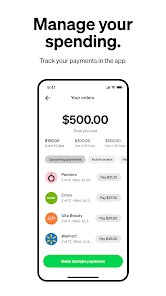
Another notable feature is the absence of interest charges, provided that payments are made on time. This means that users can enjoy their purchases without worrying about accumulating interest, making it a cost-effective option for many. Additionally, Afterpay offers a user-friendly mobile app that allows customers to track their spending, view upcoming payments, and manage their account seamlessly.
Afterpay also partners with a wide range of retailers, both online and in-store, giving users access to a diverse selection of products. Furthermore, the service does not require a credit check, making it accessible to a broader audience, including those with limited credit histories. Overall, Afterpay provides a convenient and flexible payment solution for consumers looking to manage their finances effectively.
Using Afterpay is a straightforward process that begins with signing up for an account through their website or mobile app. Once registered, users can browse participating retailers and select items they wish to purchase. At checkout, they simply choose Afterpay as their payment method.
After selecting Afterpay, users will be prompted to log into their account or create one if they haven't already. They will then need to provide some basic information, including payment details. Afterpay will assess the user's eligibility and, if approved, will allow them to complete the purchase. The total amount will be divided into four equal payments, with the first payment due at the time of purchase.
Subsequent payments will be automatically deducted from the user's linked payment method every two weeks. Users can keep track of their payment schedule through the app, ensuring they stay on top of their financial commitments. It's essential to make payments on time to avoid late fees and maintain a positive experience with the service.
Afterpay offers several advantages that make it appealing to consumers. One of the primary benefits is the ability to make purchases without upfront payment, allowing users to buy items they may not afford in full. The interest-free payment plan is another significant advantage, as it helps users avoid the pitfalls of high-interest credit cards. Additionally, the app's user-friendly interface and wide range of partnered retailers enhance the shopping experience.
However, there are also some drawbacks to consider. One of the main concerns is the potential for overspending, as the ease of using Afterpay may encourage users to make purchases beyond their means. Late payments can result in fees, which can add up quickly if not managed properly. Furthermore, Afterpay does not report to credit bureaus, meaning that while it can help with budgeting, it won't build credit history. Overall, while Afterpay provides a convenient payment option, users should approach it with caution to avoid financial pitfalls.

 Shop now without upfront payment burdens Enjoy flexible payment plans tailored to your budget No hidden fees when payments are made on time Easily manage payments through the Afterpay app Boost your purchasing power while staying financially responsible
 High late fees can accumulate, making purchases more expensive over time. Limited payment flexibility may strain your budget if not managed carefully. Potential impact on credit score if payments are missed or delayed.
  Google Play
  App Store
 Yes, users can submit suggestions or feedback through the app or the official Afterpay website to help improve the service.
Yes, Afterpay: Pay over time collects personal data to process transactions, verify identities, and enhance user experience, but it is committed to protecting user privacy.
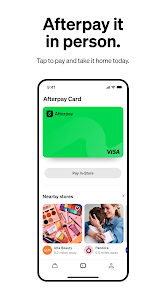
Afterpay: Pay over time can be used in-store at participating retailers, allowing users to make purchases offline using the app.
Since Afterpay: Pay over time does not require a subscription, there is no cancellation process; users can simply stop using the app at any time.
Afterpay: Pay over time does not have a subscription fee; users only pay for the purchases they make and any applicable late fees.
You can reach Afterpay's customer service through the app or website, where you’ll find support options and chat features to assist you.
You can contact Afterpay customer service via the app or their website for help with account activation issues.
If you've forgotten your password, click on "Forgot Password?" on the login page. Follow the instructions to reset it and activate your account.
To activate your Afterpay account, simply log in and follow the prompts to complete your account setup.
If you're having trouble logging in, try resetting your password or check your internet connection. If issues persist, contact customer service for help.