





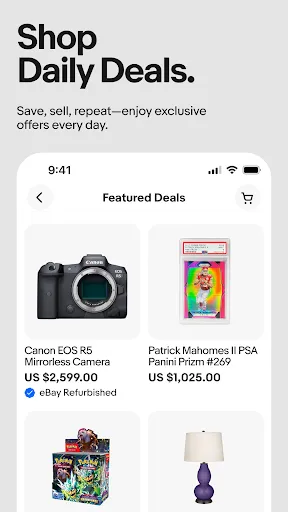
eBay is a dynamic online marketplace that offers a variety of features for both buyers and sellers. One of its primary features is the auction-style listing, allowing sellers to set a starting price and let buyers bid on items. This creates a competitive environment that can drive prices up. Additionally, eBay provides a "Buy It Now" option, enabling buyers to purchase items immediately at a fixed price, which is convenient for those who want to avoid bidding wars.
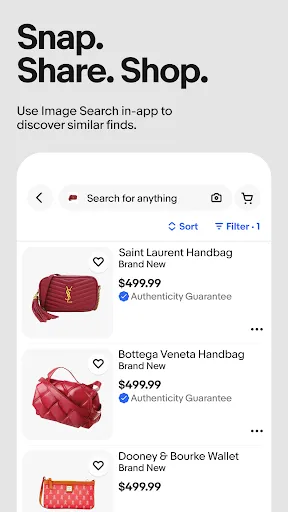
Another notable feature is the extensive search functionality, which allows users to filter results by category, price range, condition, and location. eBay also offers buyer protection programs, ensuring that transactions are secure and that buyers receive items as described. For sellers, eBay provides tools for inventory management, sales analytics, and promotional options to enhance visibility. Furthermore, the platform supports various payment methods, including PayPal and credit cards, making transactions seamless.
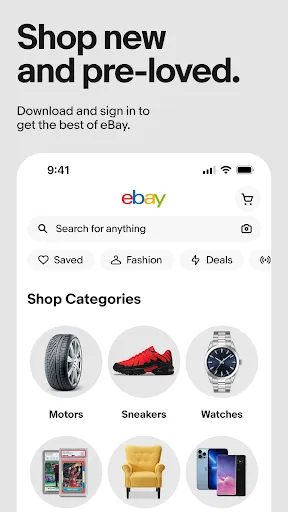
Lastly, eBay's mobile app allows users to shop and sell on-the-go, providing notifications for bids, sales, and messages, which enhances the overall user experience.
Using eBay for shopping and selling is straightforward. To start shopping, you need to create an account, which is free and requires basic information. Once registered, you can browse through various categories or use the search bar to find specific items. You can filter results based on your preferences, such as price, condition, and shipping options. When you find an item you want, you can either place a bid in an auction or choose the "Buy It Now" option for immediate purchase.
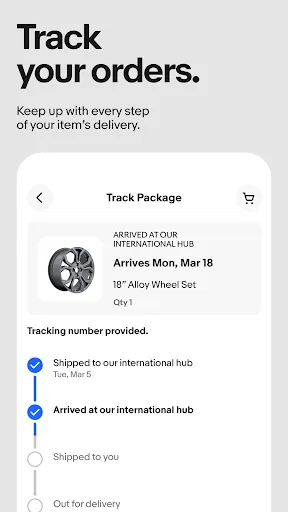
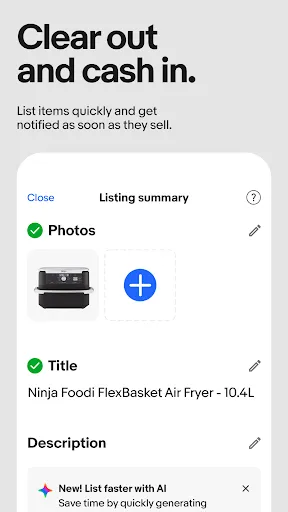
For selling, the process begins with creating a seller account. You can list items by providing detailed descriptions, uploading high-quality images, and setting your price or auction parameters. eBay offers guidance on pricing and shipping options to help you maximize your sales. Once your item is sold, you will need to package and ship it promptly, ensuring that you provide tracking information to the buyer. Communication is key, so responding to buyer inquiries quickly can enhance your reputation as a seller.
Overall, eBay provides a user-friendly platform for both shopping and selling, making it accessible for everyone.
The eBay app offers several advantages that enhance the online shopping and selling experience. One of the main pros is its convenience; users can browse, bid, and purchase items from anywhere at any time. The app's user-friendly interface makes navigation easy, allowing users to quickly find what they are looking for. Additionally, the app provides real-time notifications for bids, sales, and messages, keeping users engaged and informed about their transactions.
However, there are also some cons to consider. One downside is the potential for scams or fraudulent listings, which can occur in any online marketplace. While eBay has buyer protection policies, users must remain vigilant and conduct thorough research before making purchases. Another con is the fees associated with selling on eBay, which can cut into profits for sellers. Lastly, the competitive nature of auctions can lead to higher prices, which may deter some buyers from finding good deals.
In summary, while the eBay app offers a convenient and engaging platform for online shopping and selling, users should be aware of the potential risks and costs involved.
```
 A vast selection of products from around the world awaits you. Competitive prices help you find great deals and save money. User-friendly interface makes browsing and purchasing easy for everyone. Seller tools empower individuals to reach a global audience effortlessly. Trustworthy feedback system ensures safe transactions and reliable sellers.
 High shipping costs can reduce overall savings on purchases. Seller reliability varies, leading to potential fraud risks. Complicated return policies may frustrate buyers and deter purchases.
  Google Play
  App Store
 Yes, users can submit suggestions or feedback through the app's help section or by contacting eBay customer support directly.
Yes, eBay online shopping & selling collects personal data such as account information, transaction history, and browsing behavior, which is used to improve user experience and for marketing purposes.
eBay online shopping & selling does not support offline use; an internet connection is required to access its features and functionalities.
You can cancel your eBay subscription through the account settings in the app or on the eBay website by following the subscription management options provided.
eBay offers various subscription plans, including eBay Store subscriptions, which can range from a few dollars per month to more, depending on the level of service and features chosen.
Customer numbers cannot be changed, but you can update your personal information in your account settings.
You can reach customer service through the "Help & Contact" section on eBay’s website for assistance with your account.
If you can't log in, use the "Forgot password?" feature to regain access and then update your email in your account settings.
To activate your eBay account, check your email for a confirmation link and follow the instructions provided.
You can find your customer number in the account settings under "Personal Information."