

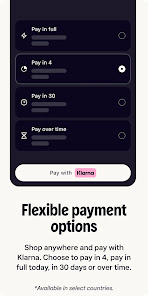
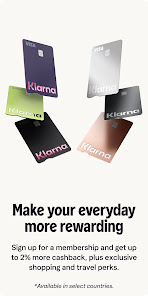
Klarna's "Pay your way" service offers a flexible payment solution that allows consumers to shop online with ease. One of its standout features is the ability to choose from multiple payment options, including paying in full at checkout, splitting the total into four interest-free payments, or extending the payment period up to 30 days. This flexibility caters to various budgeting needs and preferences, making it easier for users to manage their finances.
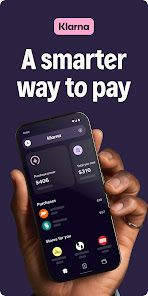
Another notable feature is the seamless integration with numerous online retailers, providing a smooth shopping experience. Users can browse and shop at their favorite stores while enjoying Klarna's payment options. Additionally, Klarna offers a user-friendly app that allows customers to track their purchases, manage payments, and receive personalized recommendations based on their shopping habits. The app also includes a price drop alert feature, notifying users when items they are interested in go on sale, ensuring they never miss a deal.
Lastly, Klarna prioritizes security, employing advanced encryption and fraud protection measures to safeguard users' financial information. This commitment to security, combined with its flexible payment options, makes Klarna a popular choice for online shoppers looking for convenience and peace of mind.
Using Klarna's "Pay your way" service is straightforward and user-friendly. To get started, users need to download the Klarna app or visit the Klarna website. After creating an account, they can browse through a wide range of partner retailers directly within the app or website. Once they find an item they wish to purchase, they can select Klarna as their payment method at checkout.
During the checkout process, users will be presented with various payment options. They can choose to pay the full amount immediately, split the payment into four equal installments, or opt for the 30-day payment window. After selecting their preferred option, users simply need to confirm their purchase. Klarna will then process the transaction, and users can track their payment schedule through the app. Additionally, Klarna sends reminders for upcoming payments, ensuring users stay informed and avoid late fees.
Overall, Klarna's intuitive interface and flexible payment options make it easy for users to shop online while managing their finances effectively.
Klarna's app comes with several advantages that enhance the shopping experience. One of the primary benefits is the flexibility it offers in payment options, allowing users to choose how and when they pay. This can be particularly helpful for those managing tight budgets or unexpected expenses. The app also provides a convenient way to track purchases and payments, making it easier for users to stay organized. Furthermore, the price drop alerts feature can help users save money by notifying them of discounts on items they are interested in.
However, there are some drawbacks to consider. One potential downside is that users may be tempted to overspend due to the ease of using the app and the ability to defer payments. This could lead to financial strain if not managed carefully. Additionally, while Klarna does offer a secure platform, some users may still have concerns about sharing their financial information online. Lastly, not all retailers accept Klarna, which may limit options for some shoppers. Overall, while Klarna provides valuable features, users should weigh the pros and cons before fully committing to the service.

 Flexible payment options to suit your budget Shop now, pay later for convenience Easy returns enhance your shopping experience Secure transactions protect your personal information Access exclusive deals and offers for savings
 High interest rates on unpaid balances Limited merchant acceptance in some regions Potential for overspending due to easy access Credit score impact from missed payments
 Yes, Klarna | Pay your way collects personal data as part of its service to process transactions, manage accounts, and enhance user experience, while adhering to privacy regulations.
Klarna | Pay your way does not have a traditional subscription model, as the app is free to download and use, with fees applicable only when opting for certain payment plans.
Yes, Klarna | Pay your way requires an internet connection to access features, shop online, and manage transactions in real-time.
You can contact Klarna support through the app’s help section or visit their official website for additional support channels, including email and live chat options.
Since Klarna | Pay your way does not operate on a subscription basis, there is no subscription to manage or cancel, but users can modify their payment plans through the app.
Customer numbers cannot be changed; if you have concerns, please contact customer service for further assistance.
To update your customer number, please contact customer service directly through the app or website.
You can reach customer service through the Klarna app or website by using the chat feature or calling the support line.
If you've forgotten your customer number, try logging in with your email or phone number linked to your account.
You can contact customer service via the Klarna app or website for assistance with account activation problems.







 Google Play
  App Store