



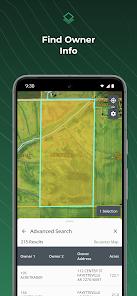
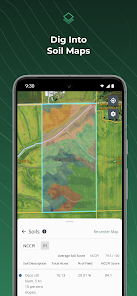
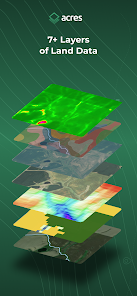
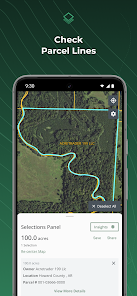
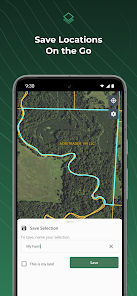
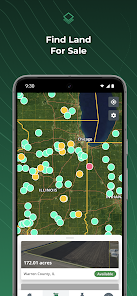
"Acres: Land Data & Parcel Maps" is a comprehensive app designed for land enthusiasts, real estate professionals, and anyone interested in property data. One of its standout features is the ability to access detailed parcel maps, which provide users with precise boundaries and dimensions of land parcels. This feature is particularly useful for buyers and sellers looking to understand property lines and zoning regulations.
Additionally, the app offers extensive land data, including ownership information, property tax details, and historical sales data. Users can easily search for properties by address, owner name, or parcel number, making it convenient to find specific information. The app also includes satellite imagery and topographic maps, allowing users to visualize the land in various ways. Furthermore, the user-friendly interface ensures that even those unfamiliar with land data can navigate the app with ease. Overall, "Acres" combines powerful tools and accessible information, making it an essential resource for anyone involved in land transactions.
Using "Acres: Land Data & Parcel Maps" is straightforward and intuitive, making it accessible for users of all experience levels. To get started, download the app from your device's app store and create an account. Once logged in, you can explore the main dashboard, which features a search bar for quick access to specific properties. Simply enter an address, owner name, or parcel number to retrieve detailed information about the land.
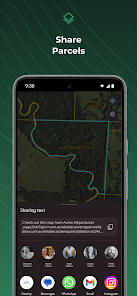
After locating a property, users can view its parcel map, which displays boundaries and dimensions. You can also access additional data such as ownership history, tax assessments, and zoning information. The app allows users to save favorite properties for easy reference and even share information with others. For those interested in visualizing the land, the satellite and topographic views provide a comprehensive understanding of the terrain. Overall, the app is designed to facilitate informed decision-making in land transactions.
"Acres: Land Data & Parcel Maps" offers several advantages that make it a valuable tool for users. One of the primary benefits is the extensive database of land information, which includes detailed parcel maps and ownership records. This wealth of data empowers users to make informed decisions regarding property purchases or sales. Additionally, the app's user-friendly interface simplifies navigation, allowing even novice users to access complex land data with ease.
However, there are some drawbacks to consider. One potential con is that the app may not cover all regions equally, leading to discrepancies in data availability. Some users have reported occasional inaccuracies in property information, which can be problematic for serious buyers or investors. Furthermore, while the app is generally free, certain advanced features may require a subscription or one-time payment, which could deter some users. Balancing these pros and cons is essential for anyone considering using "Acres" for their land data needs.

 Acres offers accurate land data for informed decision-making. Access to detailed parcel maps enhances property insights. User-friendly interface simplifies navigation for all users. Real-time updates ensure you always have the latest information. Comprehensive data supports effective land management and investment strategies.
 Limited coverage in rural areas can hinder comprehensive land assessments. User interface may be complex for beginners, leading to confusion. Data accuracy can vary, impacting trust in critical land decisions.
 Yes, users are encouraged to submit their suggestions and feedback through the app or by contacting customer support, as the developers value user input for future updates.
The app has a privacy policy in place and may collect certain data for functionality purposes, but it is committed to protecting user privacy.
Yes, Acres: Land Data & Parcel Maps allows users to download maps and access certain features offline, making it convenient for use in remote areas.
Users can cancel their subscription through the app’s settings or through their respective app store account settings, depending on the platform used.
The subscription cost for Acres: Land Data & Parcel Maps varies depending on the plan selected, with options for monthly or yearly billing available.
Customer numbers are unique and cannot be changed. If you have concerns, please contact customer service for further assistance.
You can reach our customer service via the support email or phone number provided on our website. We’re here to help!
If you're experiencing activation issues, please contact customer service for prompt assistance with your account.
To log in, visit our website, enter your email and password, and click "Log In." If you have issues, try resetting your password.
To reactivate your account, please reach out to customer service for guidance on the reactivation process.












 Google Play
  App Store














