



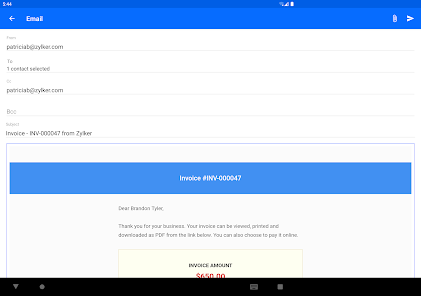
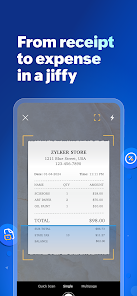
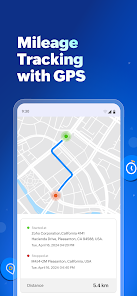

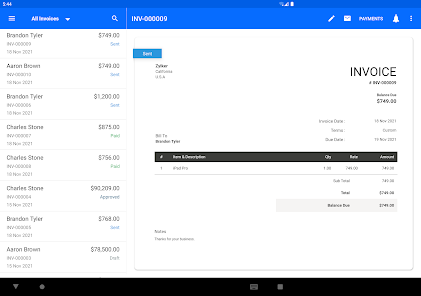
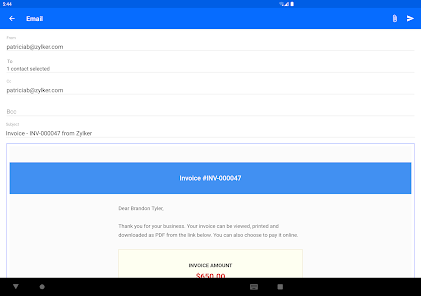
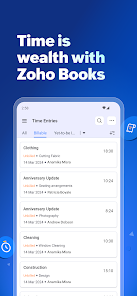
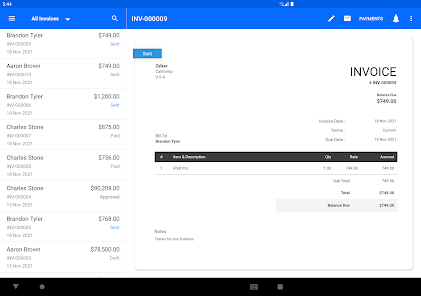
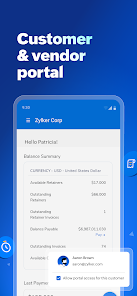
Zoho Books is a comprehensive accounting application designed to streamline financial management for businesses of all sizes. One of its standout features is automated workflows, which help users manage invoices, payments, and expenses efficiently. The app also offers real-time collaboration, allowing multiple users to work together seamlessly, enhancing productivity.
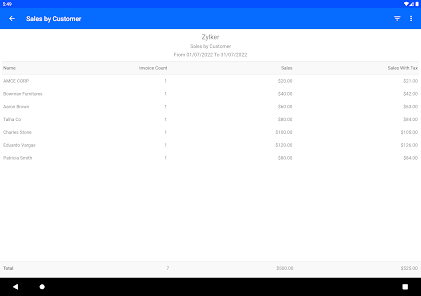
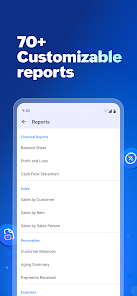
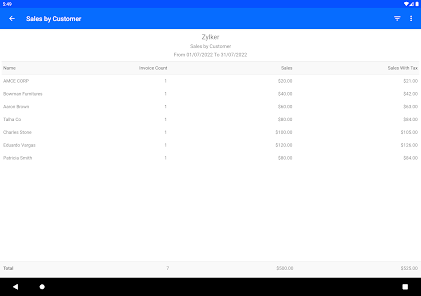
Another key feature is its robust reporting capabilities. Users can generate detailed financial reports, including profit and loss statements, balance sheets, and cash flow statements, providing valuable insights into their business's financial health. Additionally, Zoho Books supports multi-currency transactions, making it ideal for businesses operating internationally.
The app also integrates with various third-party applications, such as payment gateways and CRM systems, ensuring a smooth flow of information across platforms. Furthermore, Zoho Books is mobile-friendly, allowing users to manage their finances on the go, making it a versatile tool for modern businesses.
Lastly, the app ensures compliance with tax regulations, offering features like automatic tax calculations and filing reminders, which can save users time and reduce the risk of errors.
Getting started with Zoho Books is straightforward. First, users need to sign up for an account on the Zoho Books website. After creating an account, users can set up their business profile by entering essential details such as business name, address, and tax information. This initial setup is crucial for accurate financial tracking.
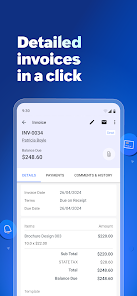
Once the profile is established, users can begin adding their financial data. This includes entering bank accounts, credit cards, and other financial instruments. Users can also import existing data from other accounting software, making the transition smoother. After setting up accounts, users can start creating invoices, recording expenses, and managing payments.
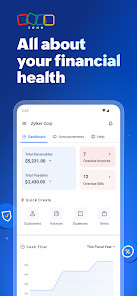
Zoho Books offers a user-friendly dashboard that provides an overview of financial health, including outstanding invoices and cash flow. Users can customize reports to track specific metrics and gain insights into their business performance. Additionally, the mobile app allows users to manage their finances on the go, ensuring they stay updated wherever they are.
Finally, users should regularly review their financial reports and reconcile accounts to maintain accurate records. Utilizing the help resources and tutorials provided by Zoho can further enhance the user experience and ensure effective use of the app.
Zoho Books comes with several advantages that make it a popular choice among businesses. One of the primary pros is its affordability, offering a range of pricing plans that cater to different business sizes and needs. The app is feature-rich, providing tools for invoicing, expense tracking, and financial reporting, which can significantly enhance financial management.
Another advantage is its user-friendly interface, which simplifies navigation and makes it accessible for users with varying levels of accounting knowledge. The integration capabilities with other Zoho applications and third-party tools also enhance its functionality, allowing businesses to create a customized ecosystem for their operations.
However, there are some cons to consider. Some users have reported that the customer support response time can be slow, which may be frustrating for those needing immediate assistance. Additionally, while the app is feature-rich, some advanced features may require a learning curve, particularly for users unfamiliar with accounting software.
Lastly, while Zoho Books supports multiple currencies, some users may find limitations in certain regions or specific currencies, which could affect international transactions. Overall, weighing these pros and cons can help businesses determine if Zoho Books is the right fit for their accounting needs.

 Streamlined invoicing saves time and enhances cash flow management. Comprehensive financial reports provide insights for informed decision-making. Automated expense tracking simplifies accounting and reduces manual errors. Multi-currency support enables global business operations effortlessly. User-friendly interface ensures easy navigation for all skill levels.
 Limited customization options may restrict unique business needs. Integration with third-party apps can be challenging for some users. Customer support response times may not meet urgent requirements.
 Yes, users can submit suggestions or feedback through the support section of the app or by contacting customer support directly for improvements and feature requests.
Yes, Accounting App - Zoho Books collects personal data as part of its user account setup and usage, adhering to privacy policies and data protection regulations.
No, Accounting App - Zoho Books is primarily a cloud-based application, which means it requires an internet connection for most of its functionalities.
To cancel your Accounting App - Zoho Books subscription, you can go to the billing section in your account settings and follow the prompts to cancel your subscription.
Subscription costs for Accounting App - Zoho Books vary based on the selected plan, with options available for different business sizes and needs. Detailed pricing can be found on the official Zoho Books website.
No, your customer number is unique and cannot be changed after activation. Please contact customer service for further inquiries.
You can reach Zoho Books customer service through the help center on our website, via email, or by calling our support hotline.
Check your spam folder for the activation email and if you still can't find it, contact customer service for a resend.
To log in, visit the Zoho Books website, enter your email and password, and click the "Log In" button.
Yes, our support team is available to help with any account activation issues you may encounter. Just contact customer service.












 Google Play
  App Store














