



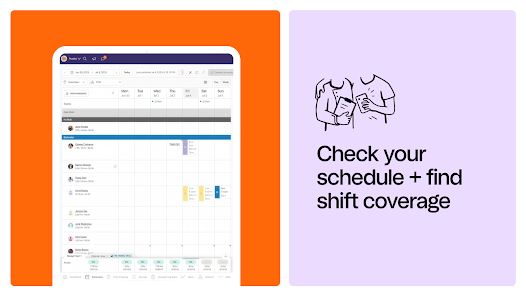
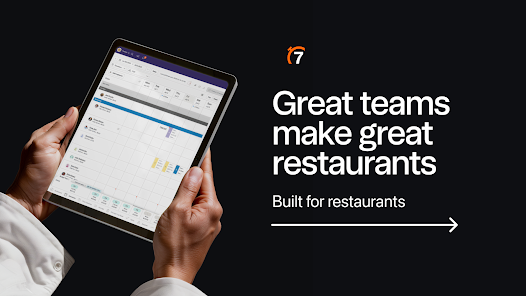
7shifts: Employee Scheduling is a comprehensive tool designed to streamline workforce management for restaurants and other service-oriented businesses. One of its standout features is the intuitive drag-and-drop scheduling interface, which allows managers to create and modify employee schedules effortlessly. This feature helps reduce scheduling conflicts and ensures optimal staffing levels during peak hours.
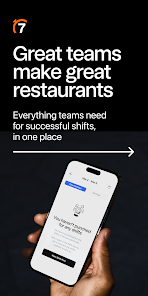
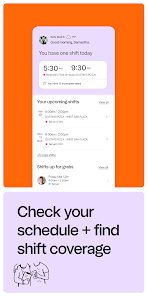
Another key feature is the mobile app, which enables employees to view their schedules, request time off, and swap shifts directly from their smartphones. This enhances communication and fosters a sense of ownership among staff. Additionally, 7shifts offers labor cost forecasting, allowing managers to track labor expenses in real-time and make informed decisions to stay within budget.
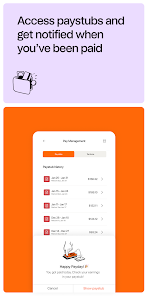
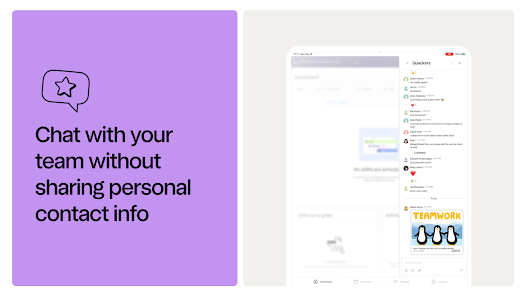
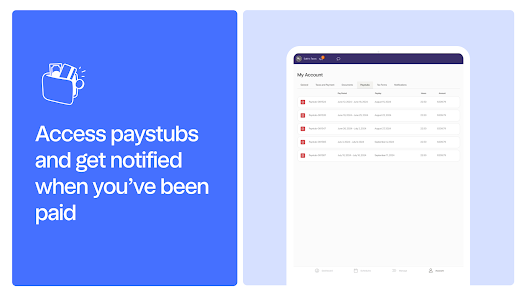
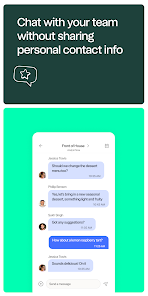
The platform also includes built-in messaging tools, facilitating seamless communication between team members and management. Furthermore, 7shifts integrates with various payroll systems, simplifying the process of payroll management. Overall, these features make 7shifts an invaluable resource for businesses looking to optimize their scheduling processes and improve employee satisfaction.
Using 7shifts: Employee Scheduling is straightforward and user-friendly. To get started, businesses need to create an account on the platform. Once registered, managers can input their staff details, including roles, availability, and preferences. This initial setup is crucial for creating an effective scheduling system tailored to the team's needs.
After setting up the team, managers can begin creating schedules using the drag-and-drop feature. They can easily assign shifts, adjust hours, and accommodate employee requests for time off. Employees can access their schedules through the mobile app, where they can also communicate with their managers and colleagues regarding shift changes or availability.
To maximize the benefits of 7shifts, managers should regularly review labor reports and analytics provided by the platform. This data helps in understanding staffing trends and making informed decisions about future schedules. By actively engaging with the app and utilizing its features, businesses can enhance their operational efficiency and improve employee morale.
7shifts: Employee Scheduling comes with several advantages that make it a popular choice among businesses. One of the primary pros is its user-friendly interface, which simplifies the scheduling process for managers and employees alike. The mobile app enhances accessibility, allowing staff to check schedules and communicate on the go. Additionally, the platform's labor cost forecasting feature helps businesses manage their budgets effectively, reducing the risk of overspending on labor.
However, there are some drawbacks to consider. Some users have reported that the app can occasionally experience glitches, which may disrupt scheduling efforts. Additionally, while the basic features are robust, some advanced functionalities may require a higher subscription tier, which could be a barrier for smaller businesses. Furthermore, the learning curve for new users can be steep, particularly for those unfamiliar with digital scheduling tools.
In summary, while 7shifts offers a range of beneficial features that can significantly improve scheduling efficiency, potential users should weigh these pros and cons to determine if it aligns with their specific business needs.

 Streamline scheduling with an intuitive interface for quick adjustments. Enhance team communication through real-time updates and notifications. Reduce labor costs with optimized shift management and forecasting tools. Boost employee satisfaction with self-service scheduling and availability features. Access insightful reports to make data-driven staffing decisions easily.
 Limited customization options can hinder unique scheduling needs. High subscription costs may not fit all budgets. Customer support response times can be slow during peak hours.
 Yes, users can submit suggestions or feedback through the app or the official 7shifts website, where they are encouraged to share ideas for improvements or new features.
Yes, 7shifts collects personal data to provide its services, including information necessary for scheduling and communication purposes, as detailed in their privacy policy.
7shifts does not support offline use; an internet connection is required to access its features and functionalities.
You can cancel your 7shifts subscription by accessing your account settings and following the cancellation process outlined there, ensuring you do so before the next billing cycle.
Subscription costs for 7shifts vary based on the plan chosen and the number of locations, with pricing typically starting at a monthly rate per location.
Yes, you can change your account settings anytime after activation by logging in and navigating to the settings section.
You can contact customer service via the help section in the app or by calling the provided customer number.
To activate your account, follow the link in your registration email and complete the setup process. If you encounter issues, reach out to customer service.
Use the "Forgot Password" link on the login page to reset your password and regain access to your account.
You can recover your login information by using the "Forgot Password" option on the login page or by contacting customer service for further help.












 Google Play
  App Store














