

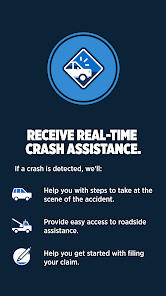
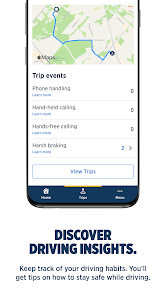
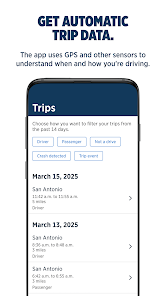
"USAA DriveSafe" is a mobile application designed to promote safe driving habits among its users. One of its standout features is the real-time feedback mechanism, which provides drivers with insights into their driving behavior, including speed, braking patterns, and acceleration. This feedback helps users identify areas for improvement and encourages safer driving practices.
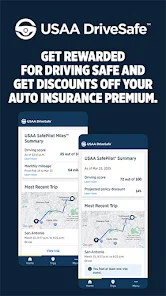
Another notable feature is the trip tracking capability, which records each journey and assigns a safety score based on various driving metrics. Users can view their scores over time, allowing them to monitor their progress and make adjustments as needed. Additionally, the app offers personalized tips and resources to help users enhance their driving skills.
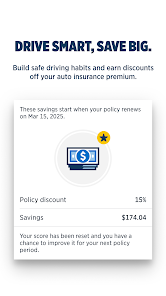
The app also includes a rewards program, where safe driving can lead to discounts on insurance premiums. This incentivizes users to adopt safer driving habits while potentially saving money. Overall, "USAA DriveSafe" combines technology with education to foster a culture of safety on the roads.
Using "USAA DriveSafe" is straightforward and user-friendly. First, download the app from the App Store or Google Play and create an account using your USAA membership details. Once registered, you can start tracking your driving by enabling location services, which allows the app to monitor your trips automatically.
After each drive, the app will provide you with a detailed report, including your safety score and feedback on your driving behavior. To maximize the benefits, review this feedback regularly and implement the suggested improvements. You can also set goals for yourself based on your scores to encourage better driving habits over time.
Additionally, take advantage of the app's educational resources, which offer tips and best practices for safe driving. Engaging with these features not only helps you become a better driver but can also lead to potential savings on your insurance premiums through the rewards program.
The "USAA DriveSafe" app comes with several advantages. One of the primary benefits is its ability to provide real-time feedback, which can significantly enhance driving safety. Users appreciate the trip tracking feature, as it allows them to monitor their driving habits and see tangible improvements over time. The rewards program is another attractive aspect, offering potential discounts on insurance premiums for safe driving.
However, there are some drawbacks to consider. Some users may find the app's tracking features intrusive, as it requires location services to function effectively. Additionally, the accuracy of the feedback can vary based on the device used, which may lead to inconsistent scoring. Lastly, while the app is beneficial for USAA members, those outside the organization may not have access to its full range of features, limiting its appeal.
In summary, while "USAA DriveSafe" offers valuable tools for promoting safe driving, potential users should weigh the pros and cons to determine if it aligns with their needs and preferences.
```
 Receive personalized driving feedback to improve your skills. Enjoy potential discounts for safe driving habits. Access real-time driving data through an easy-to-use app. Stay connected with family and friends for added safety. Benefit from 24/7 roadside assistance for peace of mind.
 Limited availability only for USAA members may exclude potential users. Higher premiums for high-risk drivers can lead to increased costs. Driving data privacy concerns may deter some users from participation.
  Google Play
  App Store
 Yes, users can submit suggestions or feedback through the app's feedback feature or by reaching out to USAA's customer support.
Yes, USAA DriveSafe collects data related to your driving habits, which may include location and trip information, to provide personalized feedback and improve your driving experience.
USAA DriveSafe requires an internet connection to access certain features, but it can still track driving data offline and sync it when a connection is restored.
You can cancel your USAA DriveSafe subscription through the app's settings or by contacting USAA customer service for assistance.
The subscription cost for USAA DriveSafe varies based on the plan chosen, so it’s best to check the app for the latest pricing details.
Yes, you can log in to your USAA DriveSafe account from any device with internet access using your customer number and password.
Customer numbers are unique and cannot be changed. If you need assistance, please contact customer service for support.
You can reach USAA DriveSafe customer service by calling the number on the back of your card or through the USAA mobile app.
To activate your USAA DriveSafe account, log in to your account on the USAA website or app and follow the activation prompts provided.
You can reset your password by clicking the 'Forgot Password?' link on the login page and following the instructions provided.