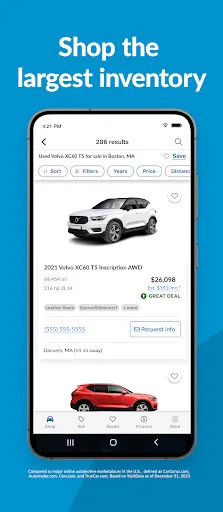
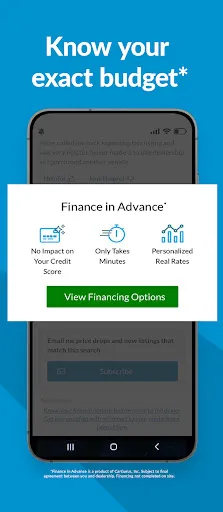
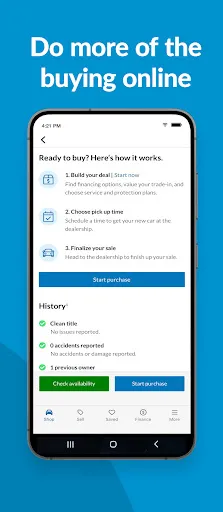

"CarGurus: Used & New Cars" is a comprehensive platform designed to simplify the car buying and selling process. One of its standout features is the extensive database of both new and used vehicles, allowing users to browse a wide variety of options based on their preferences. The app provides detailed vehicle information, including pricing history, expert reviews, and user ratings, which helps buyers make informed decisions.
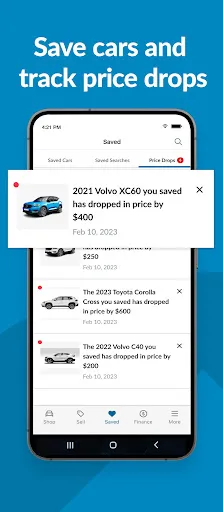
Another notable feature is the price analysis tool, which compares listings to market values, ensuring users get a fair deal. The app also includes a robust search filter, enabling users to narrow down their choices by make, model, price range, and location. Additionally, CarGurus offers a user-friendly interface that enhances the overall experience, making it easy to navigate through listings. Users can save their favorite cars and receive notifications about price drops or new listings that match their criteria, further streamlining the car shopping experience.
Lastly, the app provides access to dealer reviews and ratings, helping users choose reputable sellers. With its combination of features, CarGurus stands out as a valuable tool for anyone looking to buy or sell a vehicle.
Using "CarGurus: Used & New Cars" is straightforward and user-friendly. To get started, download the app from your device's app store and create an account. Once logged in, you can begin your search for vehicles by entering your desired make, model, or specific criteria such as price range and location. The app's intuitive interface allows you to easily navigate through various listings.
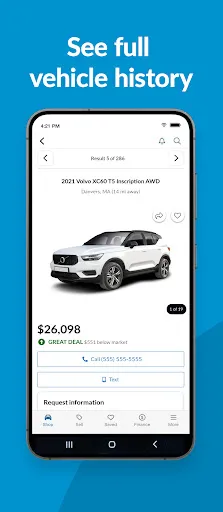
After finding a vehicle that interests you, click on the listing to view detailed information, including photos, specifications, and pricing history. You can also access dealer information and read reviews from previous customers to gauge the seller's reputation. If you want to keep track of multiple vehicles, you can save your favorites and set up alerts for price changes or new listings that match your preferences.
Additionally, the app offers tools to help you understand the market value of the car you’re interested in, ensuring you make a well-informed purchase. Once you’ve found the right car, you can contact the dealer directly through the app to arrange a test drive or ask further questions. Overall, CarGurus provides a seamless experience for both buyers and sellers in the automotive market.
Like any app, "CarGurus: Used & New Cars" has its advantages and disadvantages. One of the primary pros is its extensive database of vehicles, which allows users to access a wide range of options in one place. The app's price analysis feature is another significant advantage, as it helps users identify fair market prices and avoid overpaying for a vehicle. Additionally, the user-friendly interface and robust search filters make it easy to find specific cars that meet individual needs.
However, there are some cons to consider. Some users have reported that the app can occasionally display outdated listings, which may lead to frustration when a desired vehicle is no longer available. Additionally, while the app provides valuable information, it may not always include every detail about a vehicle's condition, especially for used cars. This can necessitate further research or direct communication with the seller to ensure transparency.
Lastly, while the app is free to use, some features may be limited unless users opt for premium services. Overall, while CarGurus offers a wealth of resources for car buyers and sellers, it’s essential to be aware of its limitations to make the most of the experience.

 CarGurus offers a vast selection of both new and used vehicles. Advanced search filters help you find your perfect car quickly. Transparent pricing ensures you get the best deals available. Detailed vehicle history reports build trust and confidence in your purchase. User reviews provide valuable insights from real car buyers.
 Limited inventory in certain regions may restrict options for buyers. User interface can be overwhelming for first-time car shoppers. Some listings may have inaccurate pricing or condition details.
  Google Play
  App Store
 Yes, users can submit suggestions or feedback through the app's support or contact options, which are typically found in the settings or help sections of the app.
Yes, CarGurus: Used & New Cars may collect personal data to enhance user experience and improve services, but it adheres to privacy policies to protect user information.
CarGurus: Used & New Cars primarily requires an internet connection to access up-to-date listings and features, so offline use is limited.
Since the app is free and does not require a subscription for its main features, there is no subscription to cancel. Users can simply uninstall the app if they choose to stop using it.
The app does not require a subscription for its core features, as it is free to use. However, certain premium features may be available for a fee.
Yes, if you're having trouble activating your account, contact customer service for assistance through their support channels.
To activate your CarGurus account, check your email for a confirmation link and click it to complete the activation process.
You can check the status of your request by logging into your CarGurus account and visiting the support section for updates.
You can reach CarGurus customer service by calling their support number listed on the website or using the live chat feature for immediate help.
You can update your customer number by logging into your account and navigating to your account settings.