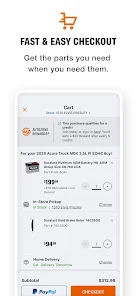
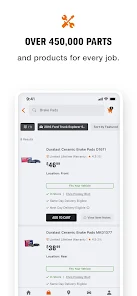
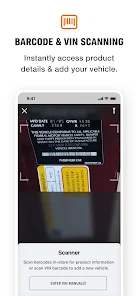
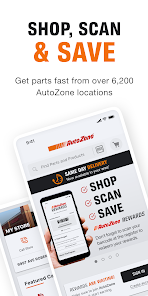
AutoZone Auto Parts & Repair offers a comprehensive range of features designed to assist both DIY enthusiasts and professional mechanics. One of the standout features is its extensive inventory of auto parts, which includes everything from batteries and brakes to filters and fluids. Customers can easily search for parts using the app or website, ensuring they find exactly what they need for their vehicle.
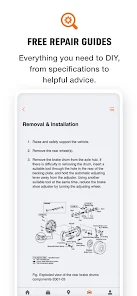
Another notable feature is the availability of repair guides and how-to videos, which provide step-by-step instructions for various automotive repairs. This resource is invaluable for those who may not have extensive mechanical knowledge but are eager to learn. Additionally, the app includes a store locator, allowing users to find the nearest AutoZone location quickly.
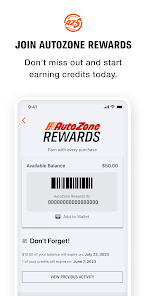
Furthermore, AutoZone offers a rewards program that allows customers to earn points on purchases, which can be redeemed for discounts on future transactions. The app also provides access to special promotions and deals, making it easier for users to save money on their auto parts and repair needs.
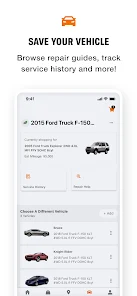
Using the AutoZone Auto Parts & Repair app is straightforward and user-friendly. First, download the app from your device's app store and create an account to access personalized features. Once logged in, you can browse through the extensive catalog of auto parts by entering your vehicle's make, model, and year, ensuring you find compatible components.
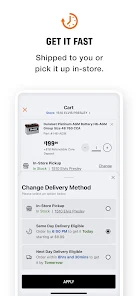
After locating the desired parts, you can check availability at your nearest AutoZone store or opt for home delivery. The app also allows you to view detailed product descriptions, customer reviews, and pricing information, helping you make informed purchasing decisions. If you need assistance, the app features a customer support section where you can ask questions or seek advice.
Additionally, take advantage of the repair guides and instructional videos available within the app. These resources can help you understand the installation process and troubleshoot common issues. Finally, don’t forget to enroll in the rewards program to maximize your savings on future purchases.
The AutoZone Auto Parts & Repair app comes with several advantages that enhance the user experience. One of the primary pros is its extensive inventory, which allows users to find a wide variety of auto parts and accessories conveniently. The app's user-friendly interface makes navigation easy, and the search functionality helps users quickly locate specific items. Additionally, the inclusion of repair guides and how-to videos empowers users to tackle repairs themselves, potentially saving them money on labor costs.
However, there are some drawbacks to consider. Some users have reported occasional inaccuracies in inventory availability, leading to frustration when parts are not in stock despite being listed in the app. Additionally, while the app is generally reliable, there may be occasional technical glitches that hinder the user experience. Lastly, while the rewards program is beneficial, some users feel that the points system could be more generous in terms of earning and redeeming rewards.
Overall, the AutoZone Auto Parts & Repair app is a valuable tool for anyone looking to manage their automotive needs efficiently, but users should be aware of its limitations.

 Wide selection of quality auto parts for various makes and models Expert staff available to provide guidance and advice on repairs Convenient locations and extended hours for easy access Affordable prices and frequent promotions to save on purchases Free services like battery testing and check engine light scanning
 Limited availability of certain specialized parts can delay repairs. Customer service experiences can vary significantly by location. Higher prices compared to some competitors may deter budget-conscious shoppers.
 Yes, users can submit feedback and suggestions through the app or via AutoZone's official website to help improve the service.
The app may collect personal data to enhance user experience, but it adheres to privacy policies to protect user information.
Yes, the app offers certain features that can be accessed offline, although some functionalities require an internet connection.
Since the app does not require a subscription for its standard features, there is no cancellation process needed.
There is no subscription fee required for the basic features of the app, as it is free to use.
Yes, you can log in to your AutoZone account from any mobile device using our website or the AutoZone mobile app.
No, customer numbers cannot be updated online. Please contact customer service for any changes.
You can reach AutoZone customer service by calling 1-800-288-6966 or visiting our website for live chat support.
To activate your warranty, log in to your account and follow the warranty activation instructions provided in your purchase confirmation email.
After logging in, go to "Account Settings" and select "Change Password" to update your password.







 Google Play
  App Store