




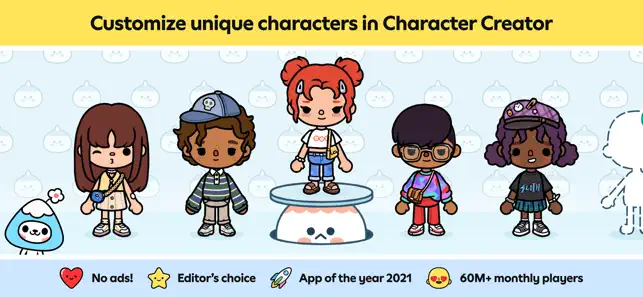


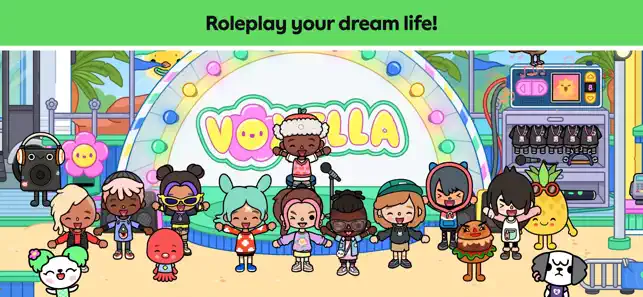













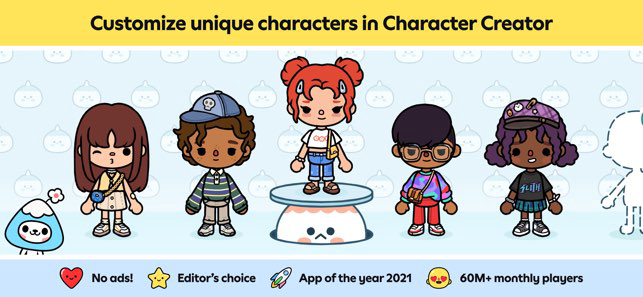
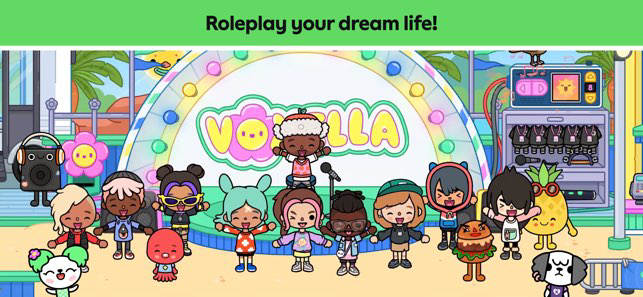
"Toca Boca World" is a vibrant and interactive digital playground designed for children, offering a plethora of features that encourage creativity and imaginative play. One of its standout features is the ability to create and customize characters, allowing players to design unique avatars with various hairstyles, outfits, and accessories. This personalization fosters a sense of ownership and connection to the game.
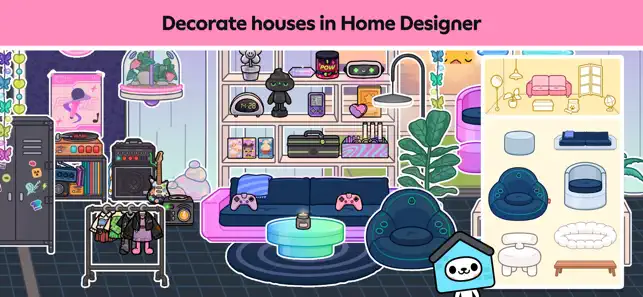
The game also boasts a vast open world filled with diverse locations, such as parks, schools, and shops, where players can explore and engage in various activities. Each area is richly detailed and filled with interactive elements, making the environment feel alive and inviting. Additionally, "Toca Boca World" includes mini-games and challenges that provide entertainment while promoting problem-solving skills.
Another notable feature is the social aspect, where players can interact with friends and share their creations. This encourages collaboration and communication, essential skills for young users. Overall, "Toca Boca World" combines creativity, exploration, and social interaction, making it a captivating experience for children.
Using "Toca Boca World" is an intuitive and enjoyable experience, designed to be accessible for children of all ages. To get started, players first need to download the app from their device's app store. Once installed, they can create their own unique characters, customizing everything from their appearance to their clothing. This personalization is a key aspect of the game, allowing players to express their individuality.
After creating characters, players can explore the expansive world filled with various locations. They can visit different areas, such as a bustling city, a serene park, or a lively school, each offering unique activities and interactions. Players can engage in role-playing scenarios, participate in mini-games, and even create their own stories by combining different elements within the game. The user-friendly interface makes navigation simple, allowing children to easily switch between activities and locations.
Additionally, players can save their progress and revisit their favorite spots, ensuring a personalized experience every time they play. The game encourages creativity and social interaction, making it a delightful platform for imaginative play.
"Toca Boca World" offers numerous advantages that make it a popular choice among parents and children alike. One of the primary pros is its emphasis on creativity and open-ended play, allowing children to explore their imaginations without the constraints of traditional gaming. The app is also designed with a child-friendly interface, making it easy for young users to navigate and engage with the content. Furthermore, the absence of in-app advertisements ensures a safe and uninterrupted gaming experience.
However, there are some cons to consider. One potential drawback is that while the app is free to download, many features and locations require in-app purchases, which may limit access for some users. Additionally, the lack of structured gameplay might not appeal to children who prefer more guided experiences. Some parents may also be concerned about screen time, as the app encourages prolonged engagement. Overall, while "Toca Boca World" has its limitations, its strengths in fostering creativity and imaginative play make it a valuable tool for children's development.

 Toca Mystery House fosters creativity through open-ended play experiences. The interactive environment encourages problem-solving and critical thinking skills. Children can explore diverse themes and unique rooms for endless surprises. It promotes social interaction, making it perfect for cooperative play with friends. The vibrant graphics and engaging sounds enhance the overall immersive experience.
 Limited interactive elements may reduce engagement over time. Some puzzles can be frustratingly challenging for younger players. The game's story lacks depth, affecting overall immersion.
 Yes, users can submit suggestions or feedback through the app's support section or contact the developers directly via their website.
Toca Mystery House is designed with privacy in mind and does not collect personal data from its users.
Yes, Toca Mystery House can be played offline, allowing users to enjoy the game without an internet connection.
To cancel your subscription, you can go to your device settings or the app store and follow the cancellation instructions provided there.
The subscription cost for Toca Mystery House may vary by region and is typically outlined in the app store; users should check for the latest pricing.
Yes, you can change your email in the account settings once you are logged in.
You can reach customer service through the in-app support feature or by visiting our website for additional contact options.
To update your customer number, please contact customer service with your account details for assistance.
You can log in by opening the app and entering your email and password on the login screen.
You can verify your customer number by checking your account settings or by contacting customer service for confirmation.











 Google Play
  App Store