







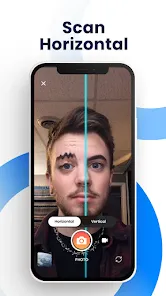
The "Time Warp Scan - Face Scanner" app offers a unique and engaging way to create visually stunning images and videos. One of its standout features is the ability to capture a moving subject while applying a time warp effect, which creates a mesmerizing visual trail. Users can adjust the scanning line's speed and direction, allowing for a variety of creative outputs. The app also supports both front and rear cameras, enabling users to experiment with different angles and perspectives.
Another notable feature is the ability to apply filters and effects to enhance the final output. Users can choose from a range of artistic filters that can transform their images into something truly unique. Additionally, the app allows for easy sharing on social media platforms, making it simple to showcase creations to friends and followers. The user-friendly interface ensures that even those with minimal technical skills can navigate the app effortlessly, making it accessible to a wide audience.
Using the "Time Warp Scan - Face Scanner" app is a straightforward process that encourages creativity. First, download and install the app from your device's app store. Once installed, open the app and grant the necessary permissions for camera access. You will be greeted with a live camera view, where you can see the scanning line that will create the time warp effect.
To start capturing, position yourself or your subject in front of the camera. Adjust the scanning line's speed and direction according to your preference. When you're ready, press the capture button to begin the scan. As you move, the app will create a unique visual effect based on your movements. After capturing, you can apply filters and make adjustments before saving or sharing your creation on social media. Experiment with different poses and movements to discover the full potential of the app!
The "Time Warp Scan - Face Scanner" app comes with several advantages that make it appealing to users. One of the primary pros is its innovative approach to photography, allowing users to create eye-catching visuals that stand out on social media. The app is user-friendly, making it accessible for individuals of all ages and skill levels. Additionally, the variety of filters and effects enhances creativity, enabling users to personalize their images further.
However, there are some drawbacks to consider. The app may require a stable internet connection for optimal performance, which can be a limitation in areas with poor connectivity. Some users have reported occasional glitches or crashes, which can disrupt the creative process. Furthermore, while the app is free, certain features may be locked behind a paywall, limiting access to the full range of tools for some users. Overall, while the app offers exciting features, potential users should weigh these pros and cons before diving in.

 Captures unique and creative facial distortions in real-time. Enhances social media engagement with fun, interactive content. Easy to use, requiring no special skills or equipment. Encourages playful creativity among friends and family. Offers a fresh perspective on traditional photo-taking methods.
 Distorts facial features, leading to unrealistic representations. Limited to specific lighting conditions for best results. Requires a steady hand, making it challenging for some users.
 Yes, users can submit suggestions or feedback through the app's support section or official website, where developers often welcome user input for improvements.
The app may collect certain data to enhance user experience and for functionality purposes, but it typically adheres to privacy regulations and provides options for users to manage their data.
Yes, Time Warp Scan - Face Scanner can be used offline, allowing users to create and edit content without an internet connection.
Users can cancel their subscription through the app store settings on their device, following the specific instructions for iOS or Android platforms.
The subscription cost for Time Warp Scan - Face Scanner may vary depending on the region and the type of subscription plan chosen, typically offering monthly or annual options.
Unfortunately, customer numbers cannot be changed. If you need help, please contact customer service for guidance.
You can reach our customer service by emailing support
To activate your account, click the activation link sent to your email after registration. If you didn't receive it, please check your spam folder or contact customer service.
The customer service number for Time Warp Scan is 1-800-555-0199, available during business hours for your assistance.
You need to activate your account first using the link sent to your email before you can log in.












 Google Play
  App Store





