


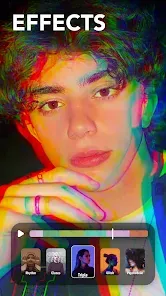

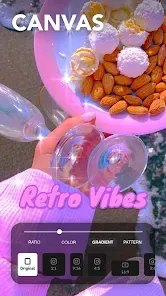

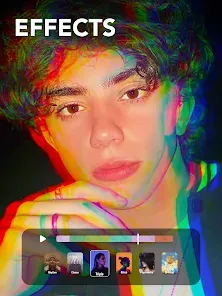

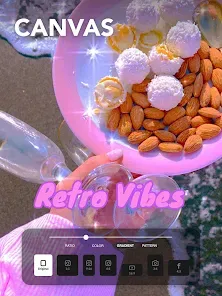

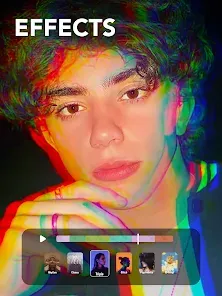

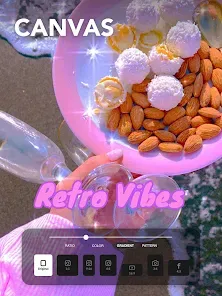
"Filto: Video Filter Editor" is a versatile application designed for enhancing video content with a variety of features. One of its standout attributes is the extensive library of filters and effects, allowing users to transform their videos with just a few taps. The app offers customizable filters, enabling users to adjust brightness, contrast, saturation, and more to achieve the desired look. Additionally, it includes a range of pre-set themes that can instantly elevate the aesthetic of any video.
Another notable feature is the user-friendly interface, which makes it accessible for both beginners and experienced editors. The app supports multiple video formats and resolutions, ensuring compatibility with various devices. Users can also add music tracks from their library or choose from the app's collection to enhance the emotional impact of their videos. Furthermore, Filto allows for easy sharing on social media platforms, making it convenient for users to showcase their creations to a wider audience.
Using "Filto: Video Filter Editor" is a straightforward process that caters to users of all skill levels. To get started, download and install the app from your device's app store. Once opened, you can either create a new project or select an existing video from your gallery. After choosing your video, you will be directed to the editing interface, where you can explore various filters and effects.
To apply a filter, simply tap on the desired option from the library, and it will be instantly applied to your video. You can further customize the filter settings to suit your preferences. If you wish to add music, navigate to the audio section, where you can select tracks from your device or the app's collection. Once you are satisfied with your edits, preview the video to ensure everything looks perfect. Finally, save your edited video and share it directly to your favorite social media platforms with ease.
"Filto: Video Filter Editor" comes with several advantages that make it appealing to users. One of the primary pros is its extensive library of filters and effects, which allows for creative freedom in video editing. The app's intuitive interface is another significant benefit, making it easy for users to navigate and apply edits without a steep learning curve. Additionally, the ability to add music and share videos directly to social media enhances its functionality, catering to content creators looking to engage their audience.
However, the app is not without its drawbacks. Some users may find that certain advanced features are limited unless they opt for a premium subscription. Additionally, while the app is user-friendly, those seeking more complex editing tools may find it lacking in depth compared to professional editing software. Lastly, occasional performance issues, such as lagging during editing, can detract from the overall user experience. Balancing these pros and cons is essential for potential users to determine if Filto meets their video editing needs.

 Filto offers a user-friendly interface for effortless video editing. Access a wide range of customizable filters to enhance your videos. Enjoy seamless integration with popular social media platforms for easy sharing. Optimize video quality with advanced editing tools for professional results. Create stunning visuals in just minutes, saving you valuable time.
 Limited customization options hinder unique video styles Performance issues may affect editing efficiency Watermarked exports can diminish professional appeal
  Google Play
  App Store
 Filto: Video Filter Editor may collect certain personal data as outlined in its privacy policy, primarily to enhance user experience and provide relevant services.
Yes, Filto: Video Filter Editor offers a free version with basic features, as well as a free trial for users to explore premium features before committing to a subscription.
No, Filto: Video Filter Editor can be used offline for most features, although some functionalities, like downloading additional content or sharing to social media, may require an internet connection.
You can contact support or send feedback via the app's settings menu, where you will find options to reach customer service or submit suggestions directly to the development team.
You can manage or cancel your subscription through your device's app store settings, where you can find options related to subscriptions and billing.
Yes, you can change your email in the account settings. If you need assistance, please contact customer service.
Unfortunately, customer numbers cannot be changed. If you have any issues, please contact customer service for assistance.
You can reach our customer service team through the support page in the app or by emailing support
To activate your account, click the activation link sent to your email after registration. Follow the instructions provided in the email.
Simply download the Filto app on your new device and log in using your existing credentials. If you encounter issues, reset your password.