
 Home
Home  Apps
Apps  Games
Games  Windows
  Topics
  Terms of Service
  Cookies & Privacy Policy
  Disclaimer
Spotify: Music & Podcasts


Information
- Category: Music & Audio
- Price: free
- Age Rating: Teen
- Rating: 3.9
- Developer: Spotify AB
- Version: 1.123.3

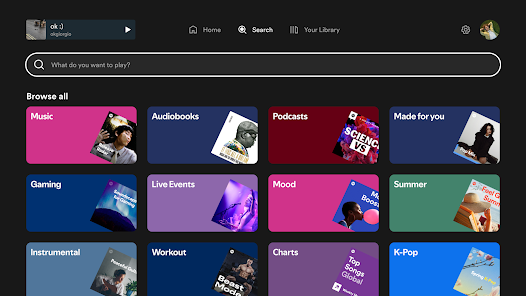
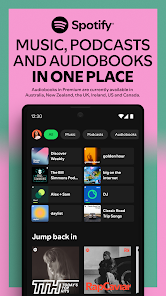
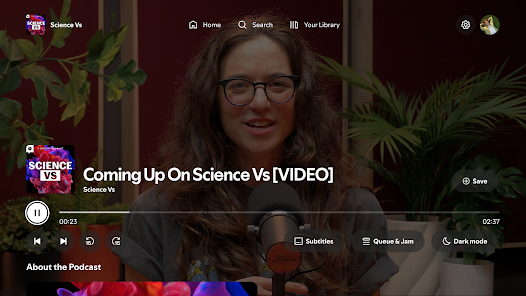
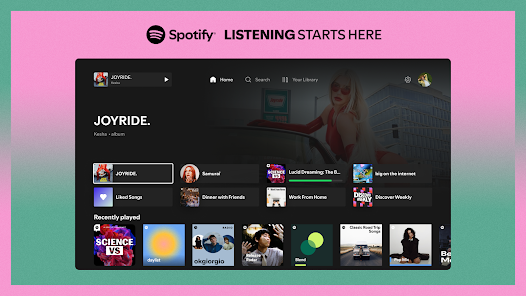

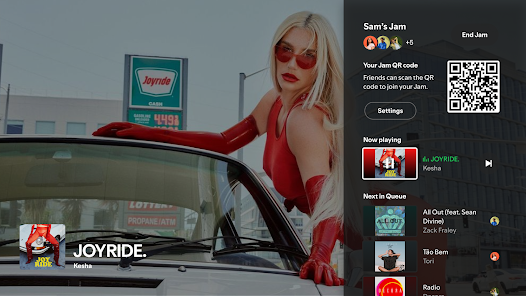
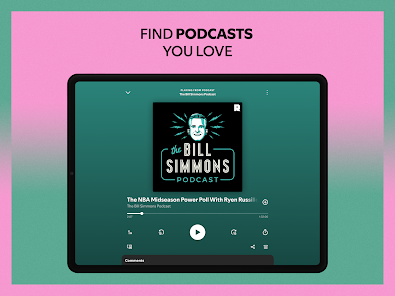
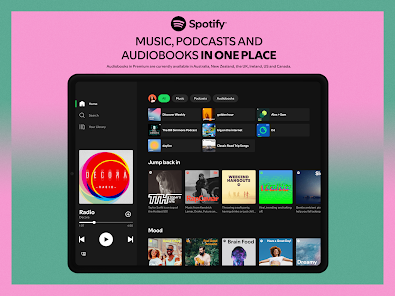
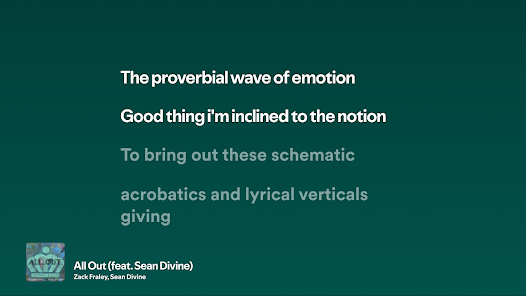
Spotify is a digital music service that gives you access to millions of songs, podcasts, and playlists. With personalized recommendations and curated content, you can discover new music and enjoy your favorites anytime, anywhere. Whether you're in the mood for a specific genre, a podcast episode, or a custom playlist, Spotify offers a seamless listening experience tailored to your tastes. Join millions of users and elevate your audio journey with Spotify.
Features of "Spotify: Music & Podcasts"
Spotify: Music & Podcasts offers a vast library of over 70 million tracks, allowing users to explore a diverse range of music genres and artists. The app provides personalized playlists, such as Discover Weekly and Daily Mix, which curate songs based on individual listening habits. Users can also create and share their own playlists, making it easy to compile favorite tracks for any occasion.
In addition to music, Spotify features a wide selection of podcasts, covering various topics from true crime to comedy. The app allows users to follow their favorite podcasts and receive notifications for new episodes. Another notable feature is the ability to download music and podcasts for offline listening, which is perfect for users on the go. Spotify also offers a social aspect, enabling users to see what friends are listening to and share music recommendations.
With its user-friendly interface, Spotify makes it easy to navigate through its extensive library. The app is available on multiple platforms, including smartphones, tablets, and desktops, ensuring that users can enjoy their favorite content anytime, anywhere.
How to Use "Spotify: Music & Podcasts"
To get started with Spotify: Music & Podcasts, first, download the app from your device's app store or visit the Spotify website. After installation, create an account using your email address or connect through social media platforms for a quicker setup. Once logged in, you can explore the app's features, including the home screen, which showcases personalized recommendations and trending content.
To find music or podcasts, use the search bar at the top of the screen. You can search by song title, artist, album, or podcast name. When you find something you like, simply tap on it to start playing. You can add songs to your playlists by clicking the three dots next to the track and selecting "Add to Playlist." For offline listening, navigate to the settings and enable the download option for your favorite playlists or podcasts.
Spotify also allows you to customize your listening experience by adjusting playback settings, such as crossfade and equalizer options. To enhance your social experience, connect with friends and share your playlists or discover what they are currently listening to. With these simple steps, you can fully enjoy the vast array of music and podcasts that Spotify has to offer.
Pros & Cons of the App
Spotify: Music & Podcasts comes with several advantages that make it a popular choice among music lovers. One of the main pros is its extensive library, which includes millions of songs and a wide variety of podcasts. The personalized playlists and recommendations enhance the user experience, making it easy to discover new music tailored to individual tastes. Additionally, the app's offline listening feature is a significant benefit for users who want to enjoy content without using mobile data.
However, there are some drawbacks to consider. The free version of Spotify is ad-supported, which can interrupt the listening experience. Users may also face limitations on skipping tracks and accessing certain features unless they upgrade to a premium subscription. Furthermore, while the app is user-friendly, some users may find the interface overwhelming due to the sheer volume of content available. Lastly, the audio quality on the free version is lower compared to the premium option, which may be a concern for audiophiles.
In summary, while Spotify: Music & Podcasts offers a rich array of features and content, potential users should weigh the pros and cons to determine if it meets their needs and preferences.
Get Installation Details  Google Play
  App Store
Google Play App Store FAQ
Can I create playlists on Spotify?
Yes, users can create, share, and collaborate on playlists with friends.
Can I download music on Spotify?
Yes, premium users can download songs and playlists for offline listening.
Can I listen to Spotify offline?
Yes, premium users can listen to downloaded music offline without an internet connection.
Can I use Spotify on multiple devices?
Yes, you can use Spotify on multiple devices, but only one device can stream at a time.
Does Spotify have podcasts?
Yes, Spotify hosts a wide range of podcasts across various genres.
Similar Apps
















You May Like

SiriusXM: Music, Sports & News
Music & Audio
4.6

Pandora - Music & Podcasts
Music & Audio
3.9

BandLab
Music & Audio
4.6

Audiomack: Music Downloader
Music & Audio
4.8

Amazing Slow Downer
Music & Audio
3.7

Amazon Music: Songs & Podcasts
Music & Audio
3.4

Apple Music
Music & Audio
4.6

FL STUDIO MOBILE
Music & Audio
4.0

Koala Sampler
Music & Audio
4.8

MediaMonkey Pro
Music & Audio
4.4

MobileSheets
Music & Audio
4.4

Music Downloader -Mp3 music
Music & Audio
4.7