


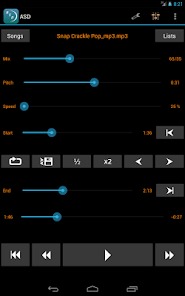
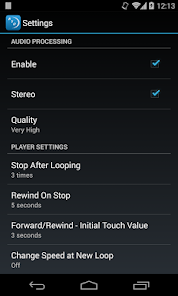
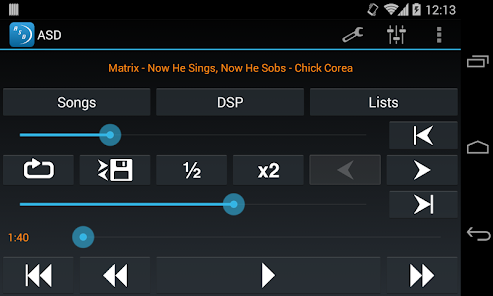
"Amazing Slow Downer" is a versatile audio playback application designed for musicians and music enthusiasts. One of its standout features is the ability to slow down music without altering the pitch, allowing users to learn complex pieces at their own pace. This is particularly beneficial for those trying to master intricate solos or challenging rhythms. Additionally, the app supports a wide range of audio formats, making it compatible with various music files.
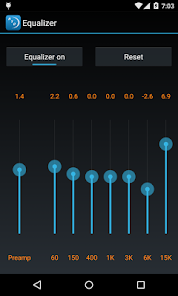
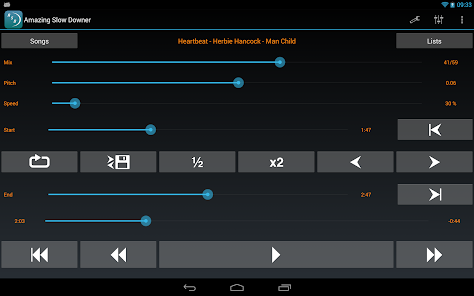
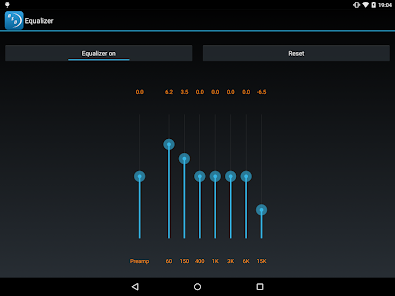
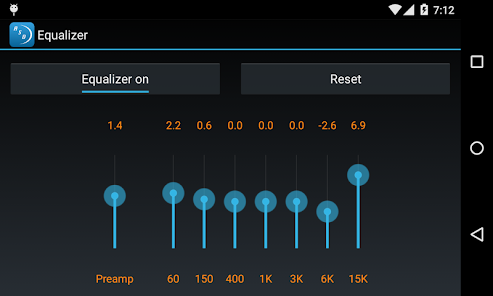
Another notable feature is the loop function, which enables users to repeat specific sections of a track, facilitating focused practice on difficult passages. The app also includes a built-in equalizer, allowing users to adjust the sound quality to their preference. Furthermore, "Amazing Slow Downer" offers a user-friendly interface, making it easy to navigate through tracks and settings. Users can also create playlists, making it convenient to organize their practice sessions. Overall, the combination of these features makes "Amazing Slow Downer" an essential tool for anyone looking to improve their musical skills.
Using "Amazing Slow Downer" is straightforward, even for those who may not be tech-savvy. First, download and install the app on your device. Once installed, open the application and import the music files you wish to practice with. You can do this by selecting the 'Import' option and navigating to your music library. After importing, choose the track you want to work on.
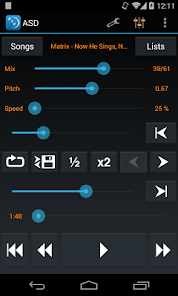
To adjust the playback speed, use the slider to slow down or speed up the music as needed. The app allows you to set the tempo anywhere from 10% to 200% of the original speed. If you want to focus on a specific section, utilize the loop feature by selecting the start and end points of the segment you wish to repeat. Additionally, you can adjust the pitch if necessary, which is particularly useful for musicians playing along with tracks in different keys. Finally, take advantage of the equalizer settings to enhance your listening experience. With these simple steps, you can effectively use "Amazing Slow Downer" to improve your musical skills.
"Amazing Slow Downer" comes with several advantages that make it a popular choice among musicians. One of the primary pros is its ability to slow down music without changing the pitch, which is invaluable for learning complex pieces. The app's looping feature allows for focused practice, enabling users to master difficult sections efficiently. Additionally, its compatibility with various audio formats and user-friendly interface enhances the overall experience, making it accessible for users of all skill levels.
However, there are some drawbacks to consider. One con is that the app may not be as feature-rich as some other music software, lacking advanced tools for composition or editing. Additionally, while the app is available on multiple platforms, some users may find the mobile version less intuitive than the desktop counterpart. Lastly, the price point may be a consideration for those on a tight budget, as there are free alternatives available. Overall, while "Amazing Slow Downer" has its limitations, its core features make it a valuable tool for musicians looking to enhance their practice sessions.

 Enhances learning by allowing you to slow down music and audio. Facilitates practice by adjusting pitch without altering tempo. Supports musicians with loop features for repetitive playing. User-friendly interface makes navigation simple and intuitive. Compatible with multiple audio formats for versatile use.
 Limited format support may restrict user choices for audio files. Steeper learning curve can deter less tech-savvy users. Higher price compared to similar software options may not justify features.
 Amazing Slow Downer is designed to respect user privacy and does not collect personal data unless explicitly provided for specific features or support requests.
Yes, Amazing Slow Downer offers a free trial that allows users to test the app's features before committing to a purchase, although some limitations may apply compared to the full version.
No, Amazing Slow Downer does not require an internet connection to function, as it allows users to work with audio files stored locally on their devices.
You can contact support or send feedback for Amazing Slow Downer through the app's official website or within the app itself, where contact details and support options are provided.
Users can manage or cancel their subscription directly through the app store where they purchased it, following the specific instructions for their platform regarding subscriptions.
Unfortunately, customer numbers cannot be changed. If you have concerns, please reach out to our customer service for further assistance.
You can reach our customer service team via email at support
To update your customer information, log in to your account and navigate to the profile settings. If you encounter any issues, reach out to customer service.
To activate your account, follow the link in the confirmation email sent after your purchase. If you didn't receive it, check your spam folder or contact customer service.
Visit the login page on our website and enter your registered email and password to access your account.








 Google Play
  App Store