



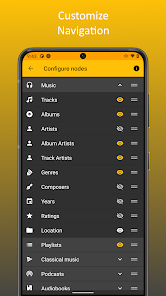
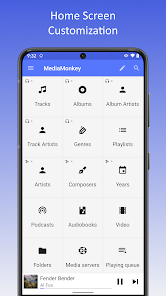
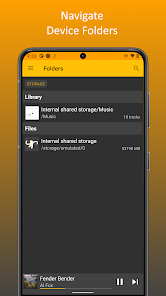
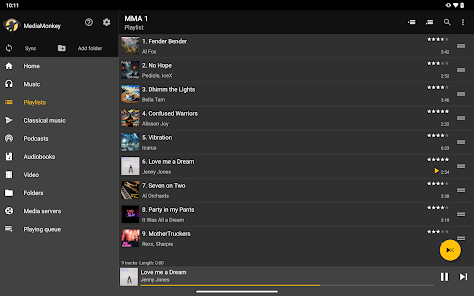
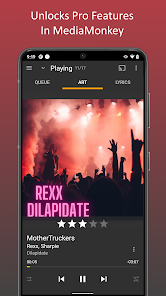
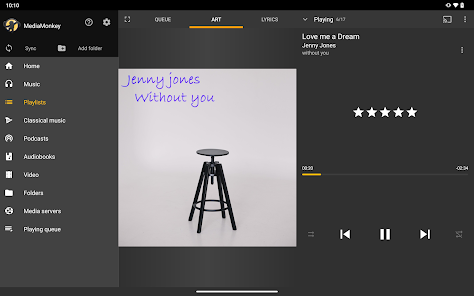
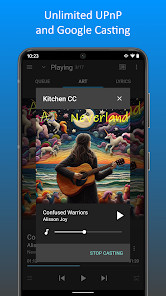
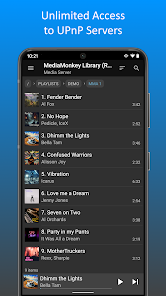
MediaMonkey Pro is a comprehensive media management software designed for music enthusiasts and audiophiles. One of its standout features is the ability to organize and manage large music libraries efficiently. Users can categorize their music by genre, artist, album, and more, making it easy to find specific tracks. The software supports a wide range of audio formats, including MP3, FLAC, and AAC, ensuring compatibility with various devices.
Another notable feature is the advanced tagging system, which allows users to edit metadata for their music files. This is particularly useful for maintaining a well-organized library. MediaMonkey Pro also offers powerful playback options, including customizable playlists and smart playlists that automatically update based on user-defined criteria. Additionally, the app includes a built-in equalizer and audio effects to enhance the listening experience.
For those who enjoy syncing their music across devices, MediaMonkey Pro provides seamless integration with Android and iOS devices. Users can easily transfer music, playlists, and other media files. The software also supports podcast management and audiobooks, making it a versatile tool for all types of audio content. Overall, MediaMonkey Pro is a robust solution for anyone looking to take control of their media library.
Using MediaMonkey Pro is straightforward, even for those new to media management software. After downloading and installing the application, users can begin by importing their music library. This can be done by selecting the 'Add Library' option and choosing the folders where the music files are stored. MediaMonkey will automatically scan and organize the files, creating a structured library.
Once the library is set up, users can take advantage of the tagging feature to edit metadata for their tracks. This is done by selecting a song and clicking on the 'Edit' option, allowing for easy updates to artist names, album titles, and more. Creating playlists is also simple; users can drag and drop songs into a new playlist or use the smart playlist feature to generate playlists based on specific criteria.
For playback, users can select any track and hit play, with options to customize the audio settings through the equalizer. Syncing with mobile devices is facilitated through the 'Sync' feature, allowing users to transfer their favorite tracks effortlessly. Overall, MediaMonkey Pro offers a user-friendly interface that makes managing and enjoying music a seamless experience.
MediaMonkey Pro comes with several advantages that make it a popular choice among music lovers. One of the primary pros is its extensive organizational capabilities, allowing users to manage large libraries with ease. The advanced tagging system ensures that all music files are accurately labeled, which is essential for maintaining a tidy collection. Additionally, the software supports a wide variety of audio formats, making it versatile for different types of media.
Another significant advantage is the ability to create smart playlists that automatically update based on user preferences. The built-in equalizer and audio effects enhance the listening experience, catering to audiophiles who appreciate sound quality. Furthermore, the seamless syncing feature with mobile devices allows users to enjoy their music on the go.
However, MediaMonkey Pro is not without its drawbacks. Some users may find the interface a bit overwhelming due to the abundance of features, especially if they are new to media management software. Additionally, while the software is powerful, it may require a learning curve to fully utilize all its capabilities. Lastly, the premium version comes with a cost, which might deter some users who are looking for free alternatives. Overall, MediaMonkey Pro offers a robust set of features, but potential users should weigh the pros and cons before committing.

 MediaMonkey Pro supports extensive audio formats for versatile playback options. Organize your music library with powerful tagging and search features. Sync seamlessly with various devices for easy access to your collection. Discover new music through personalized recommendations and smart playlists. Enjoy ad-free listening with customizable playback settings for a tailored experience.
 Limited support for streaming services may restrict music access. Complicated interface can overwhelm new users and hinder navigation. Occasional performance issues may disrupt smooth playback experiences.
  Google Play
  App Store
 MediaMonkey Pro adheres to privacy practices and does not collect personal data without user consent. Users should review the privacy policy for detailed information on data handling.
MediaMonkey Pro offers a free version with limited features, and users can also access a free trial of the Pro version, allowing them to explore premium features for a limited time.
While MediaMonkey Pro can function offline for most tasks, an internet connection is required for certain features like accessing online media databases, streaming services, and purchasing music.
You can contact MediaMonkey Pro support through the official website's support section, where you can submit tickets, access FAQs, or find community forums to share feedback and seek assistance.
Users can manage or cancel their MediaMonkey Pro subscription through their account settings on the official MediaMonkey website or through the app, following the provided instructions.
Customer numbers are unique and cannot be changed. If you have concerns, reach out to customer service for help.
No, you must activate your account before logging in to MediaMonkey Pro. Follow the activation instructions sent to your email.
To log in, visit the MediaMonkey website and enter your email and password in the login section.
To activate your account, log in with your customer number and follow the prompts to complete the activation process.
You can reach our customer service team via the support section on our website or email support



























