


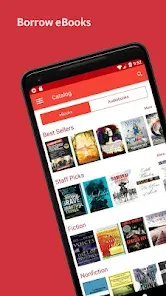
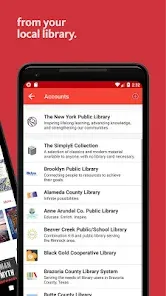
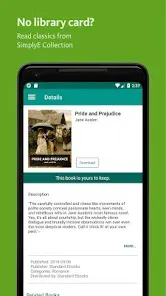
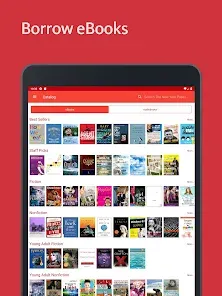
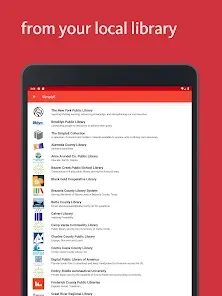
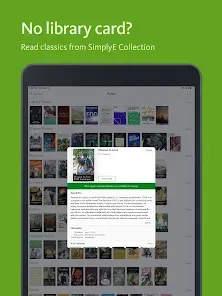
SimplyE is a user-friendly app designed to streamline the process of borrowing and reading eBooks and audiobooks from libraries. One of its standout features is the ability to access multiple library catalogs in one place, allowing users to browse a vast selection of titles without needing to switch between different apps. The app supports various formats, including ePub and PDF, ensuring compatibility with a wide range of devices.
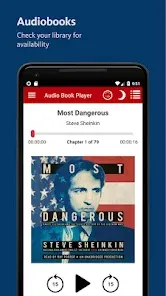
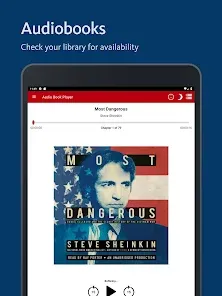
Another notable feature is its personalized reading experience. Users can customize font sizes, background colors, and other settings to enhance their reading comfort. SimplyE also includes a built-in audiobook player, making it easy to switch between reading and listening. Additionally, the app offers offline access to downloaded titles, enabling users to enjoy their books without an internet connection. With its intuitive interface and robust search functionality, SimplyE makes discovering new books and managing your reading list a breeze.
Using SimplyE is straightforward and user-friendly. First, download the app from your device's app store and create an account. Once registered, you can link your library card to access your local library's collection. SimplyE will prompt you to select your library, and after entering your library card information, you’ll gain access to a wide array of eBooks and audiobooks.
To find a book, use the search bar or browse through curated collections and categories. When you find a title you want to read or listen to, simply click on it to see more details. You can borrow the book directly from the app, and it will be added to your personal library within SimplyE. Once borrowed, you can download the title for offline reading or listening. The app also allows you to manage your loans, return books, and keep track of your reading progress, making it a comprehensive tool for book lovers.
SimplyE offers several advantages that make it a popular choice among readers. One of the main pros is its ability to consolidate multiple library catalogs into a single app, simplifying the borrowing process. The app's user-friendly interface and customizable reading settings enhance the overall reading experience. Additionally, the offline access feature allows users to enjoy their books without needing a constant internet connection, which is particularly beneficial for those on the go.
However, there are some drawbacks to consider. One con is that the app's performance can vary depending on the library's digital collection and availability of titles. Some users may also experience occasional bugs or crashes, which can disrupt the reading experience. Furthermore, while SimplyE supports a wide range of devices, compatibility issues may arise with certain formats or older devices. Overall, while SimplyE is a powerful tool for accessing library content, users should weigh these pros and cons based on their individual needs and preferences.

 Access a vast collection of eBooks and audiobooks in one app. User-friendly interface makes browsing and borrowing effortless. Personalized reading lists help you discover new favorites. Seamless integration with library accounts simplifies borrowing. Offline access allows reading without an internet connection.
 Limited availability of titles can hinder user experience. User interface may be less intuitive for some readers. Offline access requires prior downloads, which can be inconvenient.
  Google Play
  App Store
 Yes, users can submit suggestions or feedback through the app or the official SimplyE website, helping to improve future versions of the app.
SimplyE may collect certain personal data to improve user experience, but it adheres to privacy policies to protect user information.
Yes, SimplyE allows users to download eBooks and audiobooks for offline access, enabling reading or listening without an internet connection.
Since SimplyE does not have a subscription model, there is no need to cancel; users can simply stop using the app or remove it from their devices.
SimplyE does not require a subscription fee, as it primarily allows access to content through library partnerships at no cost to the user.
Yes, you can activate your account by entering your customer number during the setup process in the app.
No, the customer number is used for account activation, while you need your email and password to log in.
You can contact customer service through the app or our website for immediate help with account activation issues.
You can reach our customer service via the support section in the app or by visiting our website for contact details.
To log in, open the app, enter your email and password, and tap 'Log In'.