

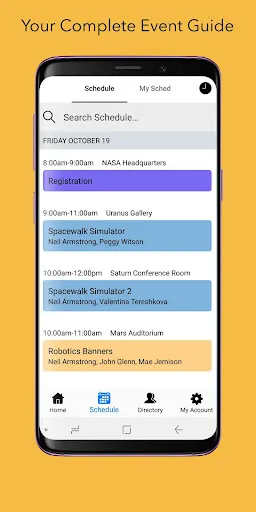
Sched is a versatile event management platform designed to streamline the planning and execution of conferences, workshops, and other gatherings. One of its standout features is the customizable event schedule, which allows organizers to create a detailed agenda that attendees can easily navigate. Users can filter sessions by track, speaker, or date, ensuring they find the content that interests them most.
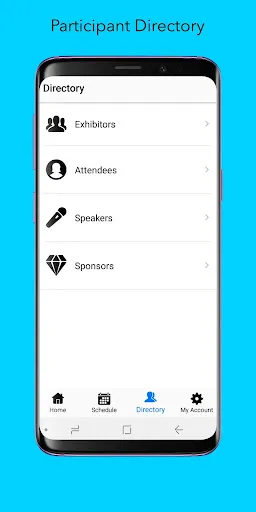
Another key feature is the attendee management system, which simplifies registration and ticketing processes. Organizers can track registrations in real-time, manage payments, and communicate with attendees through the platform. Additionally, Sched offers robust networking tools, enabling participants to connect with each other, schedule meetings, and share contact information.
Moreover, Sched provides analytics and reporting tools that help organizers assess the success of their events. By analyzing attendee engagement and feedback, organizers can make informed decisions for future events. The platform also supports mobile access, allowing attendees to view schedules and updates on their smartphones, enhancing their overall experience.
Using Sched is a straightforward process that begins with creating an account on their website. Once registered, event organizers can set up their event by entering essential details such as the event name, date, location, and description. After this, they can start adding sessions, speakers, and other relevant information to build a comprehensive schedule.
To enhance attendee engagement, organizers can customize the event page with branding elements like logos and color schemes. Once the schedule is finalized, the next step is to open registration. Sched provides tools for managing ticket sales and attendee registrations, making it easy to track who is attending.
As the event approaches, organizers can utilize Sched's communication features to send updates and reminders to attendees. During the event, participants can access the schedule via the mobile app or website, allowing them to plan their day effectively. After the event, organizers can analyze the data collected to evaluate success and gather insights for future improvements.
Sched offers numerous advantages that make it a popular choice for event organizers. One of the primary benefits is its user-friendly interface, which simplifies the process of creating and managing events. The platform's customization options allow organizers to tailor the experience to their specific needs, enhancing attendee satisfaction. Additionally, the networking features foster connections among participants, which can lead to valuable collaborations.
However, there are some drawbacks to consider. One potential con is the cost associated with using Sched, as certain features may require a premium subscription. This could be a barrier for smaller events or organizations with limited budgets. Furthermore, while the platform is generally reliable, some users have reported occasional technical glitches that can disrupt the event experience.
In summary, Sched is a powerful tool for event management, offering a range of features that facilitate planning and engagement. While it has its limitations, the benefits often outweigh the drawbacks, making it a worthwhile investment for many event organizers.

 Sched simplifies event scheduling with an intuitive interface, saving time for users. It streamlines communication, ensuring all participants stay informed and engaged. Customizable features allow personalization to fit specific event needs seamlessly. Integration with popular calendars enhances accessibility and organization for all attendees. Real-time updates keep everyone aligned, reducing confusion and improving event flow.
 Limited flexibility in scheduling can lead to inefficiencies in resource allocation. User interface may be complex, causing a steep learning curve for new users. Lack of integration with other tools might hinder workflow and collaboration.
  Google Play
  App Store
 Yes, users can submit suggestions or feedback through the app or by reaching out to Sched's support team via their website.
Yes, Sched collects personal data during the registration process and for event management purposes, but it adheres to privacy regulations to protect user information.
Sched primarily requires an internet connection for full functionality, but some features may be accessible offline depending on the platform used.
To cancel your Sched subscription, you can do so through your account settings within the app or by contacting Sched's customer support for assistance.
The cost of a subscription to Sched varies depending on the plan selected, with options for individual users, teams, and organizations.
If you haven't received a confirmation email to activate your account, check your spam folder. If it's not there, contact customer service for help.
You can reach our customer service team via the support email provided on our website or through the live chat feature. We're here to help!
To update your customer information, log in to your account and navigate to the settings section. You can edit your details there.
Your customer number can usually be found in your account settings or in the welcome email you received when you signed up.
To log in, visit the Sched website and enter your email and password in the login section. If you have trouble, use the "Forgot Password" link.