














"Magic: The Gathering Companion" is a versatile app designed to enhance the gameplay experience for Magic: The Gathering enthusiasts. One of its standout features is the ability to create and manage decks, allowing players to easily organize their cards and strategize for upcoming matches. The app also includes a built-in life counter, which simplifies tracking life totals during games, making it easier for players to focus on their strategies rather than manual calculations.
Another notable feature is the event management system, which allows players to find and register for local tournaments and events. This feature is particularly useful for those looking to engage with the community and participate in competitive play. Additionally, the app provides access to card information, including rulings and card interactions, ensuring that players have the most accurate and up-to-date information at their fingertips. The user-friendly interface and seamless navigation further enhance the overall experience, making it accessible for both new and veteran players alike.
Using the "Magic: The Gathering Companion" app is straightforward and user-friendly. To get started, download the app from your device's app store and create an account. Once logged in, you can begin by setting up your profile, which allows you to track your matches and achievements. The app's main dashboard provides easy access to various features, including deck management, life tracking, and event registration.
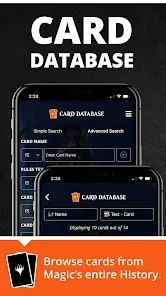
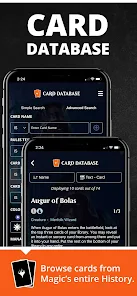
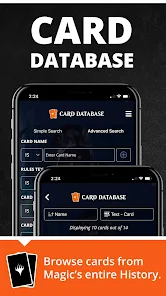
To create a deck, navigate to the deck-building section, where you can add cards from your collection or browse the extensive card database. After assembling your deck, you can save it for future use or share it with friends. During gameplay, utilize the life counter to keep track of your life totals, and take advantage of the app's event feature to find local tournaments or online events to participate in. Overall, the app is designed to streamline the Magic: The Gathering experience, making it easier for players to connect and compete.
The "Magic: The Gathering Companion" app offers several advantages that enhance the overall gaming experience. One of the primary benefits is its comprehensive deck management system, which allows players to easily build, modify, and save their decks. The life counter feature is another significant advantage, as it simplifies gameplay and reduces the chances of errors during matches. Additionally, the app's event management capabilities help players stay connected with the community and participate in local tournaments, fostering a sense of camaraderie among players.
However, the app is not without its drawbacks. Some users have reported occasional bugs and glitches that can disrupt the user experience, particularly during high-stakes matches. Additionally, while the app provides a wealth of information, it may be overwhelming for new players who are still learning the game's intricacies. Lastly, the app requires an internet connection for certain features, which can be a limitation in areas with poor connectivity. Overall, while the app has its pros and cons, it remains a valuable tool for Magic: The Gathering players looking to enhance their gameplay experience.

 Streamlines event organization for players and judges alike. Facilitates easy deck registration and management for tournaments. Enhances player pairing and match tracking for smoother gameplay. Provides real-time updates and notifications for event changes. Encourages community engagement through integrated social features.
 Companion can create uneven matchups, favoring certain decks over others. It can slow down gameplay, causing longer matches and potential player frustration. Companion may encourage repetitive strategies, limiting deck diversity and creativity.
  Google Play
  App Store
 Yes, the app often encourages users to submit feedback and suggestions through a dedicated section within the app or via their official website.
The app may collect some personal data to improve user experience and provide services, but it generally adheres to privacy policies that emphasize user protection.
Yes, certain features of the app can be accessed offline, although full functionality may require an internet connection for features like event registration and updates.
Users can cancel their subscription through their app store settings or account management options within the app, following the provided instructions.
Subscription pricing can vary, but it typically includes options for monthly or yearly plans, providing users with access to additional features.
Unfortunately, you can't change the activation email once sent. Please contact customer service for further assistance.
You can reach customer service through the app's support section or visit the official website for further assistance.
To activate your account, check your email for the activation link and click on it to complete the process.
Use your new email to log in; if you have trouble, reset your password using the new email.
You can verify your customer number by logging into your account and checking your account details.