


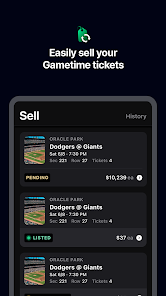


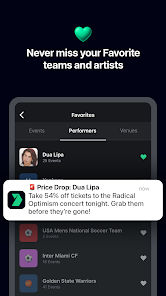
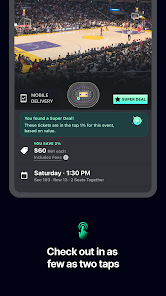
Gametime - Last Minute Tickets is a mobile application designed to provide users with access to last-minute tickets for various events, including concerts, sports games, and theater performances. One of its standout features is the ability to purchase tickets at discounted prices, often significantly lower than face value, making it an attractive option for spontaneous plans. The app also offers a user-friendly interface that allows for easy navigation and quick ticket purchases.
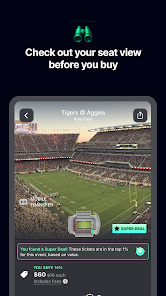
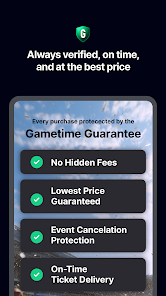
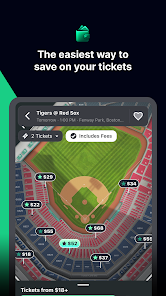
Another notable feature is the interactive seat map, which enables users to visualize their seating options before making a purchase. This feature helps users select the best available seats based on their preferences. Additionally, Gametime provides a unique "Gametime Guarantee," ensuring that users receive valid tickets or their money back. The app also includes a social sharing option, allowing users to share their plans with friends and family, enhancing the overall experience of attending events together.
Using the Gametime app is straightforward and user-friendly. First, download the app from the App Store or Google Play Store and create an account. Once registered, you can browse through a wide range of events happening in your area. The app allows you to filter events by category, date, or location, making it easy to find what you’re looking for.
After selecting an event, you can view available tickets and their prices. The interactive seat map will help you choose your preferred seating. Once you’ve made your selection, simply proceed to checkout, where you can enter your payment information. After completing the purchase, your tickets will be delivered digitally to your account, ready for you to access on the day of the event. Remember to check for any last-minute deals or discounts that may be available before finalizing your purchase.
Like any application, Gametime - Last Minute Tickets has its advantages and disadvantages. One of the primary pros is the ability to find last-minute tickets at discounted prices, which can be a game-changer for those looking to attend events spontaneously. The app's user-friendly interface and interactive seat map enhance the overall experience, making it easy to navigate and select the best seats. Additionally, the Gametime Guarantee provides peace of mind, ensuring that users receive valid tickets.
On the downside, some users may encounter limited availability for popular events, especially as the event date approaches. Additionally, while the app offers competitive pricing, there may be instances where fees are added at checkout, which can increase the total cost. Furthermore, the app's reliance on mobile technology means that users must have a smartphone and internet access to utilize its features fully. Overall, while Gametime offers a convenient solution for last-minute ticket purchases, potential users should weigh these pros and cons before making a decision.

 Discover unbeatable last-minute deals on tickets for events nationwide. Enjoy a user-friendly app for seamless ticket purchasing. Access exclusive offers and discounts not available elsewhere. Experience instant delivery for hassle-free entry to your event. Benefit from a money-back guarantee for peace of mind.
 Limited ticket availability can lead to higher prices at the last minute. The app may experience technical issues during peak times, affecting user experience. Some events may have restrictive refund policies, limiting flexibility for buyers.
  Google Play
  App Store
 Yes, users can submit suggestions or feedback through the app's support or contact feature, allowing the team to improve the overall experience.
Yes, Gametime - Last Minute Tickets collects personal data necessary for processing transactions, improving user experience, and for marketing purposes, as outlined in their privacy policy.
While certain features may be limited, you can access previously purchased tickets offline through the app, but an internet connection is required for browsing and purchasing new tickets.
Since there is no subscription fee for using the app, there is no need to cancel a subscription; users simply pay for tickets as needed.
Gametime - Last Minute Tickets does not require a subscription to access its services; users only pay for the tickets they buy.
Unfortunately, customer numbers cannot be changed. If you have concerns, please contact customer service for more information.
To activate your account, check your email for a confirmation link and follow the instructions. If you didn't receive it, please contact customer service.
You can reach our customer service through the help section in the app or website, where you can chat with an agent or find our support number.
You can update your customer information in your account settings. If you need help, contact customer service for guidance.
If you've lost your customer number, please check your account settings or contact customer service for assistance.