


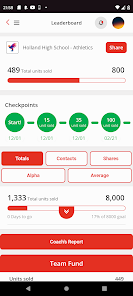
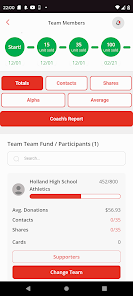

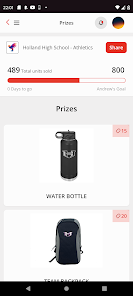

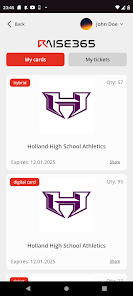


RAISE-365 is a comprehensive platform designed to enhance productivity and streamline operations for businesses of all sizes. One of its standout features is its robust project management tools, which allow teams to collaborate effectively, set deadlines, and track progress in real-time. The platform also includes customizable dashboards that provide users with insights into key performance indicators, enabling data-driven decision-making.
Another notable feature is the integration capabilities with various third-party applications, which helps businesses maintain their existing workflows while leveraging RAISE-365's functionalities. Additionally, RAISE-365 offers automated reporting tools that simplify the process of generating performance reports, saving time and reducing manual errors. The user-friendly interface ensures that even those with minimal technical expertise can navigate the platform with ease, making it accessible for all team members.
Furthermore, RAISE-365 emphasizes security with advanced encryption and user authentication measures, ensuring that sensitive business data remains protected. The platform also provides excellent customer support, with resources such as tutorials, FAQs, and live chat options to assist users in maximizing their experience. Overall, RAISE-365 combines essential features that cater to the diverse needs of modern businesses.
Using RAISE-365 is straightforward, making it accessible for users at all levels of technical expertise. To get started, users need to create an account on the platform by providing basic information and selecting a subscription plan that suits their business needs. Once registered, users can log in to the dashboard, where they will find an intuitive interface designed for easy navigation.
After logging in, users can begin by setting up their projects. This involves defining project goals, assigning tasks to team members, and establishing deadlines. The platform allows for easy collaboration, enabling team members to communicate, share files, and provide updates in real-time. Users can also customize their dashboards to display relevant metrics and progress indicators, helping them stay on track.
Additionally, RAISE-365 offers various tools for reporting and analytics. Users can generate reports to assess project performance and identify areas for improvement. To maximize the platform's potential, users are encouraged to explore the available tutorials and support resources, which provide valuable insights into advanced features and best practices. By following these steps, businesses can effectively leverage RAISE-365 to enhance their productivity and operational efficiency.
RAISE-365 comes with several advantages that make it a compelling choice for businesses. One of the primary pros is its comprehensive project management capabilities, which facilitate collaboration and streamline workflows. The platform's user-friendly interface allows team members to easily navigate and utilize its features, reducing the learning curve. Additionally, the integration with various third-party applications enhances its functionality, allowing businesses to maintain their existing tools while benefiting from RAISE-365's features.
However, there are some cons to consider. Some users have reported that the pricing structure can be a bit steep for smaller businesses, which may limit accessibility. Additionally, while the platform offers a wide range of features, some users may find that certain advanced functionalities require a more in-depth understanding of the software, potentially necessitating additional training. Furthermore, occasional technical glitches have been noted, which can disrupt workflow. Overall, while RAISE-365 provides valuable tools for productivity, potential users should weigh these pros and cons to determine if it aligns with their specific needs.
In conclusion, RAISE-365 is a powerful tool that can significantly enhance business operations, but it is essential to consider both its strengths and weaknesses before making a commitment.

 Enhances productivity with streamlined workflows and automated processes. Offers real-time analytics for informed decision-making and strategic planning. Facilitates seamless collaboration among teams with integrated communication tools. Ensures data security and compliance with robust protection measures. Provides customizable features to meet specific business needs and goals.
 Limited customization options may hinder specific user needs. Potential integration issues with existing systems can disrupt workflows. High costs might not justify the benefits for smaller organizations.
 Yes, RAISE-365 encourages users to submit suggestions or feedback through the app's support section to help improve the user experience.
RAISE-365 does collect some personal data to enhance user experience, but it prioritizes privacy and complies with data protection regulations.
Yes, RAISE-365 allows users to access certain features offline, enabling them to continue their personal development without an internet connection.
Users can cancel their subscription through the app’s settings or through their app store account settings, depending on their subscription method.
A subscription to RAISE-365 typically costs $9.99 per month or $99.99 per year, with occasional promotional offers.
No, you need your customer number to complete the activation process. Please check your email for this information.
Unfortunately, customer numbers cannot be retrieved online. Please contact customer service for help in obtaining your customer number.
You can reach our customer service by calling the number provided on the website or using the live chat feature.
To activate your account, click the link in the activation email we sent you and follow the instructions provided.
To log in, visit the RAISE-365 website and enter your email and password in the login section.












 Google Play
  App Store