


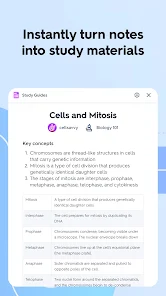



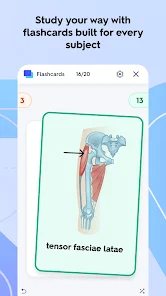


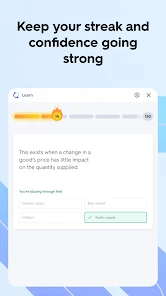
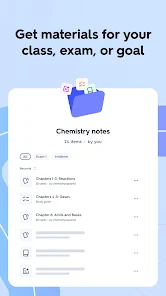
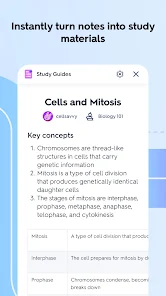


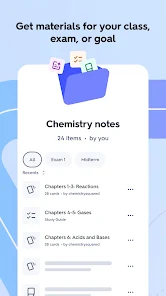
Quizlet is a versatile learning tool that goes beyond traditional flashcards, offering a variety of features designed to enhance the study experience. One of its primary features is the ability to create custom study sets, allowing users to input their own terms and definitions, which can be tailored to specific subjects or topics. Additionally, Quizlet provides a range of study modes, including Learn, Write, and Test, which cater to different learning styles and preferences.
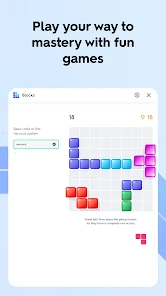
Another notable feature is the interactive games, such as Match and Gravity, which make studying more engaging and fun. Users can also access millions of pre-made study sets created by other users, covering a vast array of subjects. The app supports multimedia elements, enabling users to add images and audio to their flashcards, which can enhance memory retention. Furthermore, Quizlet's collaborative features allow users to share study sets with classmates and friends, promoting group study sessions and collective learning.
Lastly, Quizlet's mobile app ensures that users can study on-the-go, making it convenient to review material anytime and anywhere. With its user-friendly interface and diverse features, Quizlet serves as a comprehensive educational tool for students of all ages.
Using Quizlet is straightforward and user-friendly, making it accessible for learners of all ages. To get started, users need to create an account, which can be done via email or social media login. Once logged in, users can either create their own study sets or search for existing ones in the extensive Quizlet library. To create a study set, simply click on the "Create" button, enter the terms and definitions, and customize it with images or audio if desired.
After creating or selecting a study set, users can choose from various study modes. The "Learn" mode adapts to the user's progress, while the "Write" mode encourages active recall by requiring users to type out answers. The "Test" mode generates quizzes based on the study set, providing a comprehensive review. For a more interactive experience, users can engage in games like "Match" and "Gravity," which make learning enjoyable. Additionally, users can share their study sets with friends or classmates, facilitating collaborative learning. Overall, Quizlet offers a flexible and engaging platform for effective studying.
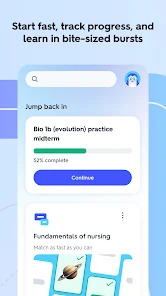
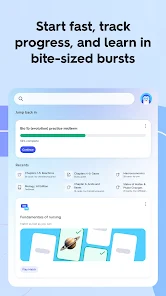
To maximize the benefits of Quizlet, users should regularly review their study sets and utilize the app's analytics features to track their progress over time.
Quizlet offers several advantages that make it a popular choice among students and educators. One of the main pros is its versatility; the app supports various learning styles through different study modes, catering to visual, auditory, and kinesthetic learners. The vast library of user-generated content allows learners to access a wide range of subjects, making it easy to find relevant study materials. Additionally, the interactive games and collaborative features promote engagement and make studying more enjoyable.
However, there are some drawbacks to consider. One con is that while the free version provides many features, some advanced functionalities are locked behind a paywall in the Quizlet Plus subscription. This may limit access for users who cannot afford the premium service. Furthermore, the reliance on user-generated content can lead to inconsistencies in quality, as not all study sets are created equally. Lastly, some users may find the app's interface overwhelming at first, especially if they are not tech-savvy. Overall, while Quizlet is a powerful educational tool, potential users should weigh its pros and cons to determine if it meets their specific learning needs.

 Quizlet offers interactive flashcards for engaging learning experiences. Users can customize flashcards to fit their study needs. The platform supports various study modes for diverse learning styles. Collaborative features allow sharing and studying with peers effectively. Progress tracking helps users monitor their learning advancements over time.
 Limited customization options may restrict user creativity in studying. Reliance on user-generated content can lead to inaccuracies and inconsistencies. Overemphasis on memorization may neglect deeper understanding of the material.
  Google Play
  App Store
 Yes, users can submit suggestions or feedback through the app's support section or via their official website.
Yes, Quizlet: Flashcards that Teach may collect personal data in accordance with its privacy policy, including information such as usage data and account details.
Yes, Quizlet: Flashcards that Teach allows users to access certain features and flashcards offline, provided they have been previously downloaded.
To cancel your subscription, you can go to your account settings in the app or on the website and follow the cancellation instructions provided.
A subscription to Quizlet: Flashcards that Teach typically costs around $35.99 per year, but pricing may vary based on promotions or location.
Yes, customer service can assist you with changing your email address. Reach out through the help section for guidance.
You can contact customer service through the help section of the Quizlet website or app, where you'll find options for live chat and email support.
To activate your account, check your email for an activation link from Quizlet and follow the instructions provided.
If you're unable to log in, use the "Forgot password?" option to reset your password and regain access to your account.
If you're having trouble logging in, try resetting your password using the "Forgot password?" link on the login page.