




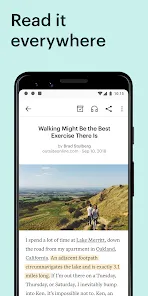
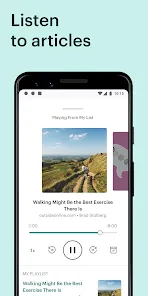

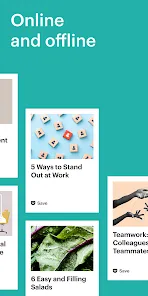

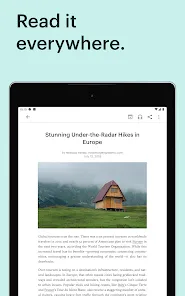



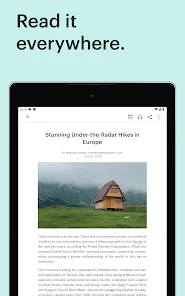
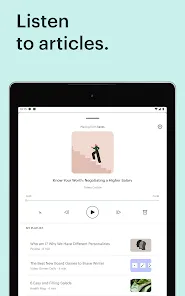


"Pocket: Save. Read. Grow." is a versatile application designed to help users save articles, videos, and other web content for later viewing. One of its standout features is the ability to save content from any device or browser, making it easy to curate a personalized reading list. The app also offers a clean, distraction-free reading interface, allowing users to focus on the content without interruptions. Additionally, Pocket provides offline access, enabling users to read saved items without an internet connection.
Another notable feature is the tagging system, which allows users to organize their saved content efficiently. This makes it easier to find specific articles or videos later. Pocket also includes a recommendation engine that suggests articles based on users' interests and reading habits, helping them discover new content. Furthermore, the app integrates seamlessly with various platforms, including social media and news websites, enhancing its usability. Overall, Pocket is a powerful tool for anyone looking to manage their reading material effectively.
Using "Pocket: Save. Read. Grow." is straightforward and user-friendly. To get started, download the app from your device's app store or visit the Pocket website. Once installed, create an account or log in using your existing credentials. To save content, simply click the Pocket button in your browser or use the share feature on your mobile device. This allows you to save articles, videos, and other web content with just a few taps.
After saving content, you can access it through the app or website. The saved items are displayed in a clean, organized format, making it easy to browse through your reading list. You can also use the tagging feature to categorize your saved content for easier retrieval. When you're ready to read, simply select an item, and enjoy the distraction-free reading experience. Additionally, you can adjust the text size and background color to suit your preferences. With these simple steps, you can effectively manage and enjoy your saved content.
Like any application, "Pocket: Save. Read. Grow." has its advantages and disadvantages. One of the primary pros is its ability to save content from various sources, making it a versatile tool for users who consume information from multiple platforms. The offline reading feature is another significant advantage, allowing users to access their saved articles without an internet connection. Additionally, the app's clean interface and tagging system enhance the overall user experience, making it easy to organize and find content.
However, there are some cons to consider. One limitation is that the free version has certain restrictions, such as limited access to premium features, which may not meet the needs of all users. Some users may also find the recommendation engine's suggestions to be hit or miss, depending on their reading preferences. Furthermore, while the app is designed for reading, it may not support all types of media formats, which could be a drawback for those looking to save diverse content. Overall, while Pocket offers many benefits, potential users should weigh these pros and cons before committing to the app.

 Effortlessly save articles and videos for later viewing Access your saved content anytime, anywhere, online or offline Organize your saved items with tags for easy retrieval Discover personalized recommendations to expand your reading interests Enhance your knowledge and skills through diverse content curation
 Limited offline access can hinder reading in areas without internet. Syncing issues may lead to lost articles or reading progress. Subscription fees could be a barrier for some users seeking premium features.
  Google Play
  App Store
 Yes, users can submit suggestions or feedback to Pocket: Save. Read. Grow. through the app's support section or via their official website, helping to improve the user experience.
Pocket: Save. Read. Grow. may collect user data to enhance the service and provide personalized recommendations, but it follows strict privacy policies to protect user information.
Yes, Pocket: Save. Read. Grow. supports offline use, allowing users to read their saved content without an internet connection once it has been downloaded.
To cancel your Pocket: Save. Read. Grow. subscription, you can go to your account settings within the app or the website and follow the cancellation prompts.
The premium subscription to Pocket: Save. Read. Grow. typically costs a monthly fee, with options for annual subscriptions that may offer savings over the monthly rate.
Yes, you can log in using your social media accounts if you chose that option during registration.
You can reach customer service through the support section in the app or by visiting our website for assistance.
To update your customer information, log in to your account and navigate to the settings or profile section.
To activate your account, check your email for a confirmation link and click it to complete the activation process.
Click on the "Forgot Password?" link on the login page to reset your password and regain access to your account.