


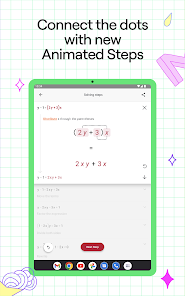
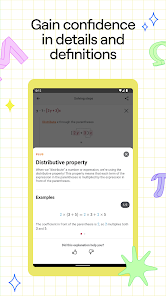
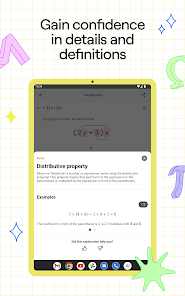
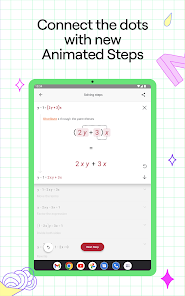
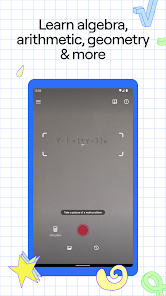
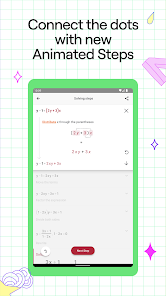
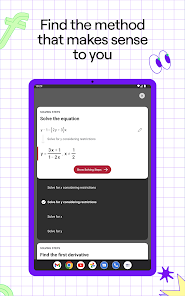
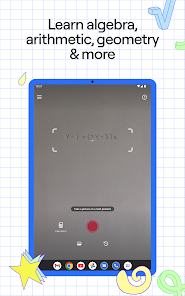
Photomath is a powerful educational app designed to assist students in solving mathematical problems. One of its standout features is the ability to use the camera on a smartphone to scan and interpret handwritten or printed math problems. This feature allows users to receive instant solutions and step-by-step explanations, making it easier to understand complex concepts.
Another notable feature is the extensive database of mathematical topics covered, ranging from basic arithmetic to advanced calculus and statistics. The app also includes a user-friendly interface that simplifies navigation, allowing users to easily access different functionalities. Additionally, Photomath offers a graphing calculator, which enables users to visualize equations and functions, enhancing their understanding of mathematical relationships.
Furthermore, the app provides interactive tutorials and practice problems, allowing users to reinforce their learning. The ability to save and revisit previous problems is another useful feature, enabling students to track their progress over time. Overall, Photomath combines technology and education to create a comprehensive learning tool for students of all ages.
Using Photomath is a straightforward process that begins with downloading the app from the App Store or Google Play. Once installed, users can open the app and point their smartphone camera at a math problem, whether it’s handwritten or printed. The app will automatically recognize the problem and provide an instant solution.
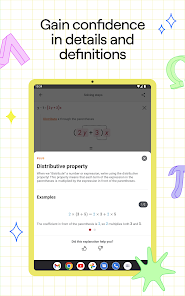
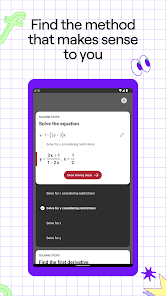
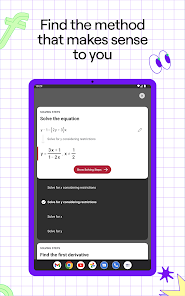
After obtaining the answer, users can tap on the solution to view a detailed, step-by-step explanation of how the answer was derived. This feature is particularly beneficial for students who want to understand the underlying concepts rather than just memorizing answers. Additionally, users can manually input problems if they prefer not to use the camera function.
Photomath also allows users to explore various mathematical topics through its menu, where they can find tutorials and practice exercises tailored to their learning needs. By regularly using the app, students can enhance their problem-solving skills and gain confidence in their mathematical abilities.
Photomath offers several advantages that make it a popular choice among students. One of the primary benefits is its ability to provide instant solutions and detailed explanations, which can significantly aid in understanding complex mathematical concepts. The app's user-friendly interface and camera functionality make it accessible for users of all ages, allowing for quick problem-solving on the go.
However, there are some drawbacks to consider. One potential downside is that reliance on the app may hinder a student's ability to solve problems independently, as they might become overly dependent on the technology for answers. Additionally, while Photomath covers a wide range of topics, it may not include every possible mathematical concept, which could limit its usefulness for advanced learners.
Moreover, the app requires an internet connection for some features, which may not always be available. Despite these limitations, Photomath remains a valuable educational tool that can enhance learning and provide support for students struggling with math.

 Instantly solves math problems with step-by-step explanations User-friendly interface makes learning enjoyable and accessible Supports a wide range of math topics from basic to advanced Enhances understanding through visual solutions and interactive features Available on multiple platforms for learning anytime, anywhere
 Photomath may encourage dependency on technology for solving problems. It often lacks explanations for complex concepts, hindering deep understanding. The app may struggle with handwriting recognition, limiting usability for some users.
 Photomath may collect certain data, including usage statistics and device information, but it does not collect personal information unless explicitly provided by the user.
Yes, Photomath offers a free version that includes basic features, while users can also opt for a premium subscription for access to additional functionalities and advanced content.
Photomath can work offline for many features, but an internet connection is needed to access certain functionalities, such as advanced problem-solving and accessing additional resources.
You can contact Photomath support or send feedback directly through the app by accessing the help or support section, or by visiting their official website for additional contact options.
You can manage or cancel your Photomath subscription through the app store settings on your device, where you can find subscription options and follow the prompts to make changes.
No, you must use the email you registered with to activate your account.
Customer numbers cannot be changed; please contact customer service for any related concerns.
You can reach customer service through the app or our website's support section for assistance.
To reactivate, log in using your existing credentials or contact customer service for further assistance.
You can find your customer number in the account settings section of the app.












 Google Play
  App Store