

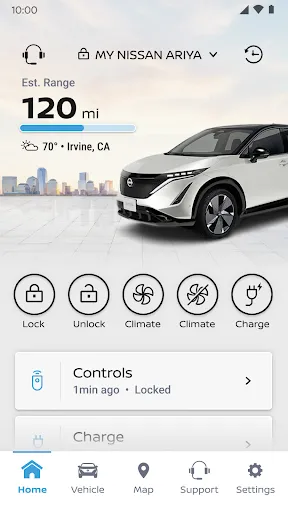
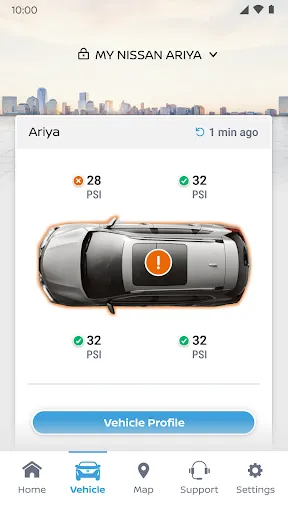
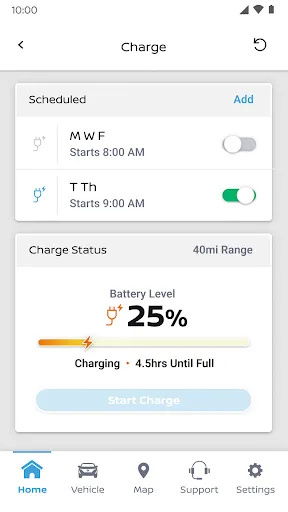
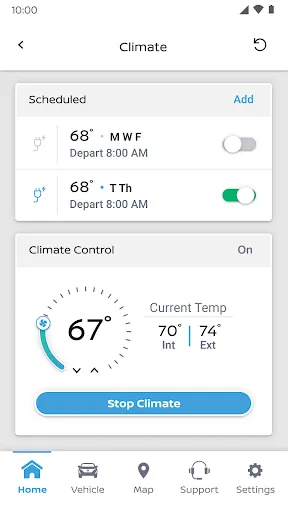
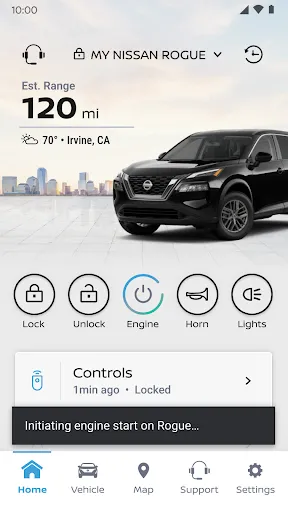
"MyNISSAN®" is a comprehensive mobile application designed to enhance the ownership experience for Nissan vehicle owners. One of its standout features is the ability to remotely start your vehicle, allowing you to pre-condition the cabin temperature before you even step inside. Additionally, the app provides real-time vehicle health reports, enabling users to monitor their car's performance and receive alerts for maintenance needs.
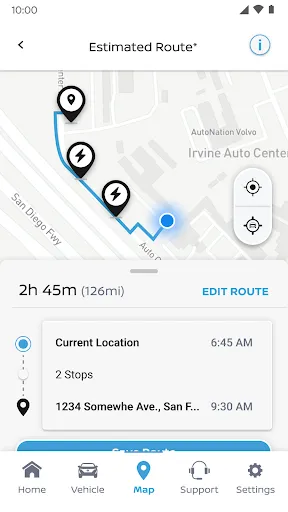
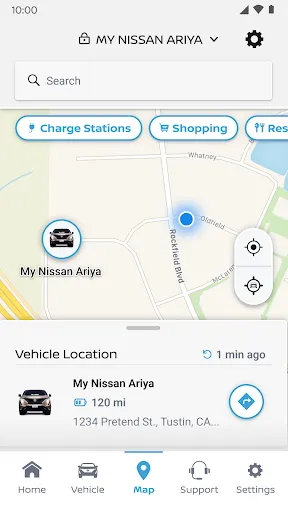
Another key feature is the integrated navigation system, which offers turn-by-turn directions and can help locate your parked vehicle. Users can also access their vehicle's service history and schedule maintenance appointments directly through the app. Furthermore, "MyNISSAN®" includes a rewards program that allows users to earn points for various activities, which can be redeemed for discounts or services. Overall, the app aims to provide convenience, safety, and a more connected driving experience for Nissan owners.
Using "MyNISSAN®" is straightforward and user-friendly. First, download the app from the Apple App Store or Google Play Store and create an account using your Nissan vehicle's VIN. Once registered, you can link your vehicle to the app, which will allow you to access all its features. The home screen provides a dashboard that displays essential information about your vehicle, including fuel level, mileage, and maintenance alerts.
To utilize specific features, such as remote start or vehicle health monitoring, simply navigate through the app's menu. You can also set up notifications for maintenance reminders or service updates. For navigation assistance, input your destination, and the app will guide you with directions. Additionally, the rewards section allows you to track your points and redeem them for various offers. Overall, "MyNISSAN®" is designed to be intuitive, making it easy for users to enhance their driving experience.
The "MyNISSAN®" app offers several advantages that enhance the ownership experience for Nissan drivers. One of the primary benefits is the convenience of remote vehicle management, allowing users to start their cars, check vehicle health, and schedule maintenance from their smartphones. The app's user-friendly interface makes it easy to navigate, and the integration of rewards programs adds an incentive for regular use. Additionally, the real-time updates and alerts help ensure that drivers stay informed about their vehicle's condition.
However, there are some drawbacks to consider. Some users have reported connectivity issues, particularly in areas with poor cellular service, which can hinder the app's functionality. Additionally, while the app is designed for Nissan vehicles, certain features may not be available for all models, limiting its usefulness for some users. Lastly, privacy concerns regarding data sharing and security may deter some individuals from fully utilizing the app. Overall, while "MyNISSAN®" has many benefits, potential users should weigh these pros and cons before fully committing to the app.

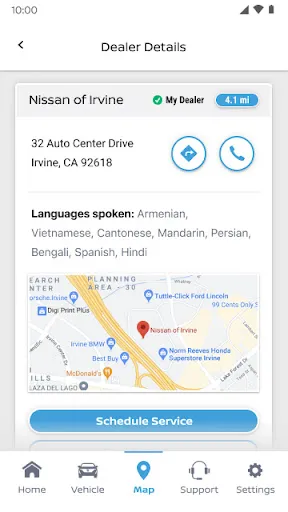
 Access real-time vehicle information anytime, anywhere. Stay updated on maintenance schedules effortlessly. Enjoy personalized alerts for recalls and service needs. Seamlessly connect with roadside assistance when needed. Easily locate nearby dealerships and service centers.
 Limited compatibility with older Nissan models may restrict usage for some owners. User interface can be confusing, leading to a frustrating experience for new users. Frequent app updates may cause temporary functionality issues, disrupting user access.
  Google Play
  App Store
 Yes, MyNISSAN® encourages users to submit suggestions and feedback through the app or official website to help improve future updates and features.
Yes, MyNISSAN® collects certain personal data to provide services and improve the app experience, but it adheres to privacy policies to protect user information.
Some features of MyNISSAN® may be accessible offline, but many functionalities, such as remote services, require an internet connection to operate effectively.
Users can cancel their MyNISSAN® subscription through the app settings or by contacting customer support for assistance with the cancellation process.
The subscription cost for premium features in MyNISSAN® can vary based on the services selected, so users should check the app for specific pricing details.
Yes, you can activate your account online by following the instructions sent to your email after registration.
Yes, customer service can assist you with any account activation issues you may encounter. Just reach out for help.
You can reach MyNISSAN® customer service by calling the number provided on our website or using the chat feature in the app.
To update your information, log in to your MyNISSAN® account and navigate to the "Account Settings" section.
Your customer number can be found in your account settings under "Profile" in the MyNISSAN® app.