
 Home
Home  Apps
Apps  Games
Games  Windows
  Topics
  Terms of Service
  Cookies & Privacy Policy
  Disclaimer
IP Cam Viewer Pro


Information
- Category: Productivity
- Price: $3.99
- Age Rating: Everyone
- Rating: 3.8
- Developer: Robert Chou
- Version: 7.6.4
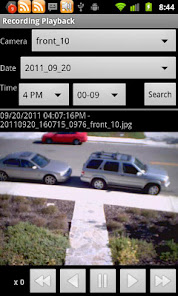
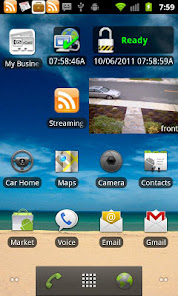
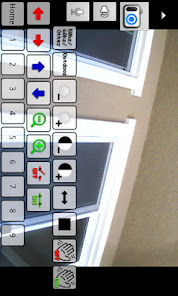

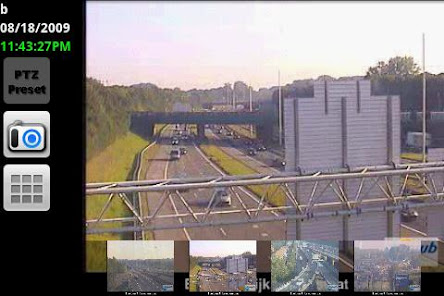
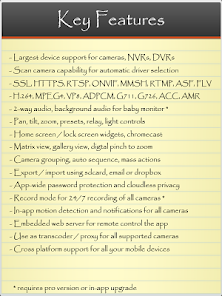
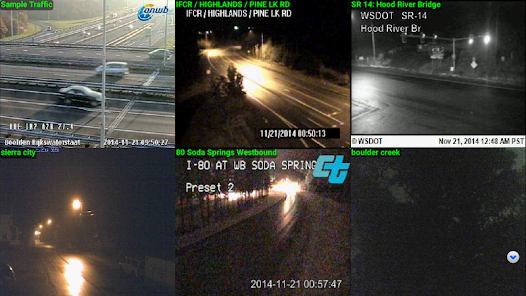
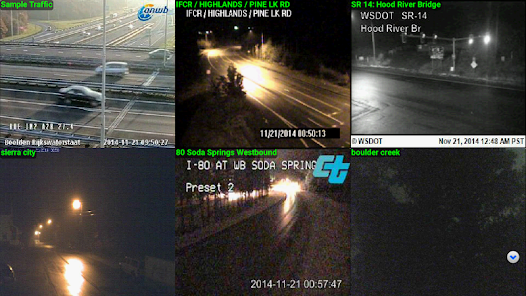
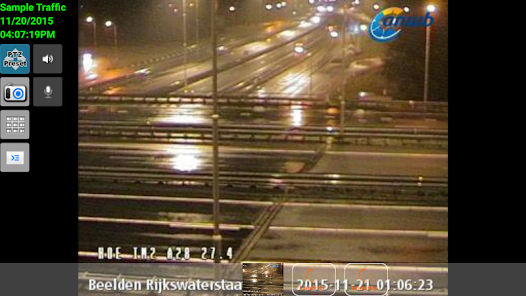
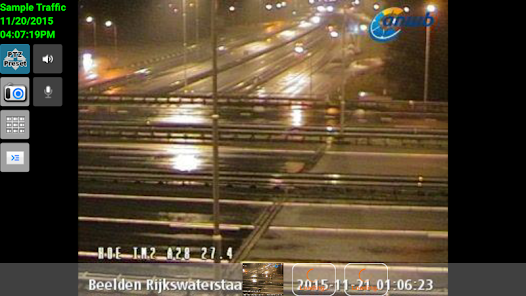
IP Cam Viewer Pro is a powerful app designed for monitoring and managing IP cameras, DVRs, and webcams. With support for a wide range of camera models, it offers features like live streaming, motion detection, and remote control capabilities. The user-friendly interface allows for easy navigation and customization, making it ideal for both home and business security. Stay connected and keep an eye on your property anytime, anywhere with this versatile surveillance solution.
Features of "IP Cam Viewer Pro"
"IP Cam Viewer Pro" is a versatile application designed for monitoring and managing IP cameras. One of its standout features is the support for a wide range of camera models, making it compatible with numerous brands and types. Users can easily add cameras by entering their IP address or scanning a QR code, simplifying the setup process. The app also offers live video streaming, allowing users to view real-time footage from their cameras directly on their mobile devices.
Another notable feature is the ability to record video and take snapshots, which can be stored locally or in the cloud. The app supports motion detection alerts, notifying users of any unusual activity. Additionally, it includes a user-friendly interface that allows for easy navigation between multiple camera feeds. Customizable settings enable users to adjust video quality, frame rates, and other parameters to suit their needs. Overall, "IP Cam Viewer Pro" provides a comprehensive solution for anyone looking to monitor their property or loved ones remotely.
How to Use "IP Cam Viewer Pro"
Using "IP Cam Viewer Pro" is straightforward and user-friendly. First, download and install the app from your device's app store. Once installed, open the app and create an account if prompted. To add a camera, tap on the "+" icon, which will guide you through the setup process. You can either manually enter the camera's IP address or use the QR code scanning feature for quick setup. After adding your camera, you can customize its settings, such as video quality and motion detection preferences.
Once your cameras are set up, you can easily switch between different feeds by tapping on their respective icons. The app allows you to view live footage, take snapshots, and record video directly from your device. To receive motion alerts, ensure that the motion detection feature is enabled in the settings. Additionally, you can access recorded footage and snapshots from the app's gallery. With these simple steps, you can effectively monitor your cameras and stay connected to your home or business from anywhere.
Pros & Cons of the App
"IP Cam Viewer Pro" comes with several advantages that make it a popular choice among users. One of the main pros is its extensive compatibility with various camera brands and models, allowing users to integrate multiple devices seamlessly. The app's user-friendly interface makes navigation easy, even for those who are not tech-savvy. Additionally, features like motion detection alerts and video recording enhance security monitoring, providing peace of mind to users. The ability to customize settings further tailors the experience to individual needs.
However, there are some drawbacks to consider. Some users have reported occasional connectivity issues, which can disrupt the live feed. Additionally, while the app offers a wealth of features, the initial setup can be complex for some, especially when dealing with advanced camera settings. The app may also require a subscription for certain premium features, which could deter budget-conscious users. Overall, while "IP Cam Viewer Pro" is a powerful tool for surveillance, potential users should weigh these pros and cons before making a decision.
Get Installation Details  Google Play
  App Store
Google Play App Store FAQ
Can I create playlists on Spotify?
Yes, users can create, share, and collaborate on playlists with friends.
Can I download music on Spotify?
Yes, premium users can download songs and playlists for offline listening.
Can I listen to Spotify offline?
Yes, premium users can listen to downloaded music offline without an internet connection.
Can I use Spotify on multiple devices?
Yes, you can use Spotify on multiple devices, but only one device can stream at a time.
Does Spotify have podcasts?
Yes, Spotify hosts a wide range of podcasts across various genres.
Similar Apps













You May Like

Microsoft Word: Edit Documents
Productivity
4.8

HotSchedules
Productivity
3.4

MediaFire
Productivity
3.8

@Voice Premium License
Productivity
4.4

Acode - code editor | FOSS
Productivity
4.3

Adobe Acrobat Reader: Edit PDF
Productivity
4.5
CRUMB
Productivity
4.7

CamScanner- scanner, PDF maker
Productivity
4.8

DAVx⁵
Productivity
4.3

Dropbox: Secure Cloud Storage
Productivity
4.4

Duet Display
Productivity
4.2
Easy Voice Recorder Pro
Productivity
4.7