

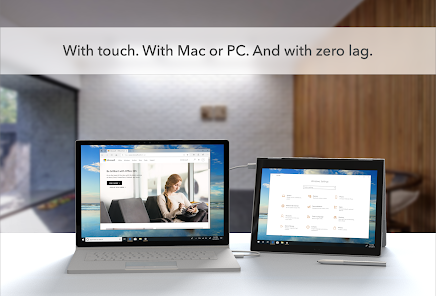
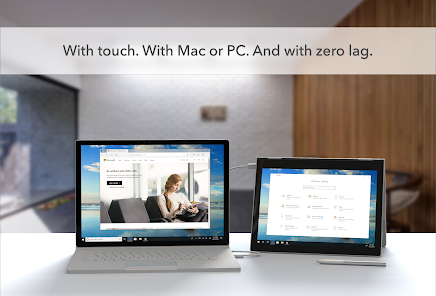
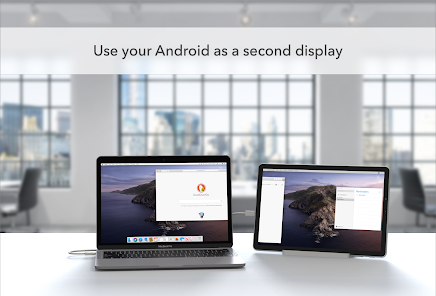
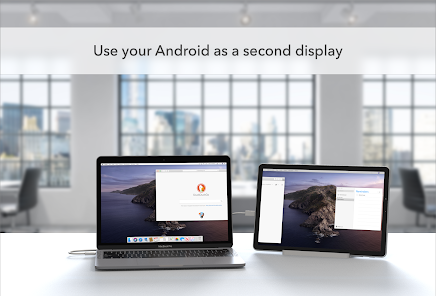
Duet Display is a well-crafted application that transforms your mobile device into an extra screen for your computer. This functionality can significantly enhance productivity, especially for users who need extra screen real estate. Below are some of the standout features that make Duet Display a must-have tool:
When I first downloaded Duet Display, I was looking for a way to improve my productivity while working from home. My typical workday involves juggling multiple tasks, often needing to reference documents or design materials while writing reports. One afternoon, I had an important project due, and I used my iPad as a secondary screen while working on my laptop. This setup allowed me to have my research open on the iPad while drafting my report on the laptop. The convenience of having everything in front of me without constantly switching tabs was a game-changer.
Moreover, I often use Duet Display for virtual meetings. I can keep the video call open on my laptop while taking notes and reviewing materials on my tablet. This arrangement has made my meetings more productive, as I can participate actively without missing any important information.
From the moment I launched Duet Display, I was impressed by its user-friendly interface. The setup process was straightforward; I simply installed the app on both my laptop and mobile device, connected through a cable, and I was ready to go. The UI is clean, making navigation easy even for those less tech-savvy. Choosing a display mode was a breeze, and the drag-and-drop feature allowed me to arrange my windows effortlessly.
Performance-wise, Duet Display did not disappoint. The high frame rate kept everything smooth, and I experienced minimal lag during use. Even when running resource-heavy applications, the app handled the load without any hiccups. I particularly appreciated the ability to adjust the resolution settings, which helped me optimize performance depending on my needs. Overall, the feeling of productivity I gained from using Duet Display was significant; it truly enhanced my work experience.
Duet Display is available for a one-time purchase fee, which I found reasonable considering the value it adds to my workflow. The app's pricing ensures that once I buy it, I won’t have to worry about recurring subscription fees. Given the productivity gains I’ve experienced, the investment has undoubtedly paid off. There are also occasional discounts, making it even more accessible for potential users.
Duet Display regularly rolls out updates to improve functionality and user experience. I have noticed that they listen to user feedback, which is a huge plus for me. The support team is responsive and helpful; I reached out once for a minor issue, and they resolved it quickly. The comprehensive FAQ section on their website also provides valuable information for troubleshooting common problems, making it easy to find solutions without having to wait for a response.
When it comes to security and privacy, Duet Display takes necessary precautions to ensure that user data remains safe. The app is available on official app stores, such as the App Store and Google Play, which adds a layer of trust. During the registration process, I was required to provide only basic information, which is standard for apps of this nature. I appreciated that they didn’t ask for excessive personal data, which can often be a red flag for users.
Additionally, Duet Display does not engage in intrusive ads or tracking behavior, which is a significant concern for many American users. The app focuses strictly on enhancing productivity without compromising user privacy. Overall, I feel confident using Duet Display, knowing that my data is secure and that my experience is free from unwanted distractions.

 Seamlessly extend your desktop with extra screen space Compatible with various devices, enhancing flexibility Improves productivity by multitasking more efficiently Touchscreen support for intuitive interaction and control Easy setup, requiring minimal configuration or effort
 Limited functionality compared to dedicated monitors Latency issues can hinder responsiveness Requires a reliable Wi-Fi connection May drain device battery quickly
  Google Play
  App Store
 Duet Display has a privacy policy that outlines its data collection practices; generally, it focuses on providing functionality and may collect minimal data necessary for app performance and support.
Duet Display does not offer a free version, but it may provide a limited trial period for new users to test the app before committing to a purchase.
No, Duet Display does not require an internet connection to function; it can work via a direct USB connection or wirelessly, depending on your setup.
You can contact Duet Display support through their official website, where you can submit a support ticket or use the provided contact information for assistance and feedback.
You can manage or cancel your Duet Display subscription through the app store where you purchased it, or by accessing your account settings on the Duet Display website.
No, logging in is required to access all features of the Duet Display app.
You can reach Duet Display's customer support through their official website or by emailing support
After purchasing, log in to your account within the app, and the activation will be automatic.
You can cancel your subscription through your account settings on the Duet Display website or app.
Open the app, then enter your account credentials or create a new account if you're a first-time user.