

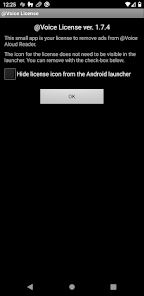
The "@Voice Premium License" offers a range of advanced features designed to enhance the user experience for those who rely on text-to-speech technology. One of the standout features is the ability to access a wide variety of high-quality voices, allowing users to choose the tone and style that best suits their preferences. Additionally, the premium version supports multiple languages, making it a versatile tool for users around the globe.
Another significant feature is the offline functionality, which enables users to download voices and use them without an internet connection. This is particularly beneficial for those who may not always have access to Wi-Fi or mobile data. The premium license also includes customizable settings, allowing users to adjust speech speed, pitch, and volume to create a more personalized listening experience. Furthermore, users can enjoy an ad-free environment, ensuring uninterrupted usage. Overall, the "@Voice Premium License" is designed to provide a comprehensive and user-friendly text-to-speech solution.
Using the "@Voice Premium License" is a straightforward process that enhances the text-to-speech experience. First, users need to download the "@Voice" app from their respective app store and purchase the premium license within the app. Once the license is activated, users can access the premium features immediately. To start using the text-to-speech functionality, simply input or paste the desired text into the app's interface.
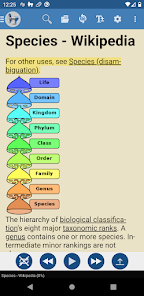
After entering the text, users can select their preferred voice and adjust the settings such as speed and pitch to tailor the output to their liking. Once everything is set, tapping the play button will initiate the speech synthesis. Users can also save their favorite texts for quick access later. Additionally, the app allows for easy sharing of audio files, making it convenient for users to share content with others. Overall, the "@Voice Premium License" is designed for ease of use, ensuring that users can quickly and effectively convert text to speech.
The "@Voice" app, particularly with the Premium License, comes with several advantages that make it a popular choice among users. One of the primary pros is the extensive selection of high-quality voices, which enhances the listening experience. The app's ability to function offline is another significant benefit, allowing users to access text-to-speech features without needing an internet connection. Additionally, the customizable settings enable users to tailor the speech output to their preferences, making it a versatile tool for various needs.
However, there are some drawbacks to consider. One potential con is the initial cost of the premium license, which may deter some users from making the investment. Additionally, while the app supports multiple languages, the quality of voices may vary across different languages, which could affect user satisfaction. Lastly, some users may find the interface less intuitive compared to other text-to-speech applications, which could lead to a steeper learning curve. Overall, while the "@Voice" app offers many benefits, potential users should weigh these pros and cons before making a decision.

 Enhanced speech quality for more natural and engaging voiceovers. Access to a wider range of premium voices and accents. Improved customization options for tailored user experiences. Seamless integration with various applications and platforms. Regular updates ensure cutting-edge features and voice enhancements.
 Limited accessibility for users with certain devices or operating systems. Higher cost compared to free alternatives may deter potential users. Dependence on internet connectivity can disrupt service availability.
 Voice Premium License offer a free trial or free version?
Voice Premium License? Users can contact support or send feedback for
Voice Premium License subscription? Users can manage or cancel their
Voice Premium License?
Voice Premium License offer?
Voice Premium License on multiple devices?
Voice Premium account?
After purchase, you'll receive an email with an activation link. Click the link to activate your
Voice Premium License?
Voice Premium account?










 Google Play
  App Store