
 Home
Home  Apps
Apps  Games
Games  Windows
  Topics
  Terms of Service
  Cookies & Privacy Policy
  Disclaimer
INKredible PRO


Information
- Category: Productivity
- Price: $10.99
- Age Rating: Everyone
- Rating: 3.6
- Developer: WriteOn
- Version: 3.1.5
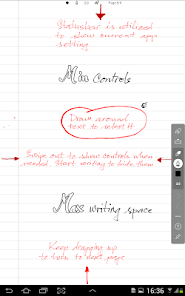
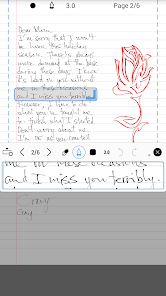
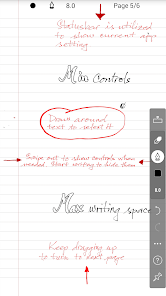
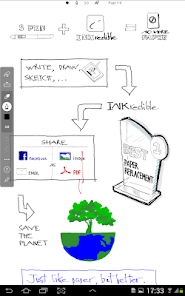
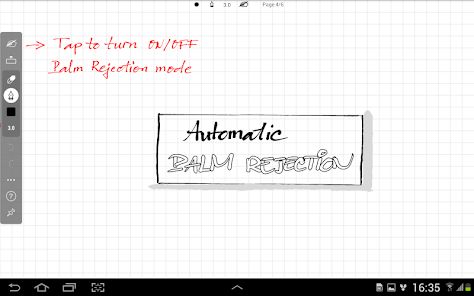
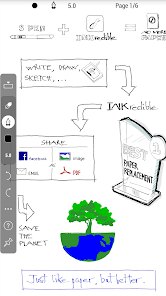
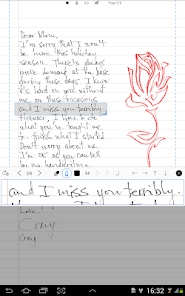
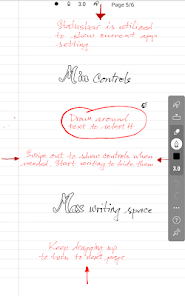
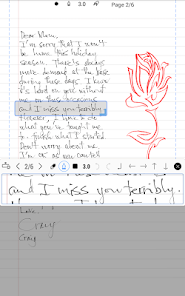
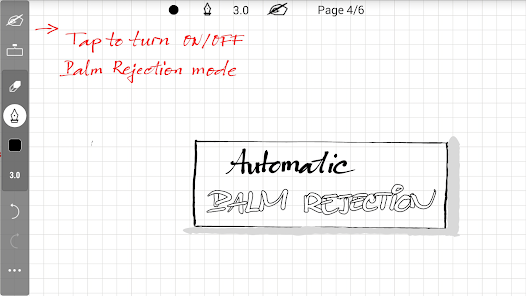
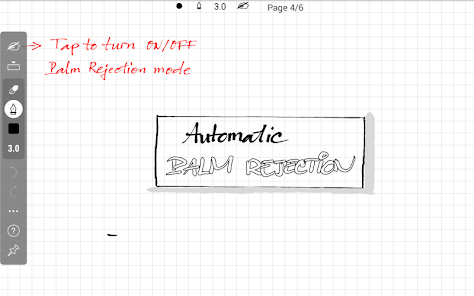
Introducing INKredible PRO, the ultimate digital ink app designed for artists, note-takers, and creative minds. With its intuitive interface and advanced features, INKredible PRO transforms your device into a powerful canvas for sketching, writing, and brainstorming. Enjoy a seamless experience with natural handwriting, customizable brushes, and a variety of paper styles. Whether you're drafting ideas or creating stunning illustrations, INKredible PRO elevates your creativity to new heights. Unleash your imagination today!
Features of INKredible PRO
INKredible PRO is a powerful note-taking application designed specifically for stylus users. One of its standout features is the advanced handwriting recognition technology, which allows users to convert handwritten notes into digital text seamlessly. This feature is particularly beneficial for students and professionals who prefer writing by hand but need digital copies for easy sharing and editing.
Another notable feature is the customizable pen settings, which enable users to adjust the thickness, color, and opacity of their writing tools. This personalization enhances the writing experience, making it feel more natural and tailored to individual preferences. Additionally, INKredible PRO supports various paper styles and backgrounds, allowing users to choose the perfect canvas for their notes.
The app also includes an intuitive organization system, where users can categorize their notes into notebooks and folders, making it easy to locate specific information. Furthermore, INKredible PRO offers cloud synchronization, ensuring that notes are accessible across multiple devices. Overall, these features make INKredible PRO a versatile tool for anyone looking to enhance their note-taking experience.
How to Use INKredible PRO
Using INKredible PRO is straightforward and user-friendly, making it accessible for both beginners and experienced users. To get started, download the app from your device's app store and create an account. Once installed, you can open the app and begin a new note by selecting the "+" icon. This action will present you with various paper styles to choose from, allowing you to customize your writing environment.
After selecting your preferred paper style, you can start writing with your stylus. The app's handwriting recognition feature will automatically convert your handwritten notes into text as you write, which can be edited later if needed. You can also utilize the customizable pen settings to adjust the thickness and color of your writing tool, enhancing your notes' visual appeal.
To organize your notes, create notebooks and folders within the app. This organization helps you keep track of different subjects or projects. Additionally, make sure to enable cloud synchronization in the settings to access your notes from any device. With these simple steps, you can effectively use INKredible PRO to streamline your note-taking process.
Pros & Cons of INKredible PRO
INKredible PRO comes with several advantages that make it a popular choice among users. One of the primary pros is its exceptional handwriting recognition, which accurately converts handwritten notes into digital text, saving time and effort. The app's customizable pen settings also allow for a personalized writing experience, catering to individual preferences. Furthermore, the organization features, such as notebooks and folders, help users keep their notes structured and easily accessible.
However, there are some drawbacks to consider. One con is that the app may not be as feature-rich as some other note-taking applications, lacking advanced functionalities like task management or collaboration tools. Additionally, while the handwriting recognition is impressive, it may struggle with certain handwriting styles or languages, leading to occasional inaccuracies. Lastly, some users may find the app's interface less intuitive compared to competitors, which could hinder the overall user experience.
In summary, while INKredible PRO offers excellent handwriting capabilities and customization options, potential users should weigh these pros and cons to determine if it meets their specific needs.
Get Installation Details  Google Play
  App Store
Google Play App Store FAQ
Can I create playlists on Spotify?
Yes, users can create, share, and collaborate on playlists with friends.
Can I download music on Spotify?
Yes, premium users can download songs and playlists for offline listening.
Can I listen to Spotify offline?
Yes, premium users can listen to downloaded music offline without an internet connection.
Can I use Spotify on multiple devices?
Yes, you can use Spotify on multiple devices, but only one device can stream at a time.
Does Spotify have podcasts?
Yes, Spotify hosts a wide range of podcasts across various genres.
Similar Apps













You May Like

Microsoft Word: Edit Documents
Productivity
4.8

HotSchedules
Productivity
3.4

MediaFire
Productivity
3.8

@Voice Premium License
Productivity
4.4

Acode - code editor | FOSS
Productivity
4.3

Adobe Acrobat Reader: Edit PDF
Productivity
4.5
CRUMB
Productivity
4.7

CamScanner- scanner, PDF maker
Productivity
4.8

DAVx⁵
Productivity
4.3

Dropbox: Secure Cloud Storage
Productivity
4.4

Duet Display
Productivity
4.2
Easy Voice Recorder Pro
Productivity
4.7